As I have evolved as a genealogist, so has my working style, and specifically how I use research “plogs.” I’m going to share some of my earlier plogs… no judgement. I mainly want to demonstrate how I used to do it, and how I’ve improved, at least in terms of keeping track of my thoughts and research.
My earliest logs were on printed paper. I’m sure I have copies of them, but I’m having some remodeling done in my office and my “stuff” is in piles under drop cloths and I can’t get to them right now. If I can before this series is over, I’ll snap a few photos. For now, let’s look at some of my earliest digital versions.
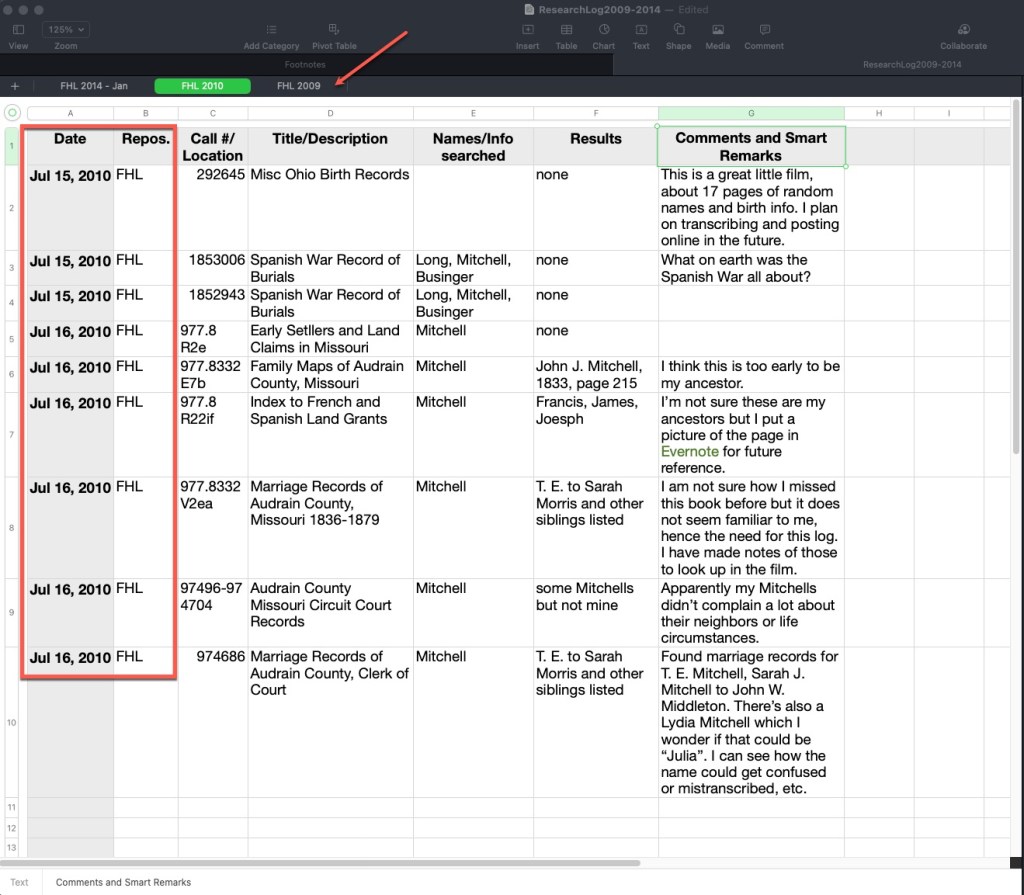
The following plog was done on a spreadsheet. I use a Mac and the Numbers spreadsheet program. It works very nearly like Excel. Across the top you can see tabs indicating the repository and the year. The column headers have not changed a lot over the years. I usually indicate a date, the repository, the call number/film number/manuscript number if it is in an onsite location, or a link and database title if it is an online source, the title or description of that item, the names and parameters used to search, the results, and then any comments, ideas, analysis, etc.
Here is another plog I’ve created, this time in Evernote. Other note programs exist and you may prefer. This is an example of one from 2009, you’ll note very similar column headings. You’ll also note that I didn’t do as much thought-process writing in the results column. I mostly noted what I found. In newer plogs in Evernote, I generally take photos of the pages in books and store them right in Evernote and then link the results in this log to those separate notes so that this log would be much more useful. Stating “Found some, made copies” doesn’t really help if I have to track down those copies. Earlier in genealogy time, we made a lot of paper copies. Now we can take digital photos and link them to these logs.
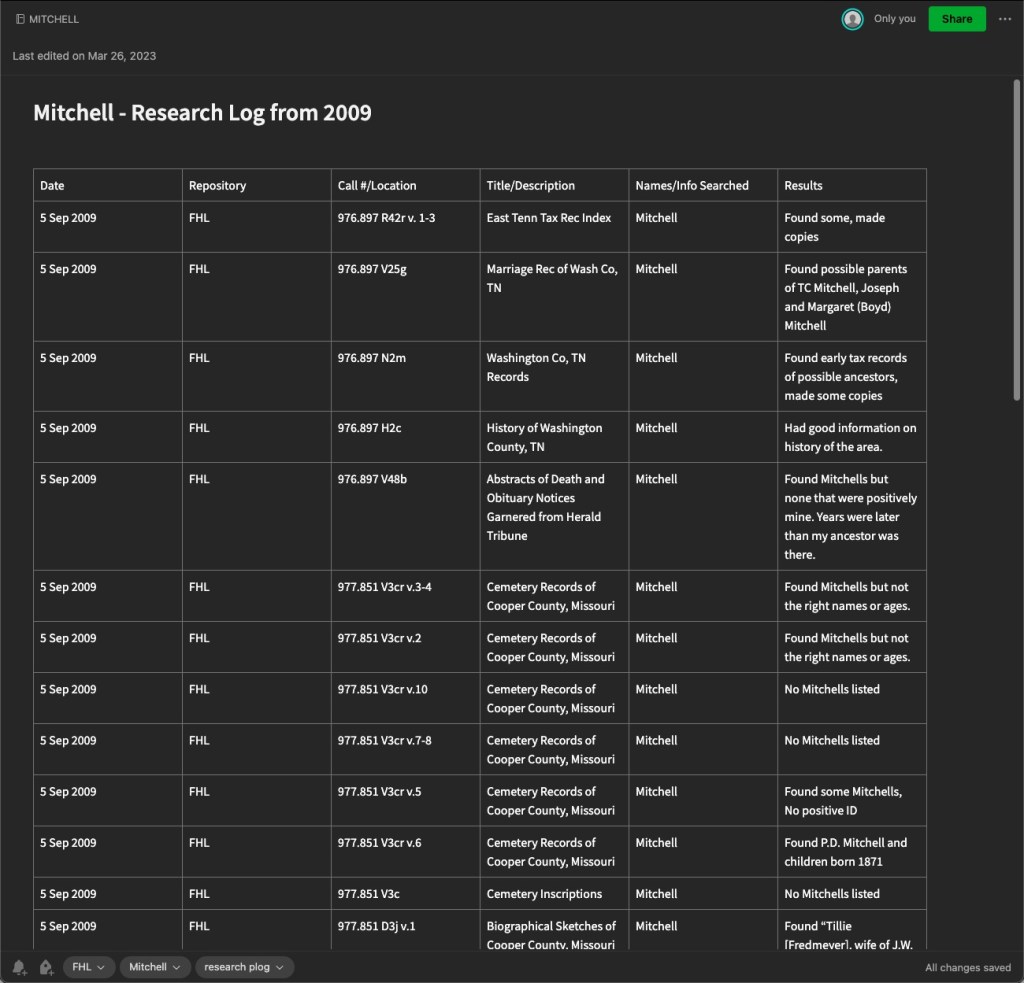
The advantage to a note-taking software like this is that they often are shared to the cloud and you can access them on mobile devices as well as your computer. Of course, a spreadsheet can do this as well if you store in Dropbox or other file sharing service. Note-taking apps generally work more seamlessly, in my opinion. On these things, my advice is to always do what works best for you. It makes no sense to spend valuable research time trying to use someone else’s system if it isn’t working for you. If you have a favorite system, keep using it! Just adapt and evolve.
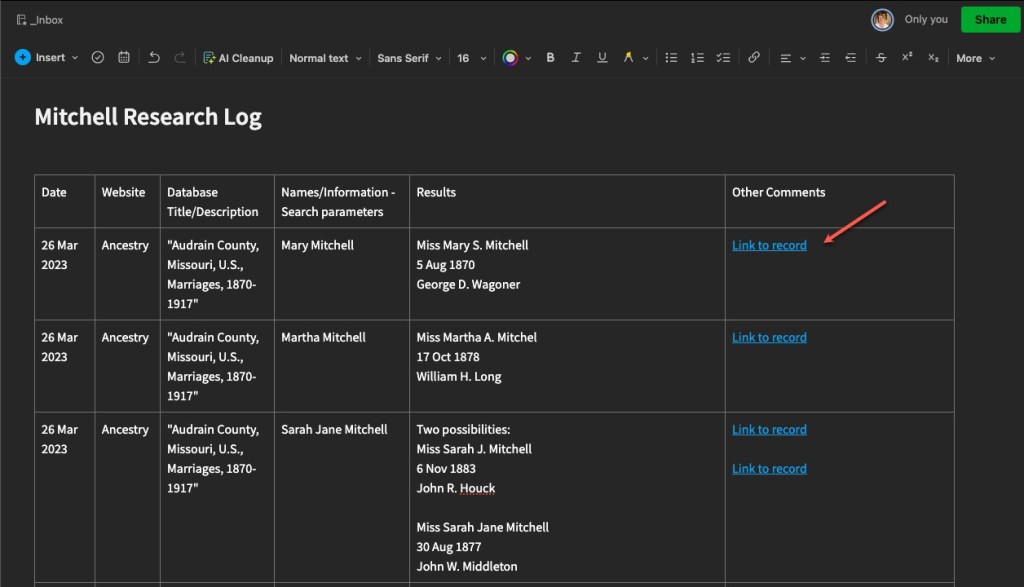
Here is another, more recent plog, showing linked records. These are links directly to the item in online databases, in this case Ancestry. With Evernote, and other note-taking options, you can link to other notes within the software.
You can, of course, use a word processor to keep a plog as well. Below is an example of one I did back in 2014 as I was experimenting and evolving.
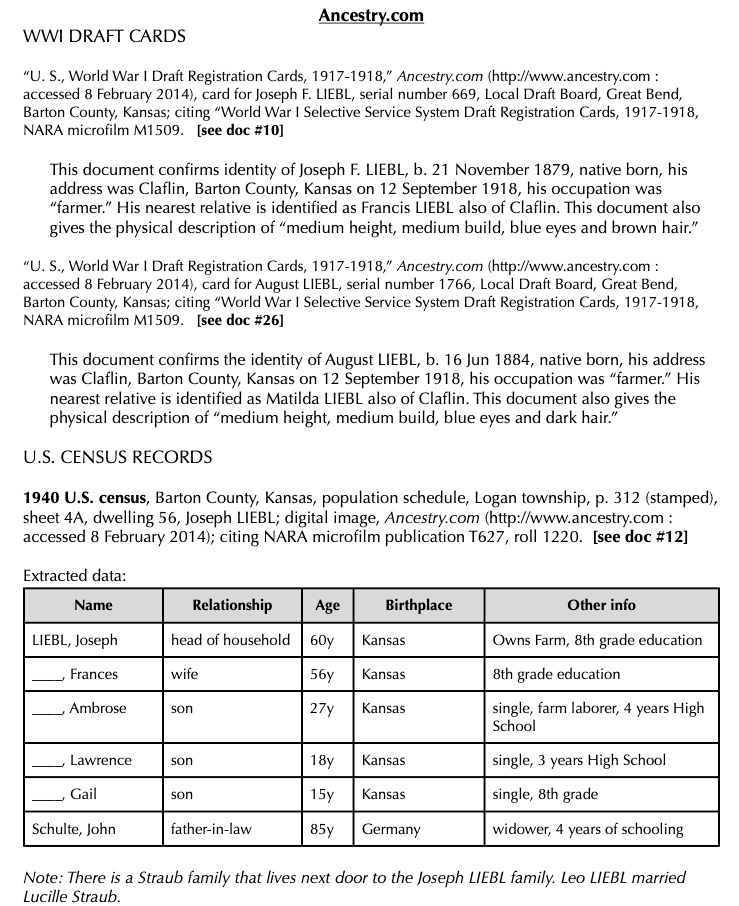
The above example of a word processor plog, I tend to use for client work, but also in my own personal research when I’m trying to “round up” all of the research I’ve done and write more analysis from the findings I collected in the plogs I have made in Evernote or a spreadsheet.
Most recently, I’ve begun doing this “round up” more frequently, writing a kind of informal client report for myself. I think of it as writing notes to my future self telling me what I was thinking at the time, what I thought then that the next steps might be, and future tasks for myself. This has really helped me because my memory is getting worse as I get older (and busier) and I always think I’ll remember what I was doing, but then months go by and I’ve completely forgotten what I was doing.
Next we will talk in more detail about the plan part of the “plog.”
 Genealogy Pants
1 thought on “Research “Plogs” – Different Styles”