Tag Archives: card catalog

Using Websites’ Catalogs: Findmypast and other sites

Some sites may not call it a “catalog,” but nearly all genealogy sites have a way for you to search their holdings, whether or not they are a subscription site.

Findmypast, for example calls the catalog “All record sets”:
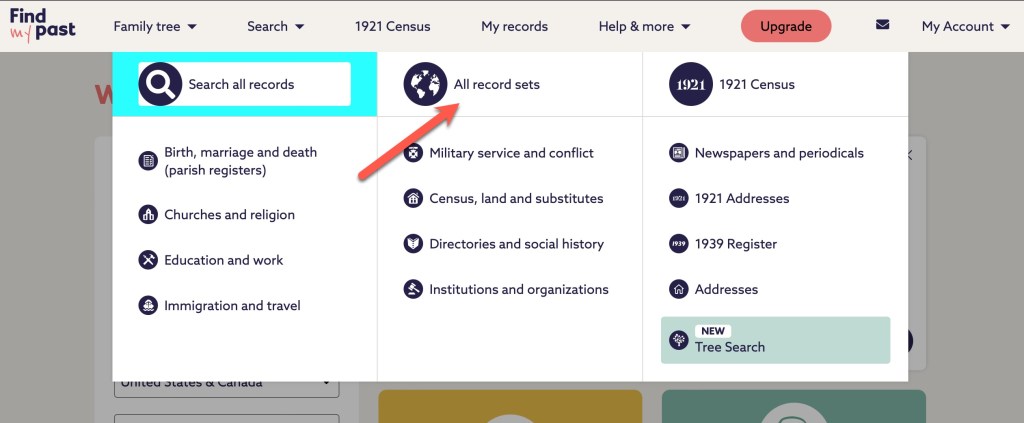
Findmypast “All record sets”

When you click on “All record sets,” you will find a page similar to what we’ve seen before.
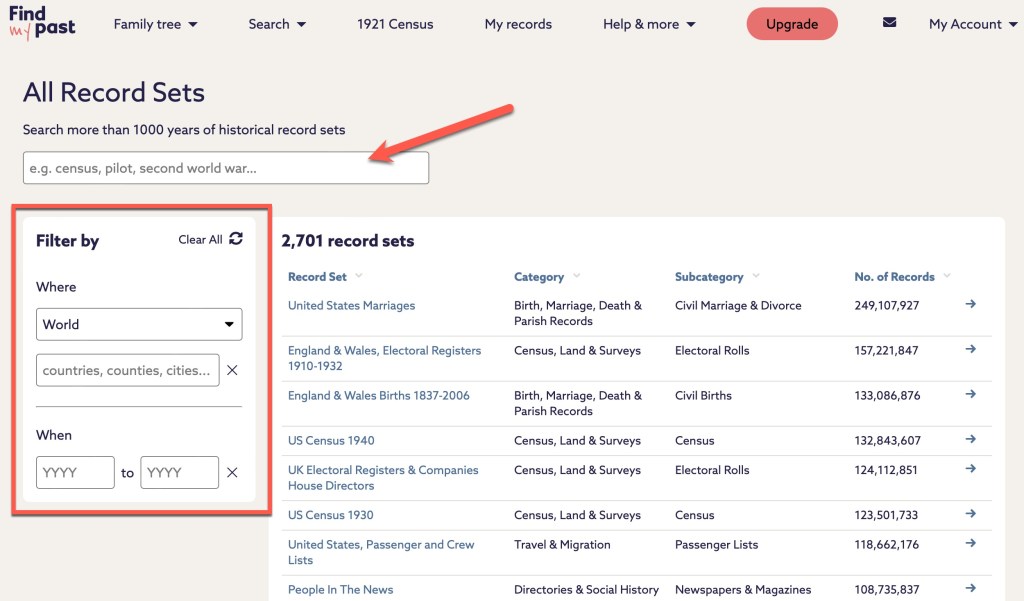
Findmypast “All record sets”

At the top, there is a search box. Along the left, there are some filters you can use to narrow down your results. Let’s take a look at an example from my research. My Sly line came from Wiltshire, England to the U.S. in the 1840s. Let’s narrow down the catalog at Findmypast to see how many record sets they have that might help me learn more about births for my Sly ancestors.
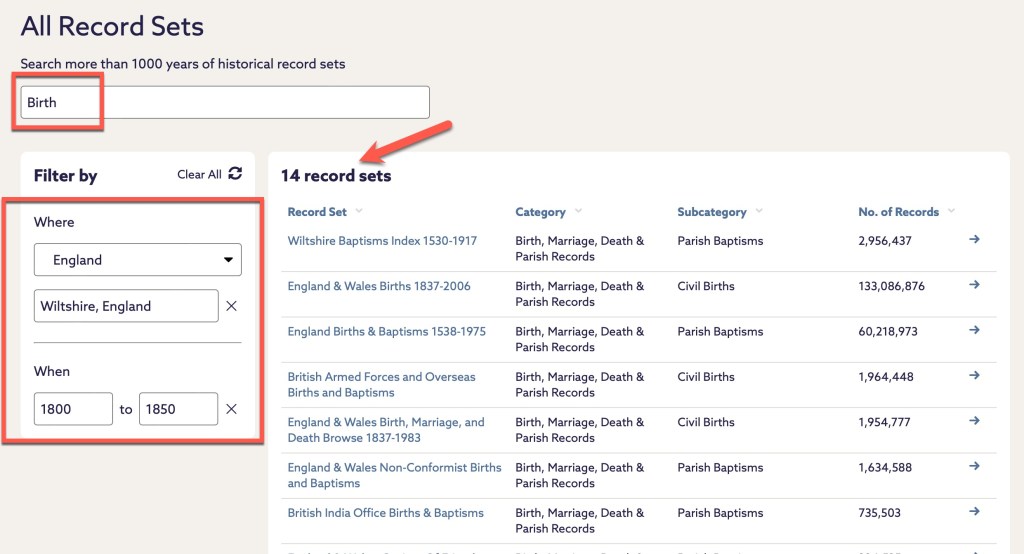
Findmypast search for “birth” and filtered by Wiltshire, England between 1800 and 1850.

In my search example above, there are 14 records sets that I can examine that might help me learn more about my Slys from Wiltshire. At Findmypast, the number of results changes as you type. There’s no waiting to hit “search” to see how many results you might have to wade through. When I search by the surname Sly, and first names of Susanna and William for the parents, there are 7 results.

There are 7 results when I’ve narrowed down the search options.

It doesn’t matter what a site calls it, there is going to be a way to look at the various collections in a site rather than just searching from the main screen.

Starting with the catalog will be a more targeted approach for your searches. By being deliberate with your searching, you can be assured you are looking at the right collections for your exact question. This is especially true for larger websites with many collections and databases such as Ancestry and FamilySearch. And if you are working with more common names, searching the large websites from the front page may not bring the results you really want to the top of the results list. You’ll have to dig, and filter, and narrow, and widen. I’m not saying you can’t do that, but you should also do more pointed, deliberate searches in specific collections, databases, and record sets.

We could go through just about any genealogical website and demonstrate the same things. Get very focused with your research and utilize catalogs to find the collection that makes the most sense to your research.

We will start a new topic next week. Until then, happy searching.

Using Websites’ Catalogs: FamilySearch

The FamilySearch website has several different aspects to it such as the Family Tree, records, images, books, the research wiki, and more. Ninety-nine percent of the time, my first stop is the catalog.

The Catalog is found under Search.

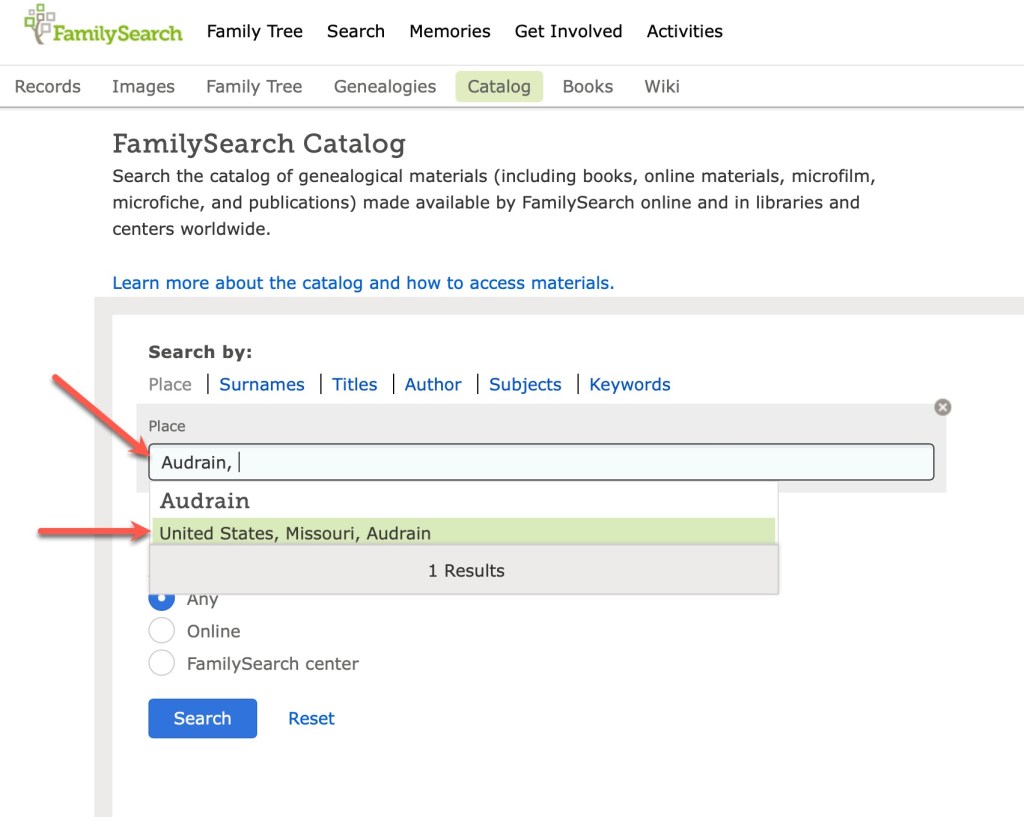
When I am planning my research, or wondering what records might be available for a given location, I always start with the catalog. It’s just the way I work. You might prefer to start with the Wiki or the records or images. This is just how I learned it back when I was a “baby genealogist” and it makes sense to me. You find the catalog under the Search tab. I nearly always put in a location to get started.

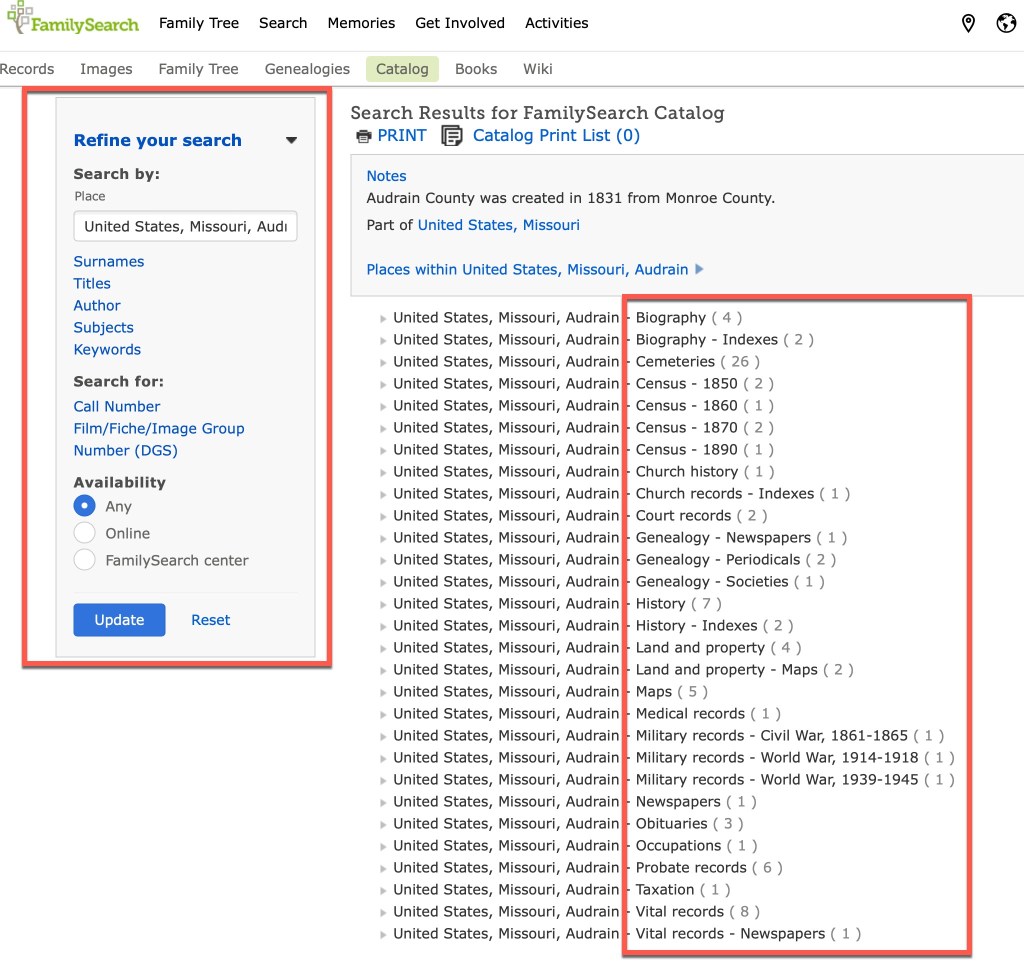
I start by typing in the county, and the catalog brings up the places that match that name. Lucky for us, there’s apparently only one county in the United States named Audrain. Once you click on that location, you are then taken to the page that has all of the topics available for that location.

You’ll notice, on the left are various filters you can use to narrow down your results. However, in the main section on the right, you can see all of the topics (see red box on the right in the screenshot above). You can see the topics such as biography, census, church records, land and property, probate, vital records, and so on. Clicking on vital records gives you the following options:

If those records have been incorporated into a larger database, you might see a link to that database on the page:

This one tells us that the Audrain marriages are included in a larger database. Usually I will click on that link and see if the record I’m seeking can be found quickly. However, they don’t always show up and I’ll go “old school” and click through the digital microfilm. This sometimes happens because of handwriting/indexing issues, or because this particular film hasn’t been indexed, or probably a number of other reasons I am unaware of.

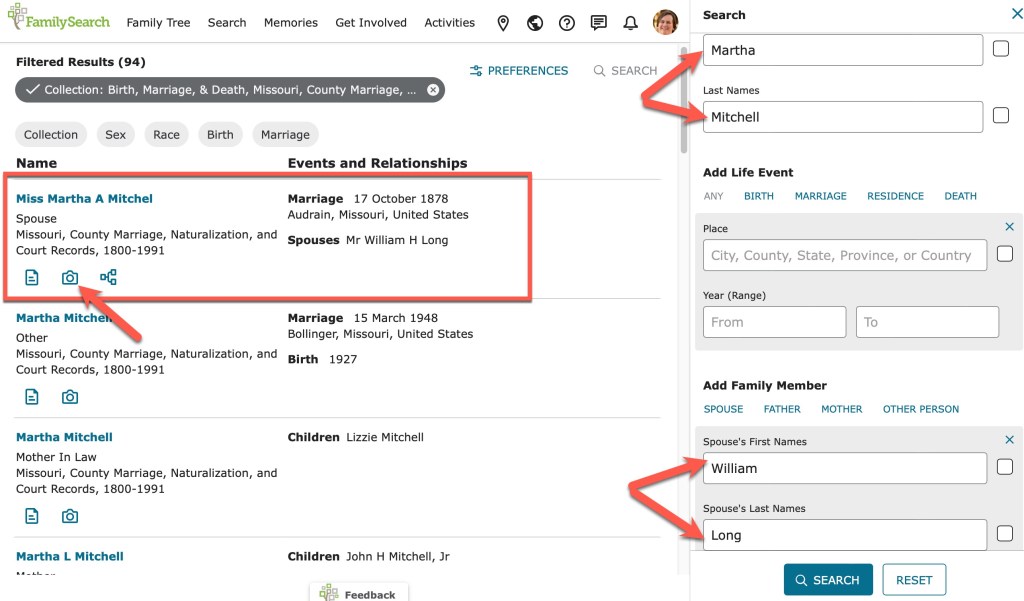
A search through the database does indeed bring up the record I am seeking.

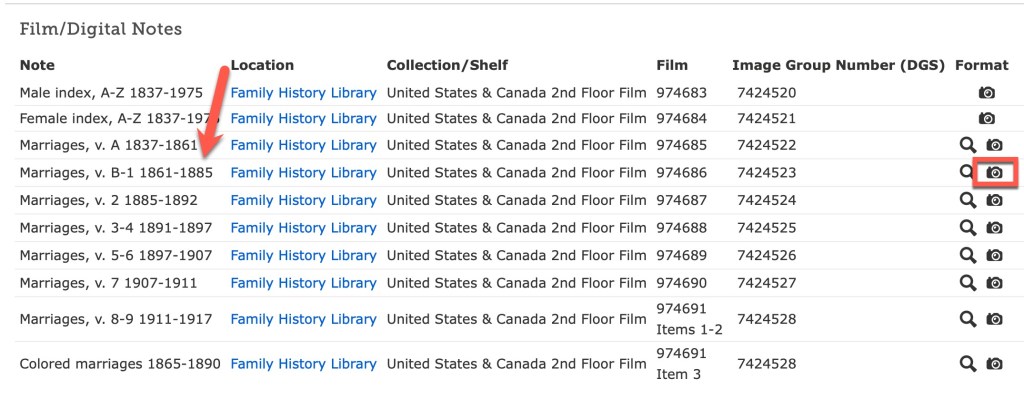
Martha Mitchell, daughter of Thomas Mitchell, married William Long in Audrain County in 1878. The index entry shows a camera icon which, when clicked, takes you directly to the image.

Sometimes, you will not be taken to the image because they haven’t gotten everything connected. But you will usually be given enough information in the index to find the record on the appropriate digitized microfilm.

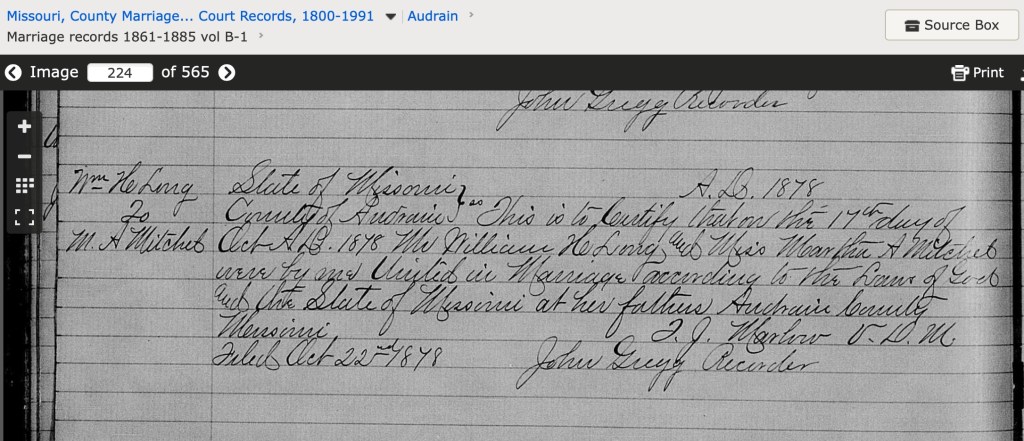
If you click on the camera icon, you will be taken to the digitized microfilm that you can “scroll” through just as if you were looking at the microfilm.

Those are the basics of using the FamilySearch Catalog. There is a lot more to the FamilySearch site, and we may come back to that in a future series. We will stick with catalogs for now. Next time we will look at a few others and see how they are very similar in function.

Having a Good Research Question

I know at the end of the last post I said I would next be talking about the Ancestry catalog. But as I started that, I felt like I needed to give a little background on why I’m even writing this series. I’ve probably talked about this before on this blog, but it is so important, that I’m going to say it again. Good research begins with a good research question. If you don’t know what you are looking for, how are you going to know when you find it?

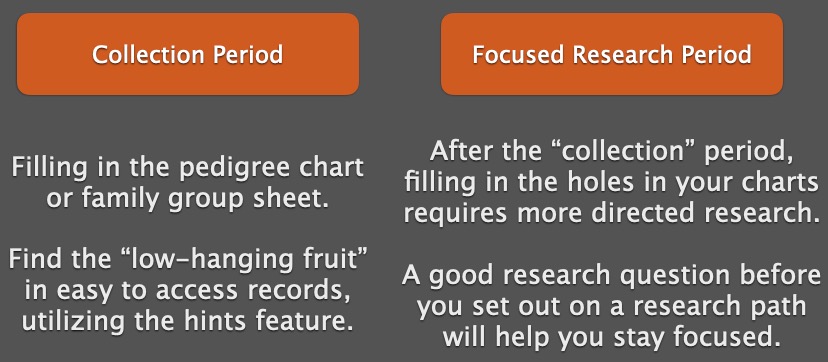
I talked previously in this series about the two phases I’ve seen and experienced throughout my genealogical lifespan, collecting and then focused research.

The two genealogical phases.

Having a good research question guides your research in the second phase. It helps tell you where to look for answers.

There’s a Goldilocks effect when it comes to research questions. They can be too broad, too narrow, or just right. And we aim for the “just right” question. The question needs to identify a unique person in time and place, and it needs to be answerable. For example:

Who were the parents of Thomas Carroll Mitchell who died in Montgomery County, Missouri on 29 April 1914?

This question identifies a unique person by giving a full name and death date and location. It says “I’m talking about this specific Thomas Mitchell, not the man of the same name who lived two counties over and died a year later.”

A question too broad will not give those details: Who was Thomas Mitchell? Who were Thomas Mitchell’s parents? When was Thomas Mitchell born? All these only provide a name, and not a full name (use it if you have it), and not location or dates. There are far too many Thomas Mitchells in the world for these to be useful questions. They do not give enough information to even know where to start.

A question too specific might be: What was Thomas Carroll Mitchell’s exact date of birth? Believe it or not, some people did not know their exact birth dates, or records may not have been left that provide that information. A better question might ask for “when was he born” which can be answered with a date range or a year only.

The “just right” question will give enough information to guide our research. Let’s look at the example above. From that question, we know where and when Thomas died. Likely we have a document (death certificate or burial records) that provided that information. Now, we can work backwards to try to identify his parents. We know he died in 1914, so one step in our research plan might be to find him in all of the censuses starting with 1910 in Montgomery County, Missouri, provided he didn’t recently move there.

Based on what you find in the censuses, you then decide where to go from there. Part of that is what I call “pre-research.” How do you know where to go to find the records you want to look at? Guess what. It’s the catalog.

Using Websites’ Card Catalogs

I’ll bet many of us (most of us?) go to a genealogical website and plug our ancestors’ names into the first search box we see and hope for the best. At least at first. In the past, this was exactly how I conducted my research. Rather haphazardly, with varying success.

In my experience, I think there are two phase in the life cycle of the genealogist (there may be three or more, but I haven’t gotten there yet). First, there is the collection phase. We’ve just gotten started, we know a few details from our parents or grandparents, and we just start collecting records and filling in the pedigree chart as fast as we can. In this phase we find the “low-hanging fruit” in terms of records. And that is fine, but eventually, you get to the second phase. In the second phase, you’ve run into some trouble. You’ve found some conflicting records or some brick walls and have some harder work ahead of you.

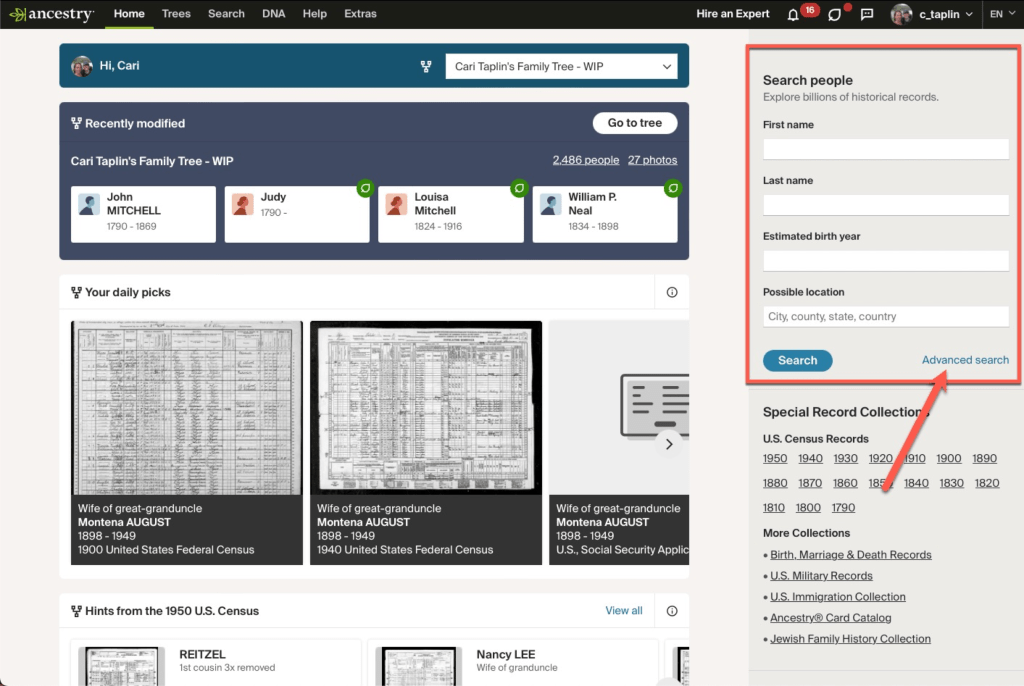
Ancestry’s Front Page Search Box – Arrow Points to Advanced Search Option

Each of the major genealogical websites has a front page with that ever-tempting search box in it. That is their way to get quick engagement with website users and potential subscribers. This blog series is going to assume that we are all subscribers. If you try to do some of the things I’ll discuss, it will likely ask you to subscribe to see the documents or the search results anyway. Just be aware. This is not meant to be a blog series that discusses only FREE websites or databases. FamilySearch is the only free site I’ll be discussing.

The main front page search box is going to be great for that collection phase, but not so great for the phase where you work on more difficult problems. This series is going to help you learn some other facets of these websites to make your searching more targeted and efficient. That front page search may also be a hindrance if you are working with common names or don’t have much information to help narrow down your search results. When working with general search results, we have to pay extra attention to details so we don’t end up “adopting” the wrong family into our family tree.

Up next… Ancestry’s Card Catalog