Monthly Archives: August 2022

Why You Should Use Cyndi’s List: Have a Plan (Location)

Last time we went “shopping” at Cyndi’s List with the topic of fur trading in mind. Let’s go about this a different way. My ancestors did not stay in one place forever. Eventually as you research, you will find that they came from somewhere. Once you figure out where that somewhere was, you’ll eventually encounter a place you know very little about. Let’s go to Cyndi’s List with a place in mind.

When you scroll through the categories on Cyndi’s list you will find places among the list. Here are a few screen captures of some of them:
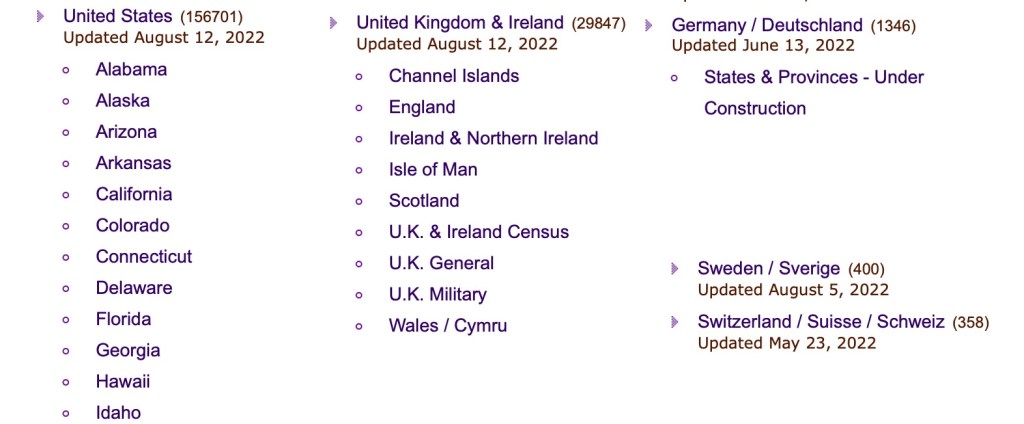
Screen captures of some of the locations in the category list.

So, if you are looking for a particular state in the United States, you will find it under “U” fur “United States.” There’s also many other countries in the list, for example “United Kingdom & Ireland,” “Germany / Deutschland,” “Sweden/Sverige,” and “Switzerland/Suisse/Schweiz” just to name a few. When you encounter a new location in your research, head over to Cyndi’s List categories to find that location and see what you can learn.

I recently had some new work in Mexico. I have a very small amount of experience in Mexican records, primarily those that are near the Texas border. I wanted to know more and find resources that I probably didn’t know existed, so I headed over to Cyndi’s List.

Mexico Category on Cyndi’s List

If you look at the Birth, Marriage, Death category, you will find that Cyndi has links directly to databases at Ancestry, FamilySearch, and other major websites. But there will also be other links in there as well. For this example, let’s look at the Newspapers sub-category.
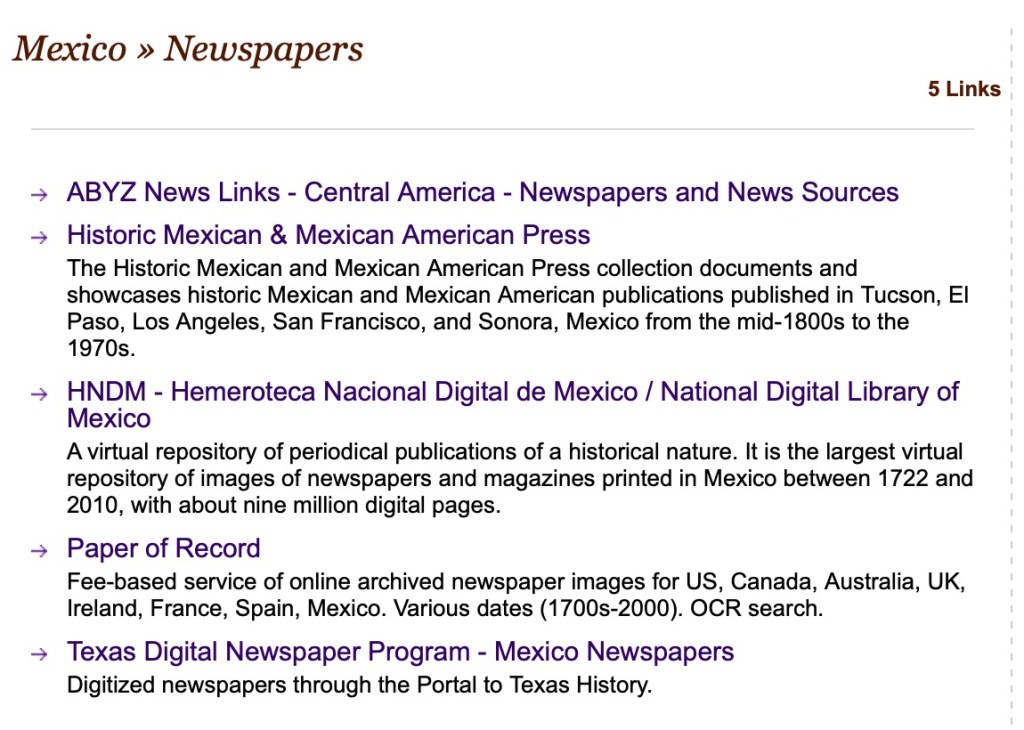
A look at the Newspapers sub-category.

From looking at this subcategory I found a wonderful collection of digital newspapers at the National Digital Library of Mexico.

National Digital Library of Mexico, showing a digitized newspaper

Let’s look at another place example. I have a lot of my personal research that is in northwestern Ohio, primarily Wood, Hancock, Lucas, and other counties in the area. Under each state there is a sub-category for Counties:

Subcategories for Ohio
Counties list for Ohio

Let’s take a look at Hancock County.
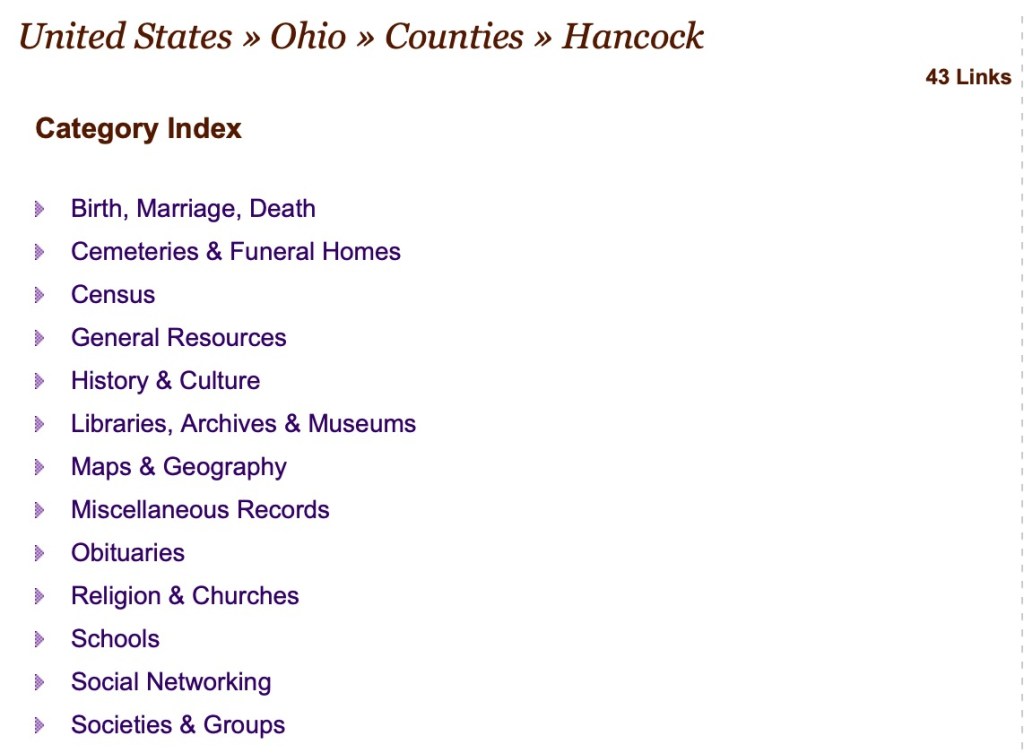
Hancock County, Ohio sub-categories on Cyndi’s List

You may notice that the subcategories are very similar if not the same across multiple categories. Let’s look at the Libraries, Archives & Museums category:

Libraries, Archives & Museums Category for Hancock County, Ohio on Cyndi’s List

I have been to the Findlay-Hancock County Public Library. My dad used to live in Findlay for many years. His mother’s maternal side, the Urbans, were from Findlay. So I’ve visited that library many times to do research. However, I have never visited neither the Kaubisch Memorial Library nor the McComb Public Library and will have to do so on a future visit. I honestly did not know they existed and do not know if they might have additional information than I have been able to obtain from Findlay. If it weren’t for Cyndi’s List, I may have never known to look there.

So, think of the locations you are researching. It is very possible if not likely that Cyndi’s List has some hidden gems waiting for you in those categories and sub-categories. Go take a look.

Why You Should Use Cyndi’s List: Have a Plan (Topic)

First of all, HAPPY BIRTHDAY, Cyndi! Next… let’s continue the series.

Let’s look at using Cyndi’s List with a plan. The analogy: you walk into Costco with your shopping list. Let’s say you have some topics in mind. Perhaps you are just starting to work in a new state or country and you know very little about that area. Or you just discovered that an ancestor was involved in an event or activity you don’t know much about. In these scenarios, using Cyndi’s List is a good way to learn what is out there that is genealogically-related.

Let’s say you learned that an ancestor was a fur trader and may have been involved in the Hudson’s Bay Company (HBC). Let’s see what we can find about fur trading and HBC on Cyndi’s List. Let’s head to the categories page:

Categories on Cyndi’s List

Scrolling down the page looking for a fur trade category:

Find a category for fur traders on Cyndi’s List

We can see from the link that there are 63 links in this category and it was last updated on 29 June 2022.

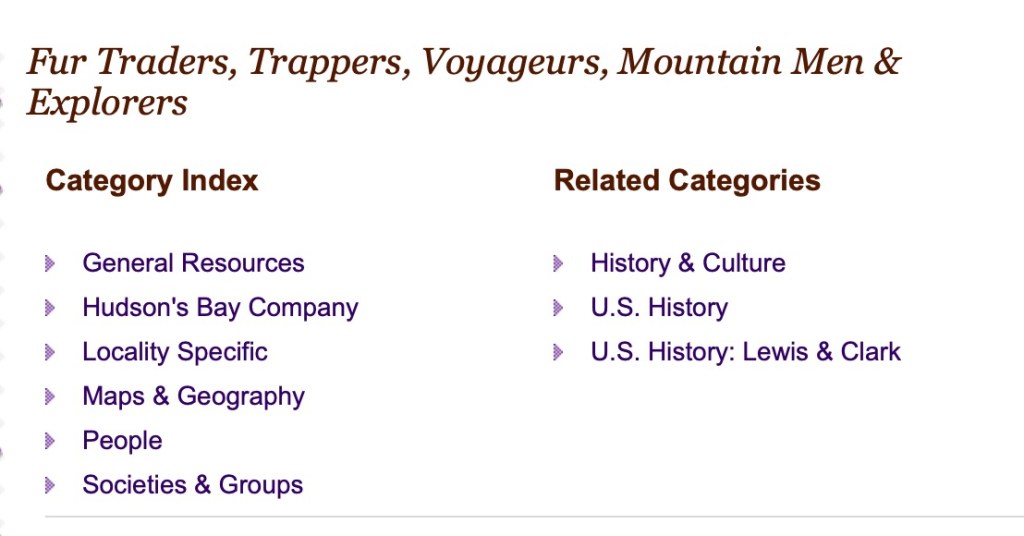
Fur Traders, Trappers, Voyageurs, Mountain Men & Explorers category on Cyndi’s List

You can see the sub-categories above. Let’s take a look at General Resources.

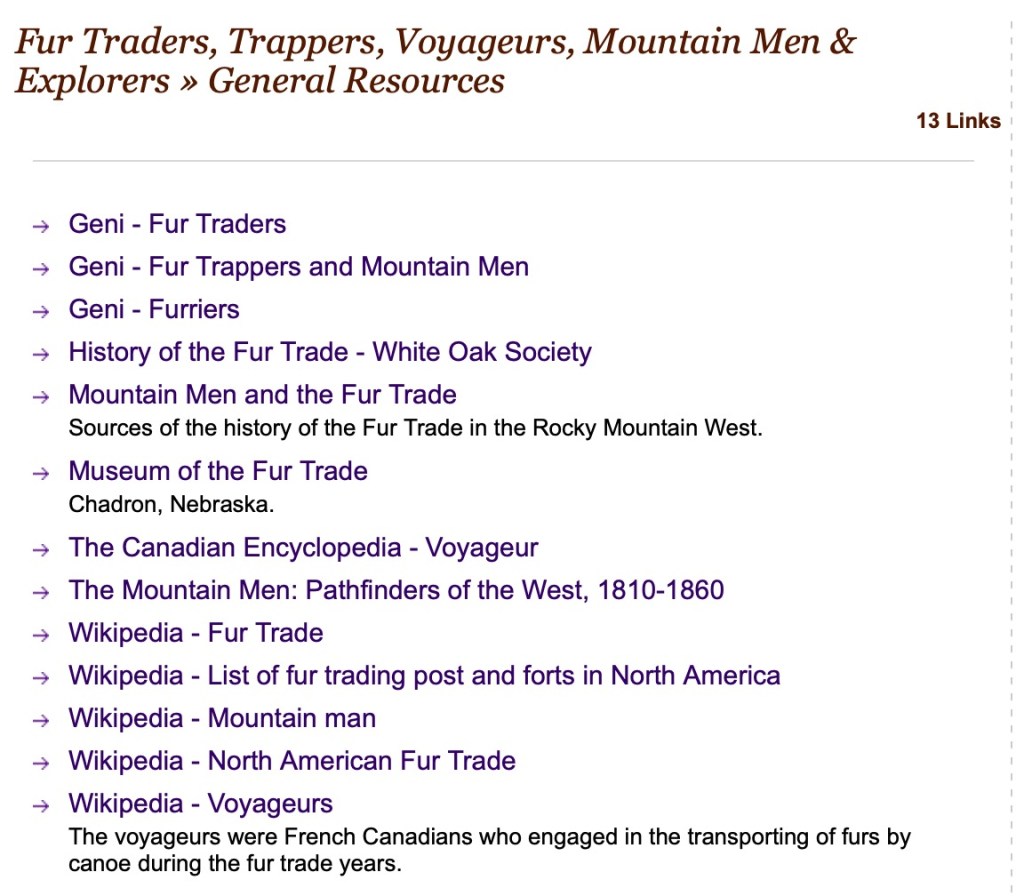
General Resources in the Fur Trader category on Cyndi’s List

There are several links to Geni for these topics, a link to the Museum in Chadron, Nebraska, several Wikipedia pages to give you general information on the topic. I clicked on the “History of the Fur Trade – White Oak Society” and found a broken link. Let’s ask again as I did last time…should I despair? NO! Click on the “Report a Broken Link” button on the left and help Cyndi out! I found the new URL for that page and reported it to Cyndi using the button on the page.

The new location of the History of the Fur Trade – White Oak Historical Society

Let’s take a look at some Hudson’s Bay Company specific links.

Hudson’s Bay Company sub-category

As a demonstration, let’s look at the Hudson’s Bay Company Archives (HBCA).

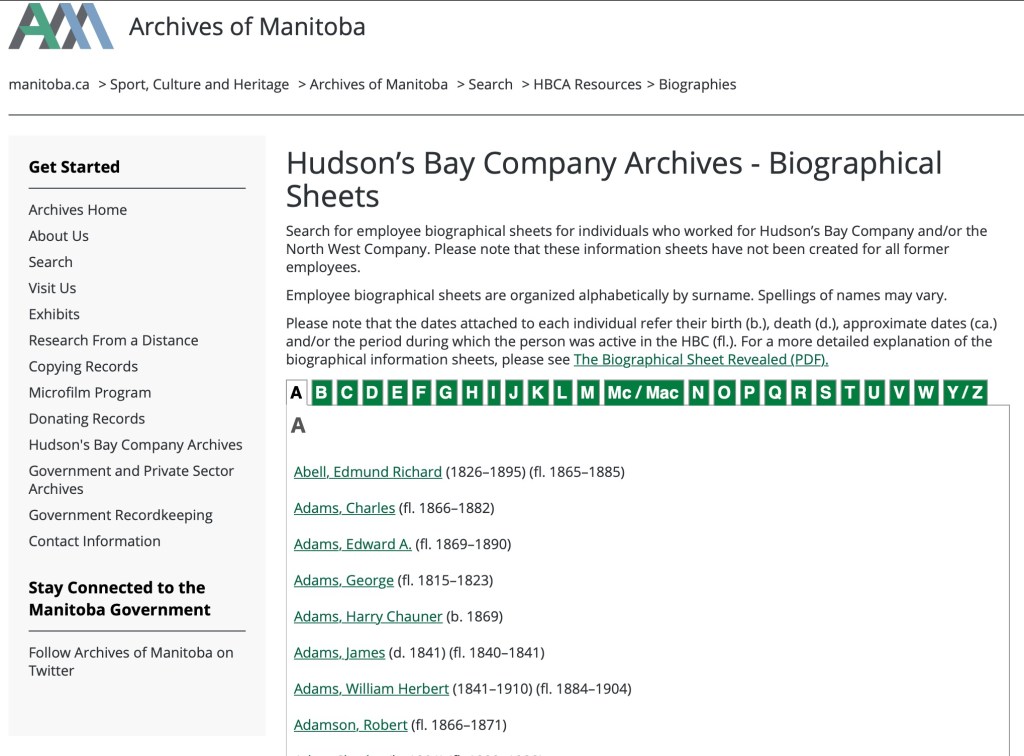
HBCA Biographical Sheets

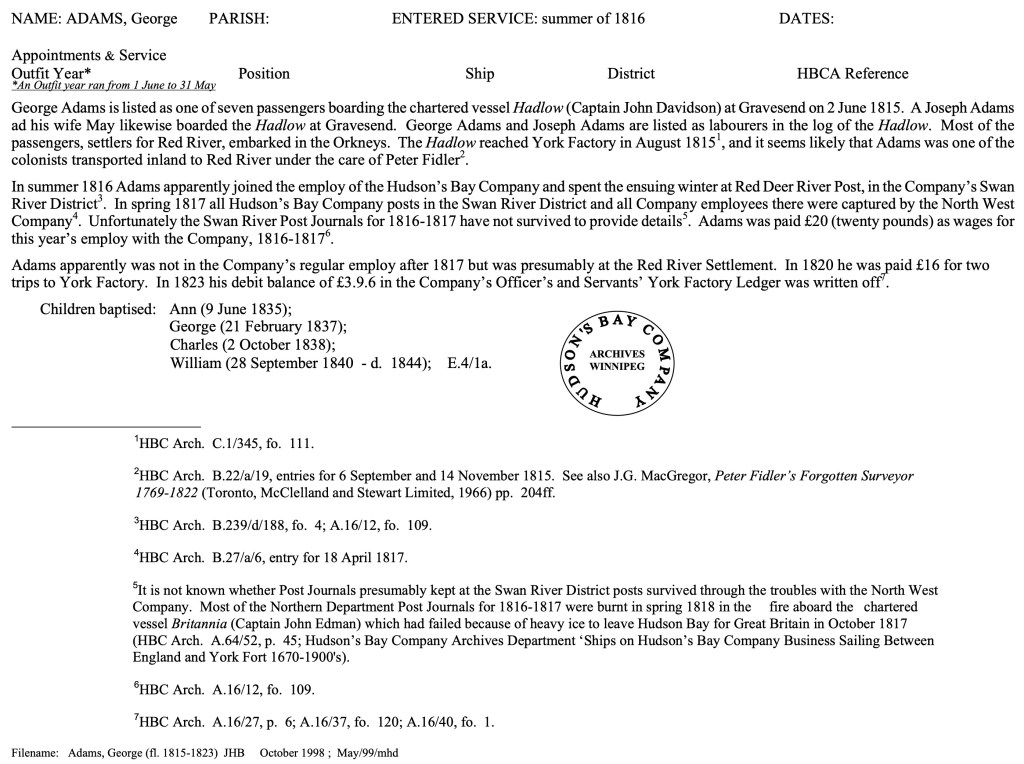
The HBCA has biographical sheets on employees. How cool is that? Let’s look at George Adams (1815-1823).

Employee biographical sheet for George Adams at the HBCA website.

You can see that you get information about George Adams regarding his employment with the Hudson’s Bay Company.

Now, that was an example regarding fur traders. What other topics are there are on Cyndi’s List? The answer is many. AND you are not going to find that all of the links work. PLEASE report them and if you can find a new one, let Cyndi know. Next time we will do a similar exercise but with a location or two in mind.

Why You Should Use Cyndi’s List: You don’t know what you don’t know

There’s two ways you can use Cyndi’s List (ok, maybe there’s more than two, but I’m going to demonstrate two in the next couple of posts). This week let’s talk about how you can use Cyndi’s List if you don’t have a plan, or a Costco shopping list if we stick with that metaphor.

When you walk into the big warehouse store with no list, what do you do? You start walking up and down the aisles and see the items with no plan. This is a fine way to do things on Cyndi’s list and a very viable way to learn about what you don’t know. Let’s walk down the “aisles” of Cyndi’s List.

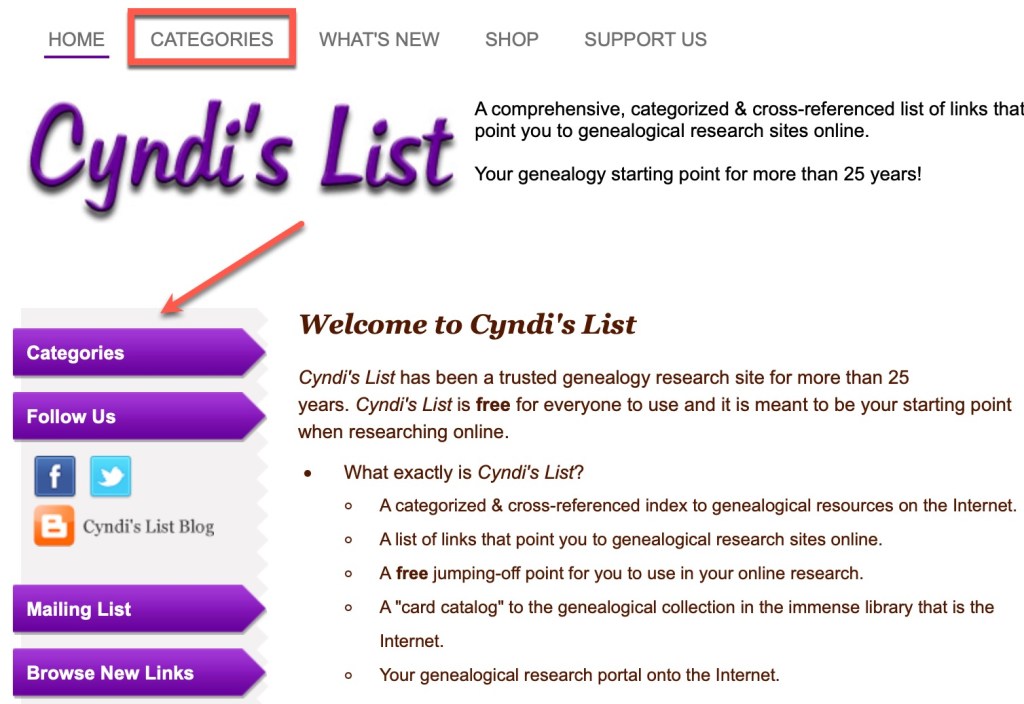
To find the “aisles,” go to the Categories tab at the top of the screen, or the first purple button on the left:

Showing the Categories tab and button on Cyndi’s List

What you will first see is probably an ad. Remember from last post, all you have to do is click the close button to move on. (Also remember that this is a completely free resource and Cyndi funds it through ads and donations. Running a website of this size is not cheap.)

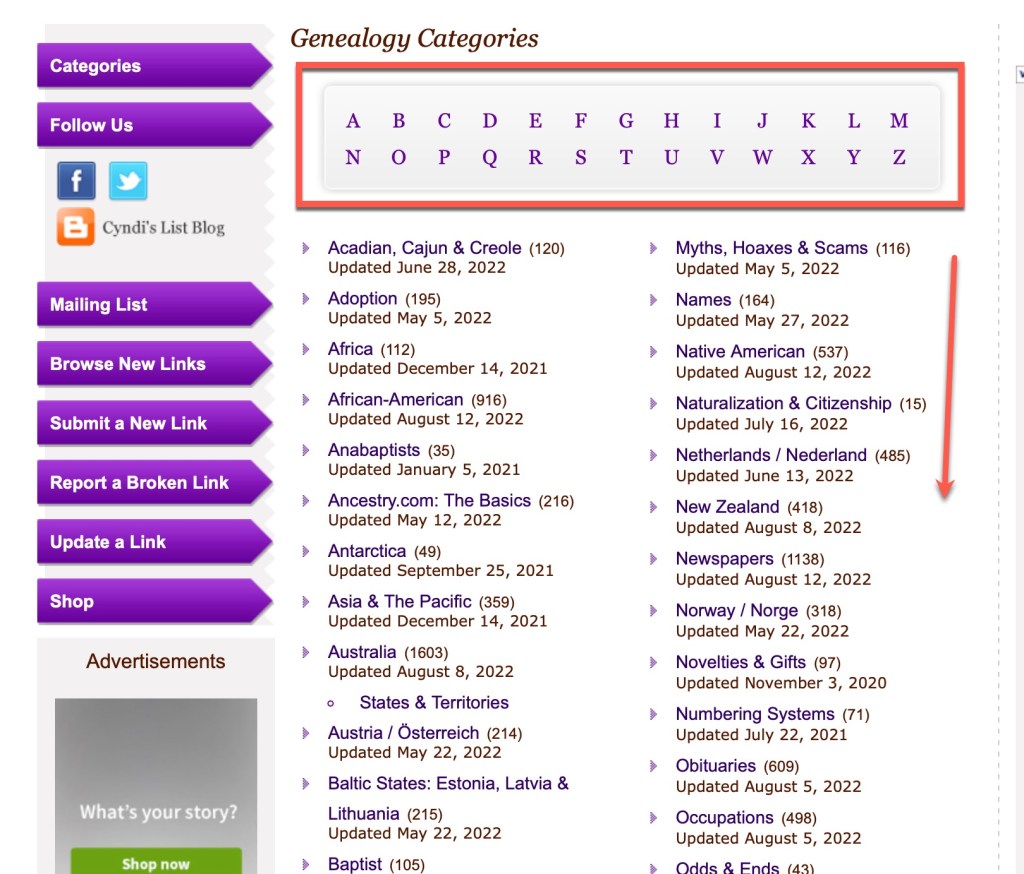
Once you’ve found the “aisles” (the categories), you can start browsing. Along the top is an alphabet so you can jump to that letter in the categories list. Or you can just scroll down the page to see what you find. Again, you don’t know what you don’t know. So this kind of browsing reveals some of those things to you.

Alphabet across the top to jump to a topic or scroll the categories.

You can see from the list above, it is two columns. and from these you can see some of the categories: “Acadian, Cajun & Creole,” “Adoption,” “Africa,” “African-American,” etc. There is a number in parentheses after the title of the category that indicates how many links are in each. So, Adoption, for example, has 195 links in the category at the time of this blog post. Below each category, there is a date that the category was last updated So, adoption was updated in May of this year, whereas, Novelties & Gifts (on the right hand column) has not been updated since November 2020. As I said last time, Cyndi’s List is a one-woman operation. She fixes broken links nearly every day (I asked).

Let’s look at the African-American category. It was last updated very recently, on 12 August 2022. It contains 916 links. When you click on the African-American category, you will find all of the subcategories and related topics.

African-American category on Cyndi’s List

The sub-categories in each is listed in alphabetical order. She is constantly working on these categories and massaging them to keep them updated. Some of the sub-categories in this section include: “Birth, Marriage, Death,” “Blogs, Podcasts, and Video,” “Cemeteries & Funeral Homes,” “Freedmens’ Bureau,” “Laws & Statutes,” “Occupations,” “Slavery,” “Social Networking,” “Societies & Groups,” and “Wills & Probate,” to name several (but not all).

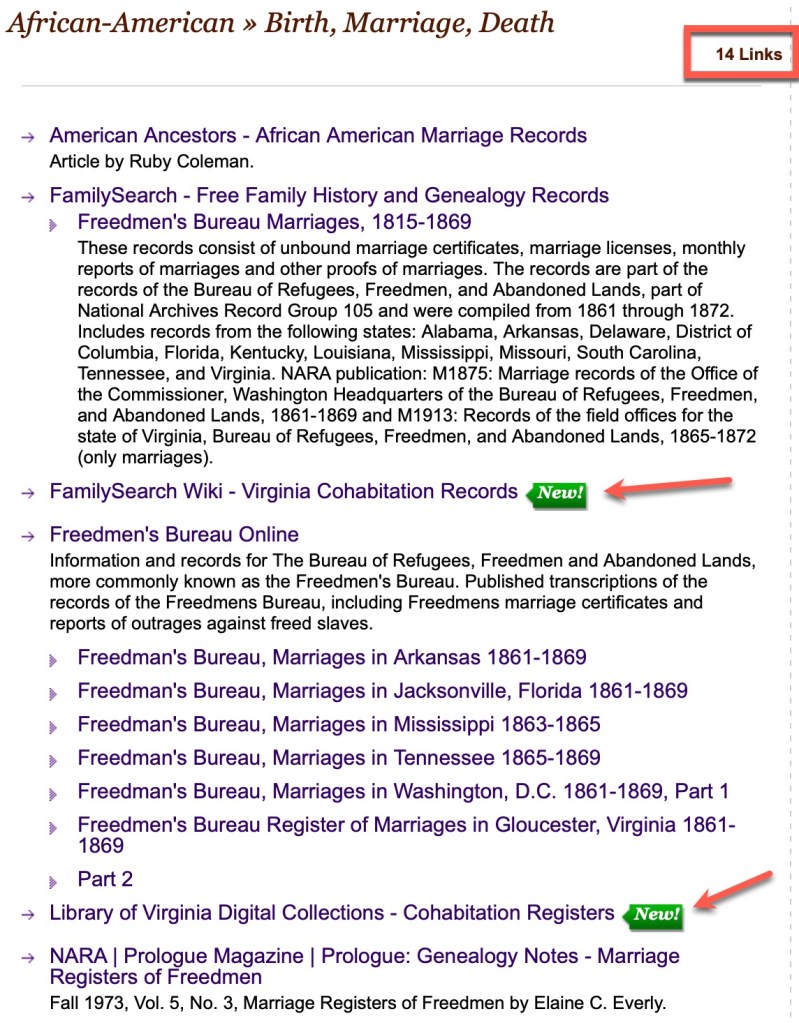
Let’s look at the “Birth, Marriage, Death” category.

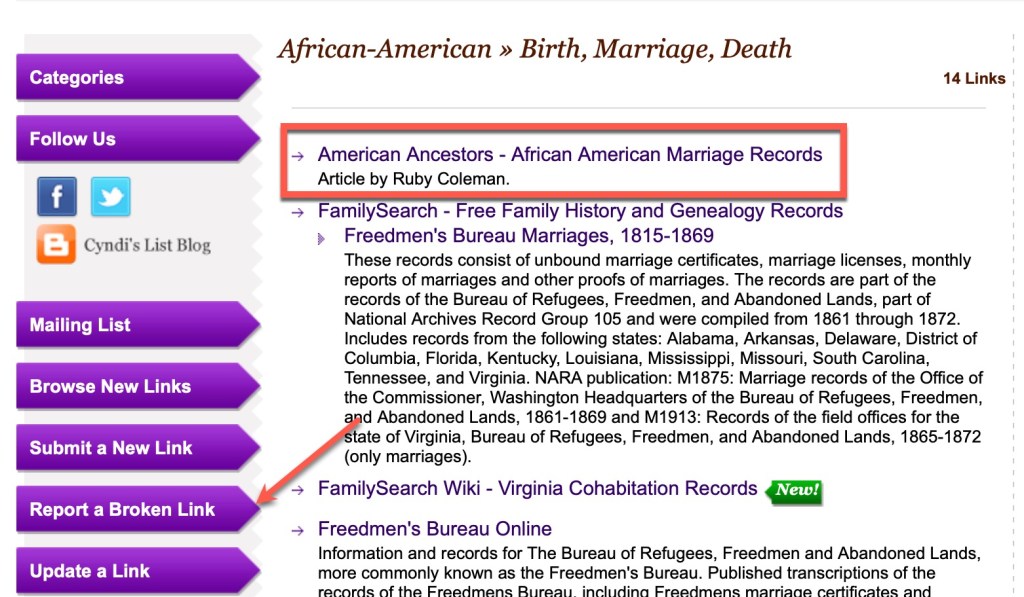
Birth, Marriage, Death sub-category

There is a link count at the top that tells you that there are 14 links in this sub-category. Each recently added link gets a “New!” icon so you can see some of the newest resources added.

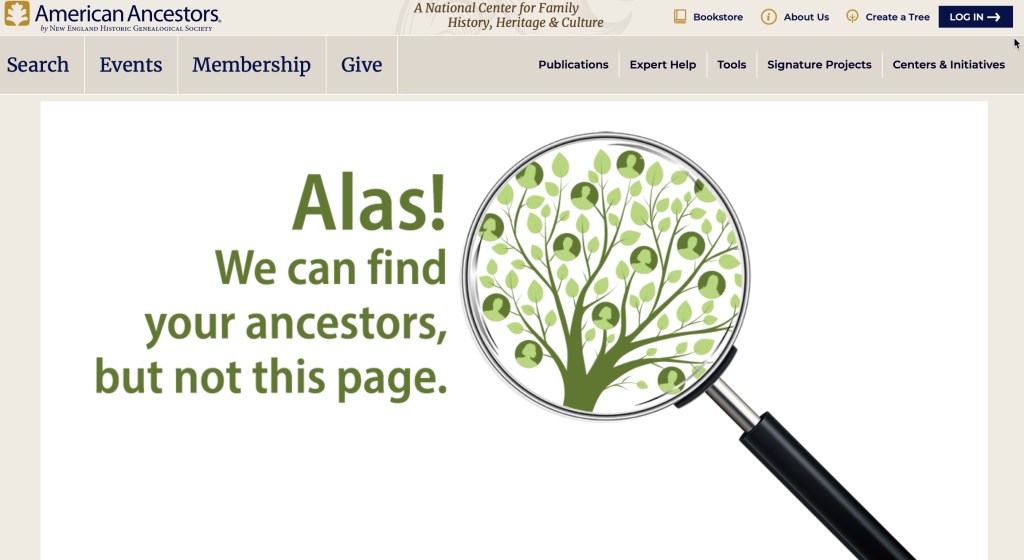
As I was browsing the items in this category, I found that the first link, that to an article by Ruby Coleman at American Ancestors, is broken. It points to this:

Broken link at American Ancestors

Should you immediately think “Aw, Cyndi’s List is so out of date. All of these broken links makes the site unusable!”? NO! The answer is no. And in case you tend to do that, please don’t. And here’s why. If there is an item on Cyndi’s List that you really want to see, that means it exists somewhere. And do you know who can and will help you find it (especially if you are polite and patient, and maybe send brownies)? Cyndi. She is a WHIZ at finding things that have moved online. So there is at least one thing you should do next when you encounter this: Report a Broken Link!

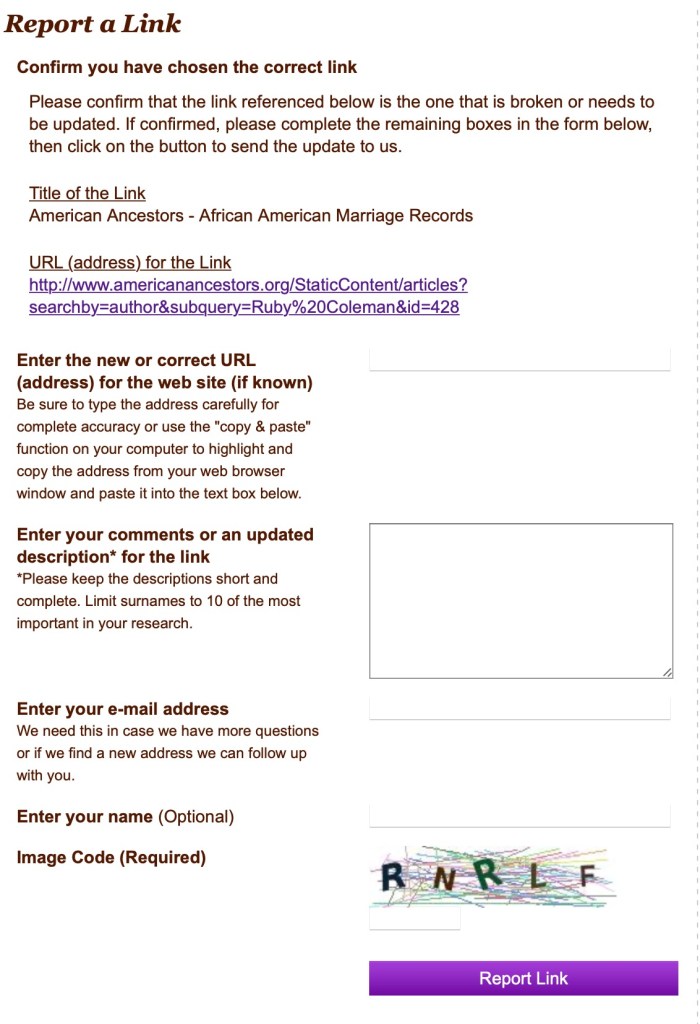
Reporting a Broken Link
Click on the broken link graphic next to the link you’re reporting.
Report a broken link page at Cyndi’s List

Ok, so the above is the page you get when you report a broken link. At minimum, put your email address in there. If Cyndi finds a replacement link, she will let you know. She will! It’s happened to me! Seriously. She tries to help everyone and keep the site up-to-date. IF you can find the new home of that broken item, let her know. It will save her a bit of time. I did a quick search for that article at AmericanAncestors and didn’t find it (to be fair, I didn’t put a ton of time into it). So I just submitted it without comment. At some point, when Cyndi finds where they put it, she’ll send me an email telling me that the link has been updated.

So, that was us walking up and down the African-American aisle of Cyndi’s List. There are 229 categories (aisles) at Cyndi’s List. Get walking! We will discuss “shopping” at Cyndi’s List WITH a plan (shopping list) next time.

Why You Should Use Cyndi’s List: It’s a Massive Resource

After the first post in this series, it made its way around Facebook on various walls and pages. In many of them someone invariably commented that they become overwhelmed trying to use the site because it is so huge. That is one of the number one things Cyndi says she hears as well in her 26+ years of running the site.

I want to ask those of you who feel overwhelmed by Cyndi’s List, how you deal with walking into a library or a big warehouse store or utilize Wikipedia? Generally we start with a plan of some kind. I mean we CAN go to a library or Costco or Wikipedia and just browse (I do love to see what new things are at Costco and there is the featured article at Wikipedia). Usually, we show up to Costco with a shopping list, we show up to the library with some topics in mind, and we should do the same with Cyndi’s List.

Just like at Costco, you cannot be totally sure about what you’ll find on the shelf. You can’t know for sure what you will find at Cyndi’s List. She is trying to curate the ever-changing world that is the internet. Websites come and go, or they change their URLs for whatever reason. Cyndi (or her minions) find new sites to add. Because of this, the site is itself ever-changing. And just like Costco that stops carrying my favorite frozen pizza, Cyndi’s list will have broken links or links that get removed because the website no longer exists.

The other thing both Cyndi and I see are folks saying in comments on posts, “there are too many broken links” and that makes the whole site somehow unusable. I want everyone to know that the entire site is run by one woman. Cyndi does all of the site maintenance manually and all by herself. She depends on users to report broken links. If you report a broken link, she will try to track that site down and find a new link, if the site simply moved, or find a link to it in the Wayback Machine if it exists.

Reporting Links Buttons

THERE ARE BUTTONS ON THE SITE TO REPORT BROKEN LINKS.

Sorry for yelling, but it is quite easy to do and it does bother me when people complain about broken links but don’t report them. Be a pal and help out. Seriously. Cyndi will try to find a replacement for you. What other website does that?

Keep in mind that Cyndi maintains this massive resource at no charge to anyone in the community. There are no subscription fees despite some jokes that go around about having “lifetime subscriptions” to Cyndi’s List. She earns the money to keep it all going through the ads on the page. So maybe click on one once in a while. Use her Amazon link to do your usual shopping. And she also has a donation button if you’d just rather show your appreciation in the form of cold, hard cash.

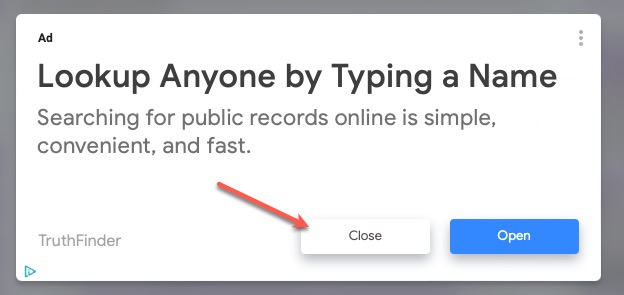
Speaking of the ads, they will pop up on your screen and you have to click “close” to get them to let you continue.

An example of an ad from Cyndi’s List. Just click “close” to continue.

So thinking about how you handle other “overwhelming” situations, use those methods to use Cyndi’s List. Next time we will start digging into the specifics about formulating a plan on how to use Cyndi’s List.

Why you should use Cyndi’s List: Overview

I’ve been working with my friend and colleague Cyndi Ingle now for quite some time. We’ve been teaching study groups and institute classes together now for several years. We’ve been friends for a while and would meet up at Salt Lake City every January for SLIG (Salt Lake Institute of Genealogy) and Family History Library (FHL) research time. A group of friends would get rooms at the Plaza (I usually stay at the Kimball) and we’d all meet up at the library for a raucous time. (Sounds like an oxymoron, a raucous time in the library, but if you’ve had the pleasure/displeasure of being around our table during those times, you know what I mean.) How can you stop a bunch of friends who live far away from each other from having a good time doing what we love? Well… a pandemic can do it.

Here’s Cyndi at the FHL in 2018 being witty and showing a group of us something exciting on her computer.

In January 2020, Cyndi and I decided to be accountability buddies. I’d already started my study groups on Zoom, but had some goals to grow my business and work on my research and she had very similar goals. So…me being in Texas at the time and she living in Washington, we decided to have a weekly Zoom accountability meeting. My family and I had also made plans to visit Cyndi in the Seattle area during our Spring Break in … March 2020. Needless to say, all of the travel plans fell apart. But our accountability sessions did not. We have been fantastic partners in helping each other through stressful times in addition to the accountability. Some of our goals changed drastically through the pandemic. I ended up being hired by Ancestry ProGenealogists, and so I no longer take private clients, for example. So my professional goals changed. Many weeks we felt like we were just keeping our heads above water due to the stress of the pandemic and many social/political/natural disasters that were happening.

Through it all, I have learned so much more than I knew before these meetings with Cyndi, about Cyndi’s List and what it can do for your research. I think many of us forget about Cyndi’s list because we can “Google it” or “find it on Ancestry.” But Cyndi is a one-woman-indexing machine. She has curated millions (billions? ok maybe not THAT many) of links over the years (26+ years) that are genealogically relevant and has them categorized according to the way many genealogists might look for them. The thing I think is most helpful about Cyndi’s list is that you don’t know you need something or that something exists until you go browse the categories, topics, and links on the site. So I ask you, if you didn’t know about it, how are you going to Google for it?

This next series of posts is going to walk you through Cyndi’s List from a user perspective. I’ll discuss how to use it, how to help Cyndi keep it up-to-date, how to search for things on it (because it is massive), and I’ll share specific examples of ways I use it for my own research to provide you with context and real examples. I’m also trying to talk Cyndi in to writing a guest post so she can share some of her own perspective and feedback to you all.

So, get prepared. We are going to have some fun over the next several weeks!