Many, if not all, major genealogical websites have some sort of catalog that allows you to see their holdings. This allows you to drill down to specific databases for a given location or topic. Effective searching when working on a specific research problem will hinge on utilizing the catalog.
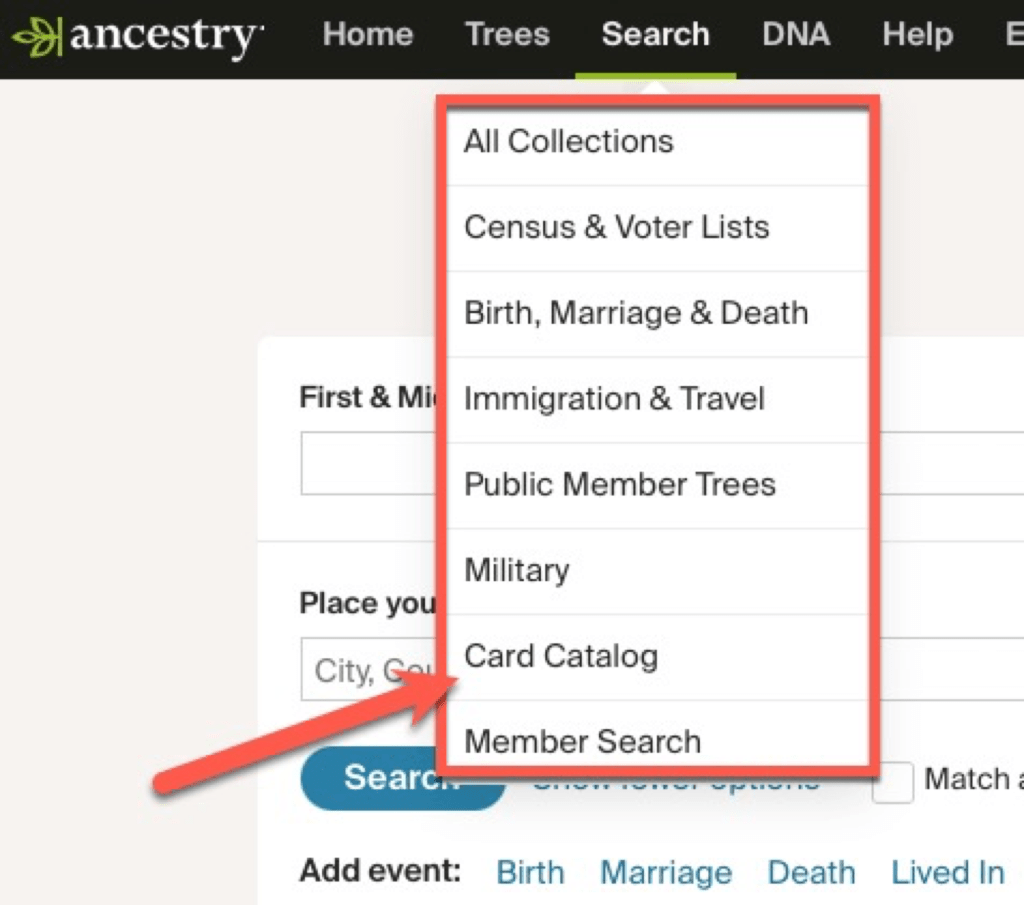
At Ancestry, from the home page, you’ll see some menu items along the top, to the right of the Ancestry logo. One of them is “Search.” When you click on that, a dropdown menu appears. Select “Card Catalog.”
You will then get a full list of every individual database at Ancestry. At the time of writing this post, the total is 33,274 collections.

In the image above, you can see some tools on the left. At the top are title and keyword search boxes. Below that are a series of filters. Usually, I type in a word or two in either the title or keyword box (sometimes I do each separately depending on what kind of results I get). For example, “Kentucky death.”
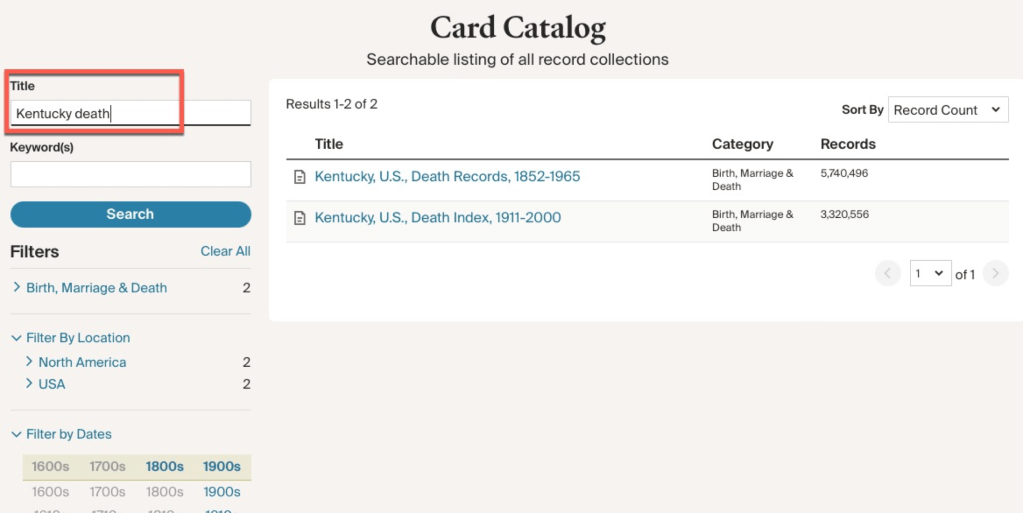
There are two items that come up with Kentucky death in the titles. You can also use the filters below to narrow down the database list. This is especially helpful if you don’t know exactly what you are looking for and you’d like to see what databases a website might have on a location or topic. Let’s say I want to see if there are any newspapers or obituary collections that might apply to Thomas Carroll Mitchell. Click on Newspapers & Periodicals, then Newspapers, then filter by location. In our case, we are looking for Missouri and Audrian County.
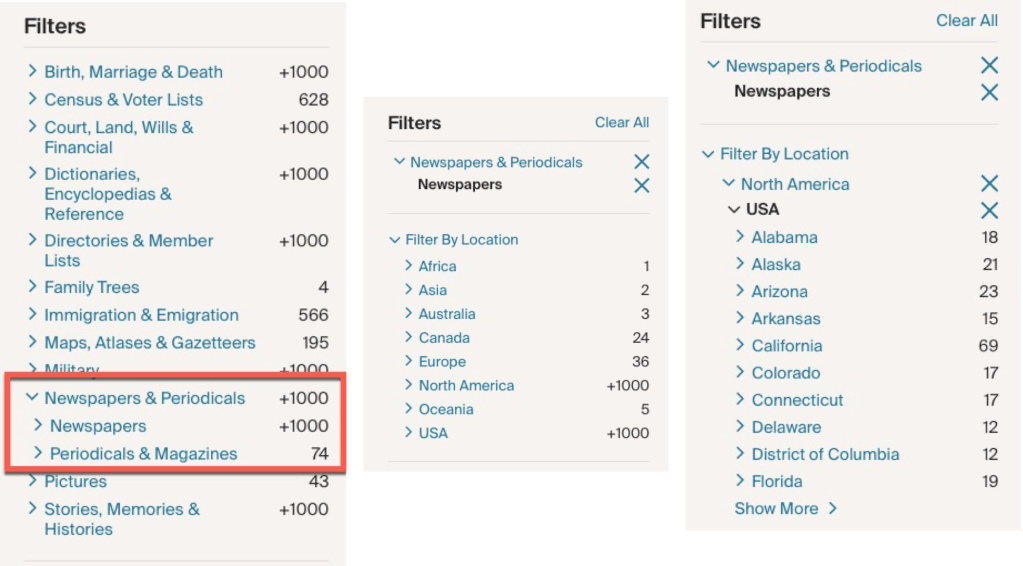
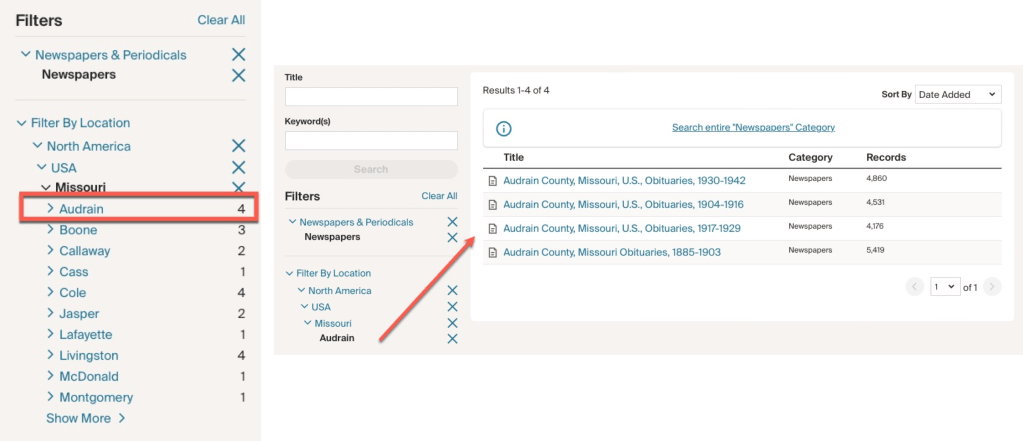
There are four databases from Audrain County (the neighboring county to Montgomery) that contain obituaries, one of them covering the year when Thomas C. Mitchell died in 1914. So, I will add this to my research plan. (Or, let’s be realistic, we’ll just jump in and search for Thomas.)
We will look at some more tips for using Ancestry’s catalog next time.
 Genealogy Pants
1 thought on “Using Websites’ Card Catalogs: Ancestry”