Category Archives: Research – General

Many Paths to Sources: City Directories

Commonly called “city directories” but for my purposes, that is a bit of a misnomer. When I talk about “city” directories, I also include rural route, agricultural, and other directories that put people in a time and place, often on an annual basis. City directories don’t often give a ton of information, but they put your ancestor in a location in years between the census.

City directories have a long history. A fantastic blog post titled “Direct Me NYC 1786: A History of City Directories in the United States and New York City,” posted by the New York Public Library indicates that the first precursors to city directories were published in England in the 1500s; the oldest surviving print directory was published in 1677 in London; and a manuscript directory A Directory for the City of New York in 1665, compiled shortly after the British colonized New Amsterdam. Read this blog post if you are interested in the history of city directories.

Cities across the U.S. had directories published. Whether or not they were well preserved is another matter. And, keep in mind, there were directories for many topics, avocations, clubs, religious organizations, and so on, that can be utilized in the absence of a traditional city directory.

1871 Toledo, Ohio City Directory

I have a few “first stops” when I’m looking for a city directory in a particular location before I widen my search:

Do not skip reading through this useful research guide at the Library of Congress – “United States: City and Telephone Directories.”

If I don’t find what I’m looking for in the above list, then I start digging deeper. We will do that digging next week.
Many Paths to Sources: Newspapers, Part 3b

So, what do we do when newspapers are not digitized, like those I mentioned in the last post that are on microfilm at the Wood County (Ohio) District Public Library? There are some options, not all are going to work for each case. Each library will have different services, policies, etc. that might interfere with some of my suggestions. Your task is to figure out which might work with your situation.

  • Does the library offer any kind of look-up or research service that you can take advantage of? Sometimes they will have a free (for a limited amount) or a free service if you have enough information to point them to a few days in a newspaper. If the service they offer is free, please send a small donation as a thank you!
  • If the library does not offer a look-up service, does the library work with a local genealogical or historical society who might do look-ups? Check the library website for such a connection. Also, look at the local society websites as well. Some societies have look-up/research services for a fee to earn some money for their society. Again, consider adding a donation to your fee as a thank you for this service.
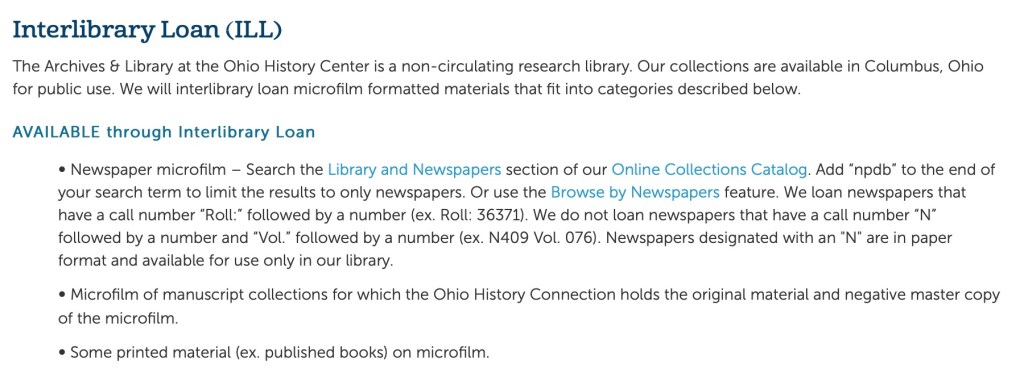
  • Is interlibrary loan a possibility? Before you assume it isn’t for newspapers on microfilm, let me point to you to the Ohio History Connection website. They offer interlibrary loan on their newspapers on microfilm! I don’t see this option often, so my point is: LOOK at what services are available for a given repository.
ILL section at the Ohio History Connection website.
  • You may locate a professional genealogist in the area to do your research for you. Sometimes the local genealogical and historical societies, archives, and libraries might offer a list of researchers available for hire for a particular repository. For example, when I lived near Austin, Texas, I was on the list of proxy researchers for the Dolph Briscoe Center for American History. Look for such a list at the repository you are needing to access. There are also directories available from both the Association of Professional Genealogists, Board for Certification of Genealogists, and International Commission for the Accreditation of Professional Genealogists (ICAPGEN) that might offer a genealogist in your area of need.
  • Finally, as the world opens up to us again and travel becomes safer, consider taking a trip to these locations. I know that this is not always feasible, you may only need one newspaper article in one far-flung area. I keep lists of things I need in various locations, and if it isn’t a critical piece for a project, I wait. When that list gets “big enough” and perhaps I can conjure up another reason to go visit that location (or nearby), I like to take trips. I like to do the research myself. If waiting to take a trip is not going to work, then one of the other suggestions will, I hope.

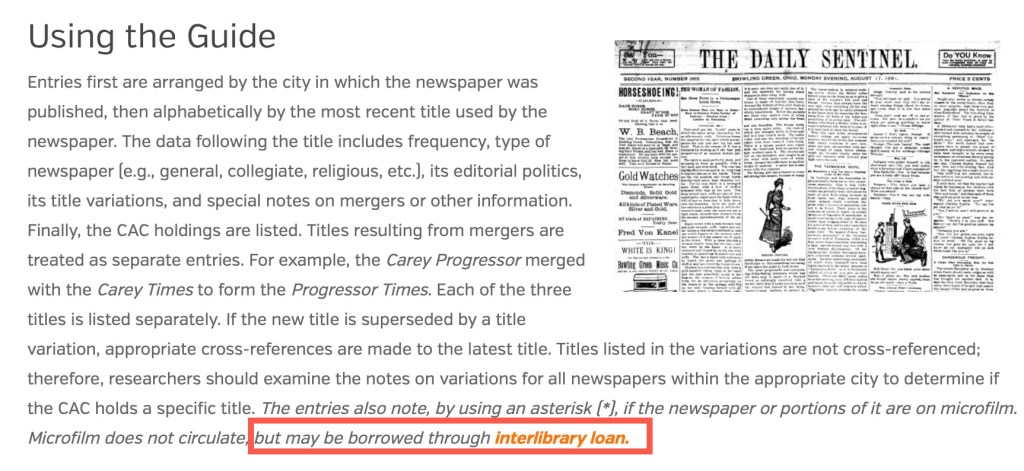
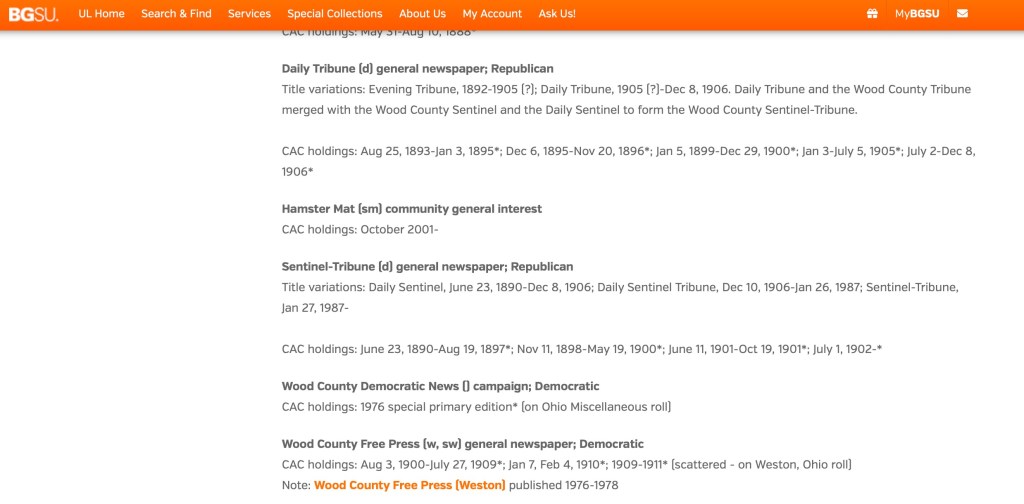
I have been able to access just about everything I need using one of the methods described above. I’d also like to point out that usually there is more than one run of those microfilm in other locations. For example, the Daily Sentinel Tribune from Bowling Green, Ohio is also available on microfilm at the Center for Archival Collections on the Bowling Green State University Campus.

CAC Newspaper list showing the Sentinel-Tribune.

CAC also offers interlibrary loan.

CAC website showing Interlibrary Loan as an option.

If one library or archive does not have what you need, look at another. At some point you will find a way to access what you are looking for.

Many of the principles shared in the last several blog posts are going to apply to any resource. However, we will look at some other types of resources and ways to access them. The biggest favor you can do for yourself, is to keep looking. Just because you get stopped at one repository does not mean there aren’t other options. Keep looking.

Many Paths to Sources: Newspapers, Part 3a

(I know these titles are getting a little bit ridiculous, but there are a couple of steps to this third part and I figured I’d break it down into bite-sized chunks.)

The last two posts talked about online options for finding newspapers. You’ve got the “bigger” websites such as Newspapers.com, but there are also smaller, lesser-known projects out there to discover as well. Now, once you’ve exhausted every online resource you have been able to discover, what then?

I know this might come as a shock to some, but it isn’t all online. I know it seems like it is, because so much is! But it’s not. So, what do you do when you’ve discovered that there are no online options for what you are hoping to find in terms of newspapers. You have to jump in to what I refer to as “two-step” research. The first step is to determine if and where an offline record exists, and most of this first step can be done online or from home with some phone calls. The second step is determining how best to access those offline newspapers.

The first step of this I also call the “pre-research.” If you’ve listened to any of my lectures, I use this phrase a lot. It is the research you have to do to be able to do the research. Make sense? Clear as mud? Well, let’s clear it up. I have a perfect example. I conduct a lot of research in Bowling Green, Wood County, Ohio. That’s where I was born. Many generations of my ancestors lived in Wood county since at least the 1840s. Newspapers from Wood County are only slightly digitized and available online. The main newspaper for Bowling Green is not. So, what’s a researcher to do.

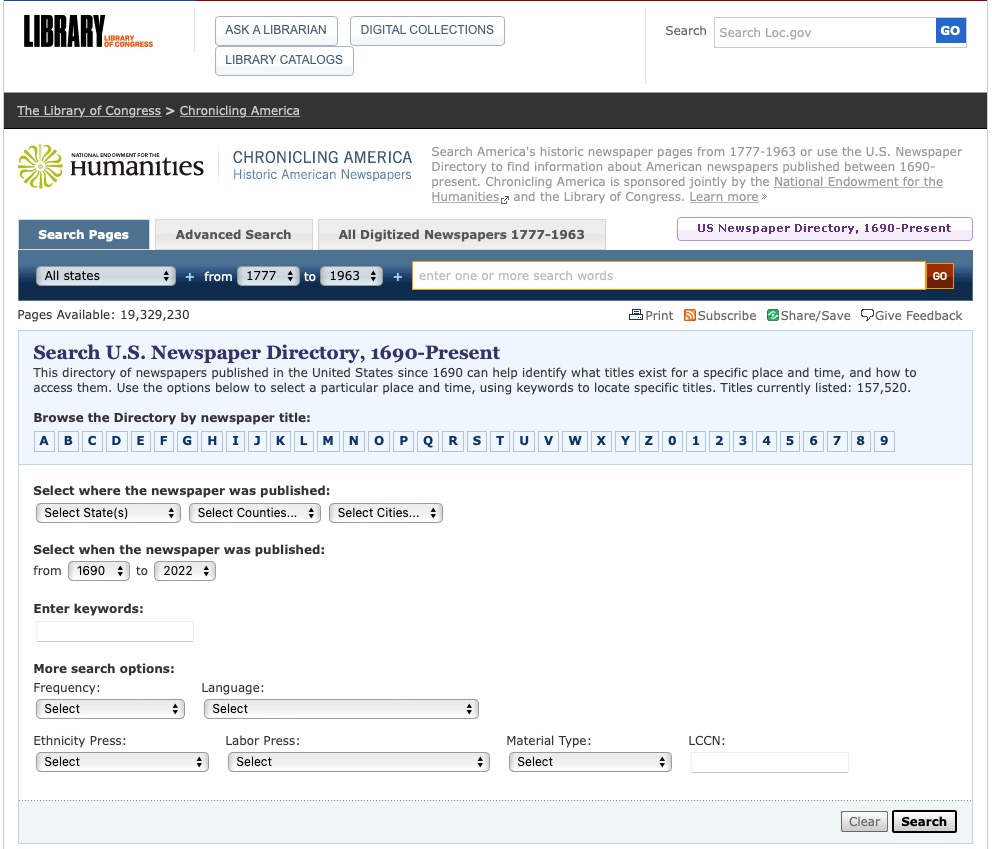
My first stop when looking for any newspaper in the United States is Chronicling America’s “US Newspaper Directory, 1690-Present.” The Library of Congress has put together this directory of newspapers published in the United States since 1690. The best part is that it tells you what newspapers existed for a time and place, AND how to access them.

Chronicling America’s US Newspaper Directory

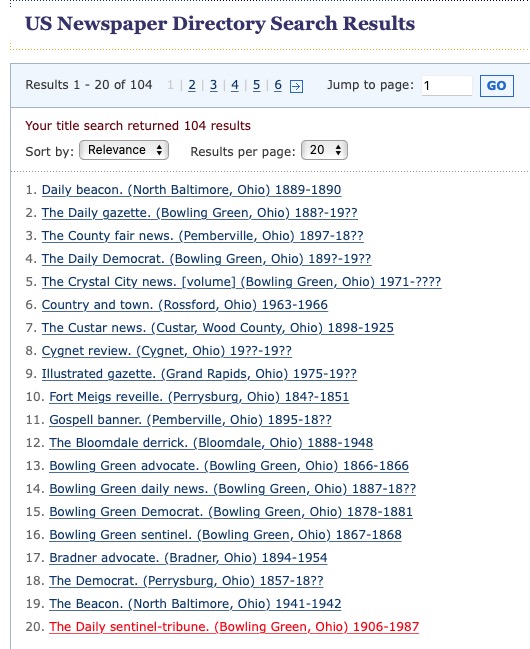
Selecting Wood County, Ohio shows that there are 104 titles in Wood County. The one I most want to access is the Daily Sentinel-Tribune (in red below).

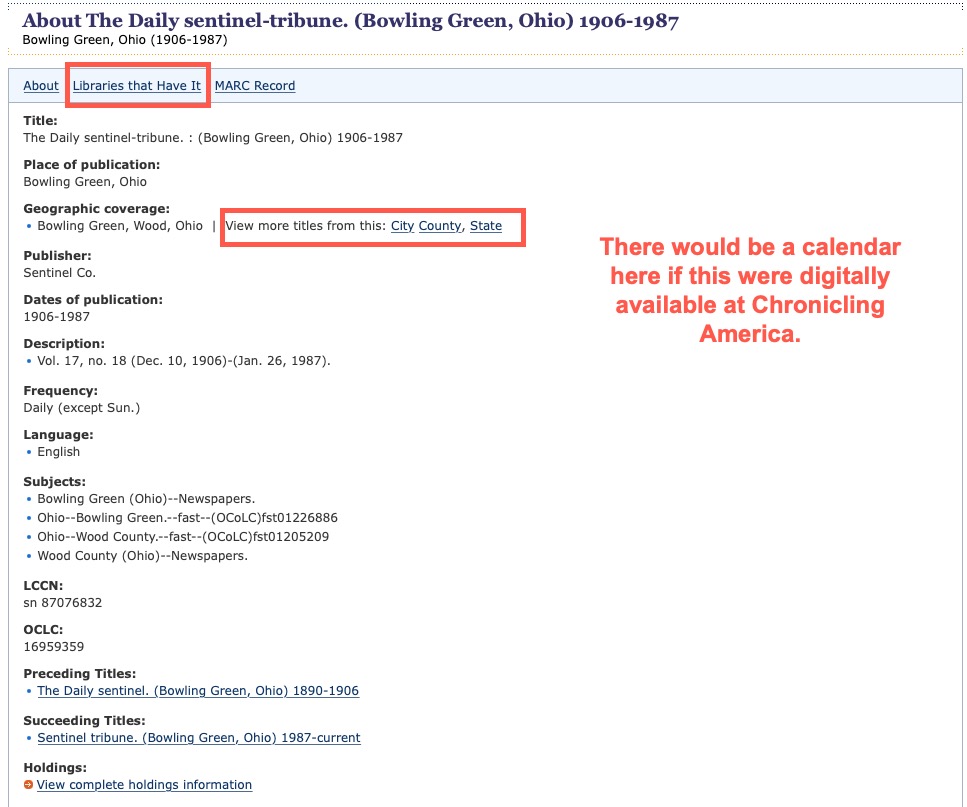
Clicking on that link provides you with a nice informative screen about that particular newspaper, including when it was published and preceding and succeeding titles.

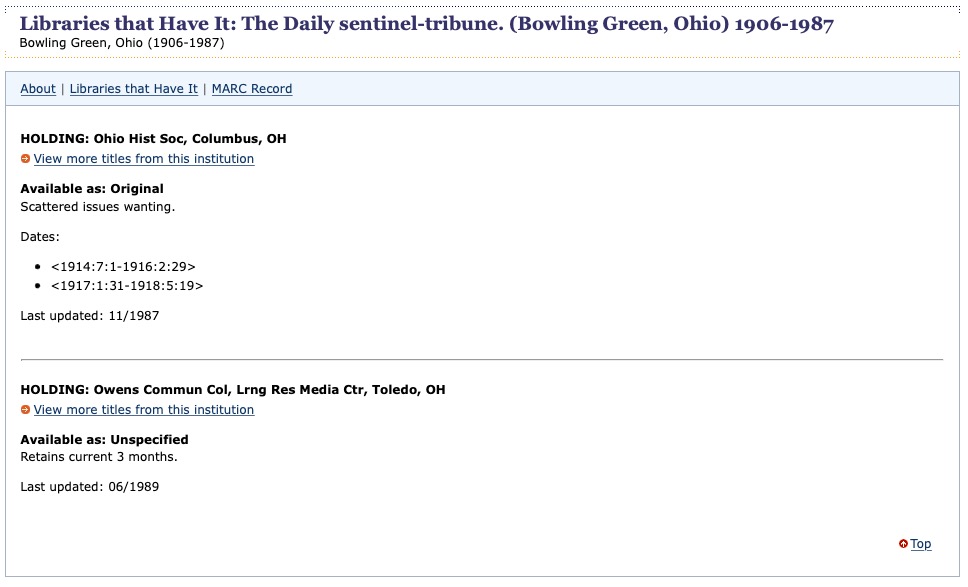
If there were a digitized version at Chronicling America, there would be a calendar view of available issues in the large white space to the right of the catalog entry. In this case, there is not. If you want to see other titled in that city, county, or state, there is a button for that. However, the most valuable button on this catalog is the “Libraries that Have It” link at the top. I issue a word of caution, however. This particular entry does not list the Wood County District Public Library in Bowling Green, which I know for a fact holds the entire run on microfilm. I’ve spent countless hours there going through the films.

My point here is to not stop looking… again. Just because the LOC doesn’t list a local library for a source for newspapers, do not stop looking. ALWAYS, ALWAYS check that local public library for the possibility that they hold the records you are looking for.

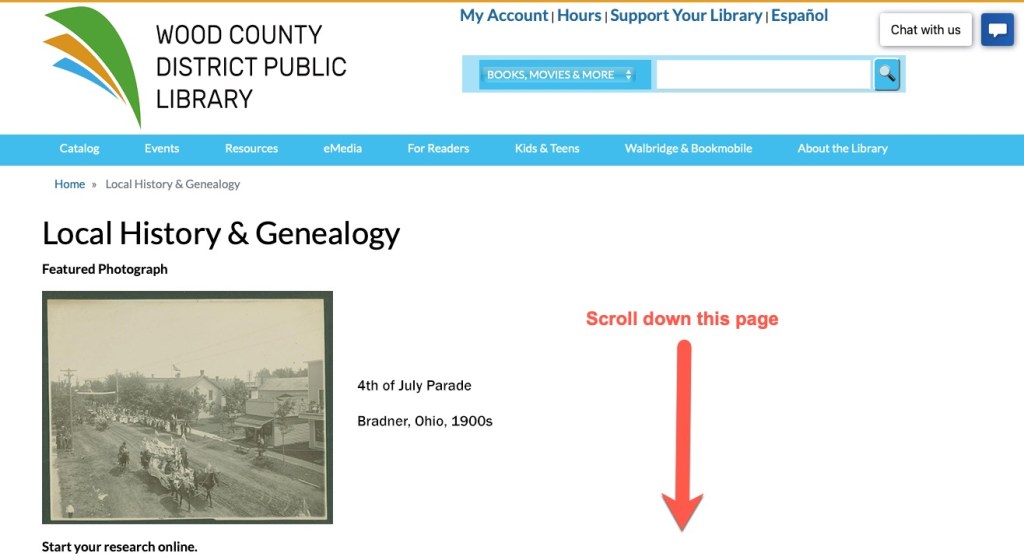
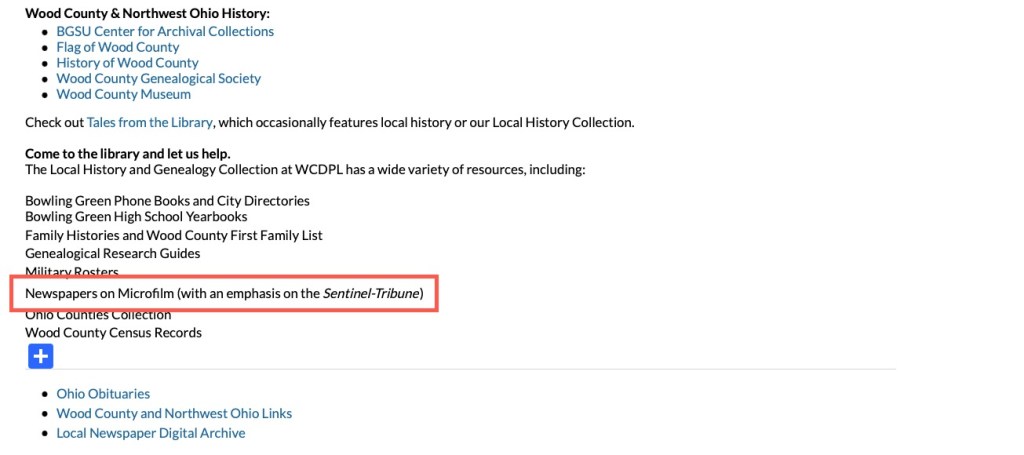
The Wood County District Public Library Website for Local History and Genealogy

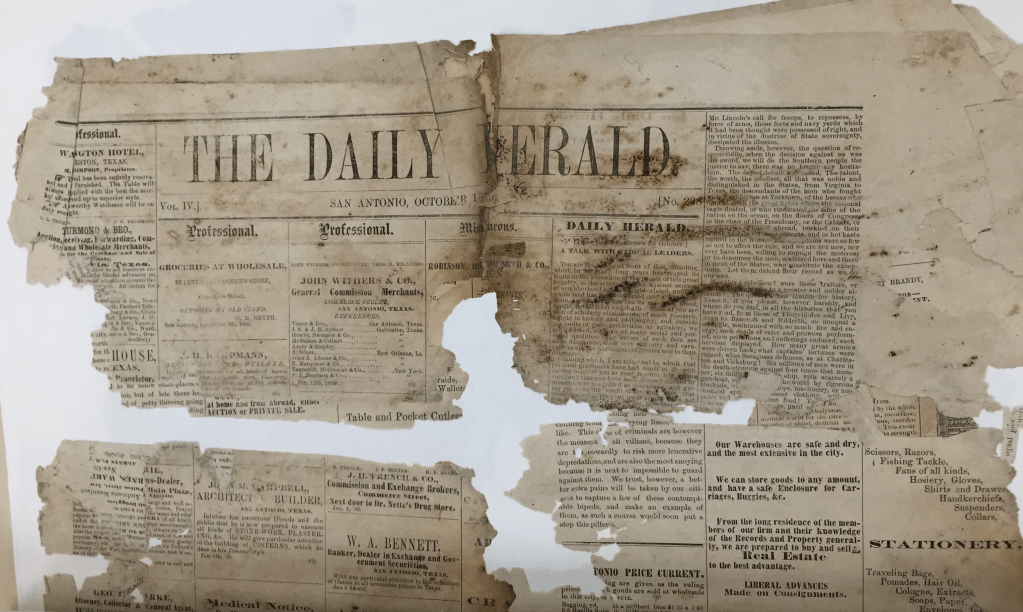
If I hadn’t already known that the WCDPL holds those microfilms, I may have stopped there and assumed that the newspapers did not exist anywhere. Which is not unreasonable. Newspapers were not printed on acid-free paper and stored in temperature and humidity-controlled rooms until sometimes it was too late.

Newspaper crumbles, photo taken by author

Do you see what I mean by “pre-research”? You have to research where the sources are before you can access them. Next up, how to best to access the newspapers that are not online.

Many Paths to Sources: Newspapers, Part 2

Last time we looked at some of the big and obvious sources for finding online newspapers. But there’s more out there. You just have to have a lot of persistence and a little bit of luck. I’m talking about not stopping at just the major sites I shared last week. That is literally the tip of the iceberg. There are so many digital collections that are separate, part of a small local project, and just not known to the larger outside world. Here’s where you start (one of these, not in any particular order):

  • Local public libraries, especially if they have a local history collection
  • Local historical societies and museums
  • Local genealogical societies (“local” might mean regional, look at the next biggest town)
  • Nearest university (and then the next, etc.)
  • Town, city, county, state (and whatever the jurisdiction setup is in other countries) repositories such as an archive, library, historical and genealogical society, and so on

To learn about these you could do a simple Google search (‘Wood County Ohio public library,’ for example) or you could use other resources such as Cyndi’s List or the FamilySearch Wiki for genealogically specific information. Let’s look at an example.

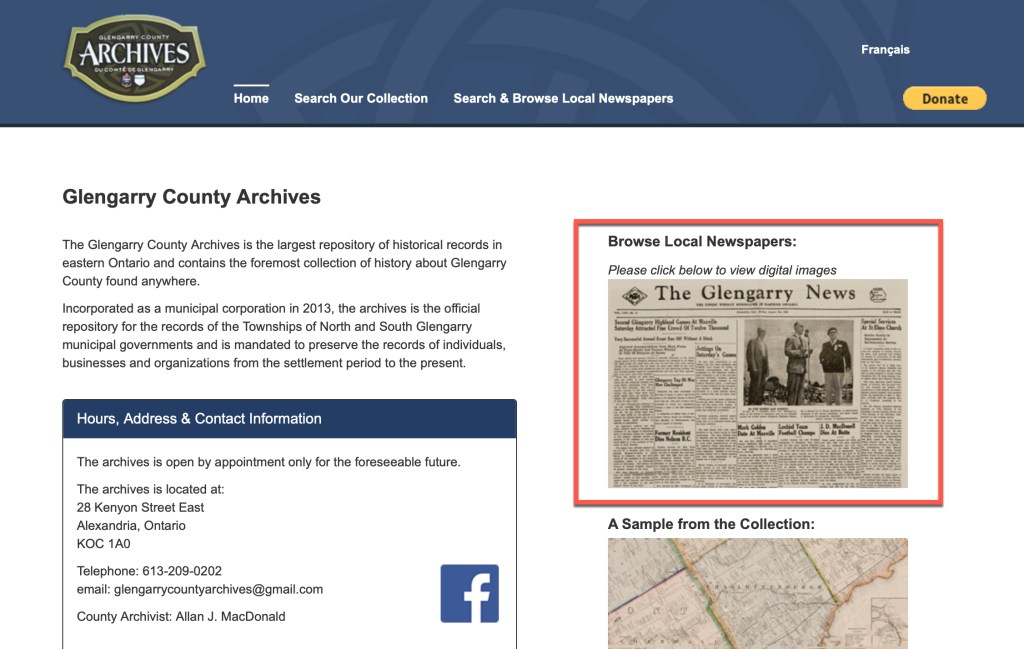
I had a client who’s ancestors were from Glengarry County, Ontario but one of a set of sisters had moved to New York City where she became a nurse. I needed to prove that the particular sister was in New York City at the right time to have given birth to my client’s grandmother. Of course, this is between census years; city directories were not easily available for the right years for the right borough; and etc. I was also unable to find mention of this sister in any newspaper in New York City and vicinity. However, I found a treasure trove of digitized newspapers at the Glengarry County archives.

Glengarry County Archives – Browse Local Newspapers

Lo and Behold! I found articles describing when the sister went to New York for nursing school, when she came home for visits, her progress, her graduation, her new job in a New York hospital, and more. I was able to prove that she was in New York City at the right time and place. This is not a collection that is highly visible through other sites. These digital images are not a part of a large subscription service.

I found this resource that helped solve my client project because I have a list of places I start looking when the “big” sites fail. That list is the bullets listed above: libraries, historical societies, genealogical societies, universities, county and state level archives. This method has worked too many times for me not to follow it. If it helps, make a sticky note with that list on it and keep it near your computer.

Whatever you do, don’t give up when those major sites do not provide what you are looking for. You can’t give up until you’ve exhausted those and this list. Next time, we will discuss what to do when you’ve exhausted both of those. Keep searching!

Many Paths to Sources: Newspapers, Part 1

First, let’s take a look at newspapers. Newspapers are one of my favorite subjects to speak about. Finding your ancestors in the newspaper gives you a nice, albeit often short, snapshot into their lives and gives their lives extra flavor. It helps turn them into real people that existed rather than just names on a document.

There are some fantastic online options for finding newspapers. The big three sites for subscriptions:

And there is not one that is better than the other. They all have different collections, so the one that is right for you, is the one that has the series of newspapers with your ancestors in them. Be sure to check their catalog for coverage before buying a subscription. All of these sites let you do that, so don’t skip this step and then get disappointed if they don’t have the papers you needed.

There are many free sites for newspapers across the U.S. Many states have a state digitization project and corresponding website. Here are just a few:

Of course, there is the Library of Congress’s collection of digitized newspapers:

Internationally, there are also some free digital newspaper sites as well. I know of a couple where I’ve done research:

Then there are link sites such as:

The above, is a lot. But is is literally just scratching the surface of what you can do with newspaper research. In Part 2 we will look more closely at finding newspapers online. In Part 3, we will delve into finding and accessing newspapers offline.

Many Paths to Sources: It’s Not All Online

In the genealogy field, you might see the statement “it’s not all online” frequently. Unfortunately, with so much being online, we tend to think it ALL is. Ancestry, FamilySearch, and others, with their hint systems and click to add to family trees has trained us that if it isn’t online, delivered by a hint, then it probably doesn’t exist. This is simple neurology as well. The brain does not like to work hard.1 So, if there is not an easy way to find or get something, the brain gets on board with “if it isn’t online then it doesn’t exist” mentality. But it’s not all online.

As an admin on the Facebook group The Genealogy Squad, we see this happen all the time. People ask for where they can find vital records, yearbooks, city directories, newspaper articles, and so on. When the answer comes back that the particular thing they are looking for is not online and they will need to call or email a specific repository, they balk. Surely it is online somewhere. Oh, I have to make a call, and possibly PAY for said document?!?

TV shows and movies do not help this either. I watch NCIS and Criminal Minds, all of which would have you believe that the smallest bit of information can be found online, regardless of whether you have a warrant to obtain that information, but that’s another topic altogether.

The companies that are digitizing, are choosing to do so based on whether they can sell a subscription, with the exception of FamilySearch. They digitize to preserve according to their religious beliefs. It takes a lot of time and resources to do the digitizing, store the digital images, create databases linked to those digital images, etc. so you can sit at home and do this from your computer with minimal effort. I’m all for it. But if you truly want to obtain those harder-to-find documents, solve those mysteries, and break down the proverbial brick wall, you have to go further sometimes.

In this blog series, we will look at some common sources and explore some of the other ways you might consider to obtain that source. Fair warning, it may take a little more thinking, exploration, and effort to obtain. But I want us all to get a little less comfortable so we can get a little further ahead with our research projects.


1. Elliot T. Berkman, “The Neuroscience of Goals and Behavior Change” (Consult Psychol J. 2018 Mar; 70(1): 28–44; digital copy, US National Library of Medicine (https://www.ncbi.nlm.nih.gov/pmc/articles/PMC5854216/).

PERSI: Tips for Getting Copies of Articles

You might notice, when you use PERSI, that once you find an article you want to read, there’s no link to view it. Can you imagine the task and resources needed to digitize, store, link, and do all of the other techno-shizzle-wizzle needed to house digital images of the over 8,000 titles in the collection that starts from publications in 1847 to today? That’s millions and millions of pages. So, remember, PERSI is an index. In our day of instant gratification, we want to be able to click and see the article. But that is not possible, here and now. You have to do some extra work to get the benefit of PERSI.

When you find an article you want here are some ways to try to obtain a copy. These are not in any particular order. It depends on the journal, the society, the library, etc. There’s no way to know ahead of time which one of these will work best for that journal.

  • Look up the journal title on WorldCat to locate a library that holds that journal. Then see if they have a copy/scan service to provide the article. Most do. Or you can try interlibrary loan to obtain a copy.
  • Look up the publishing society’s website. I have found several genealogical societies that have already digitized their own quarterlies and make them available on their website, often for free.
  • Hire a professional to make copies. You could hire someone that frequents Allen County Public Library, or someone that frequents a library you located using the WorldCat step above. I recommend the Association of Professional Genealogists’ Directory. This link will show you those that list Allen County Public Library under their repositories.
  • Contact ACPL directly. There is a form for ordering articles under the “Our Services” link found under “Explore Genealogy” on the ACPL homepage. No offense to anyone that works at ACPL, but that form indicates that it will take “6-8 weeks” and I’m an impatient genealogist, so I try any of the other steps before I will try this one. And I have never had to use this form. Something else invariably works, and works faster than 6-8 weeks.
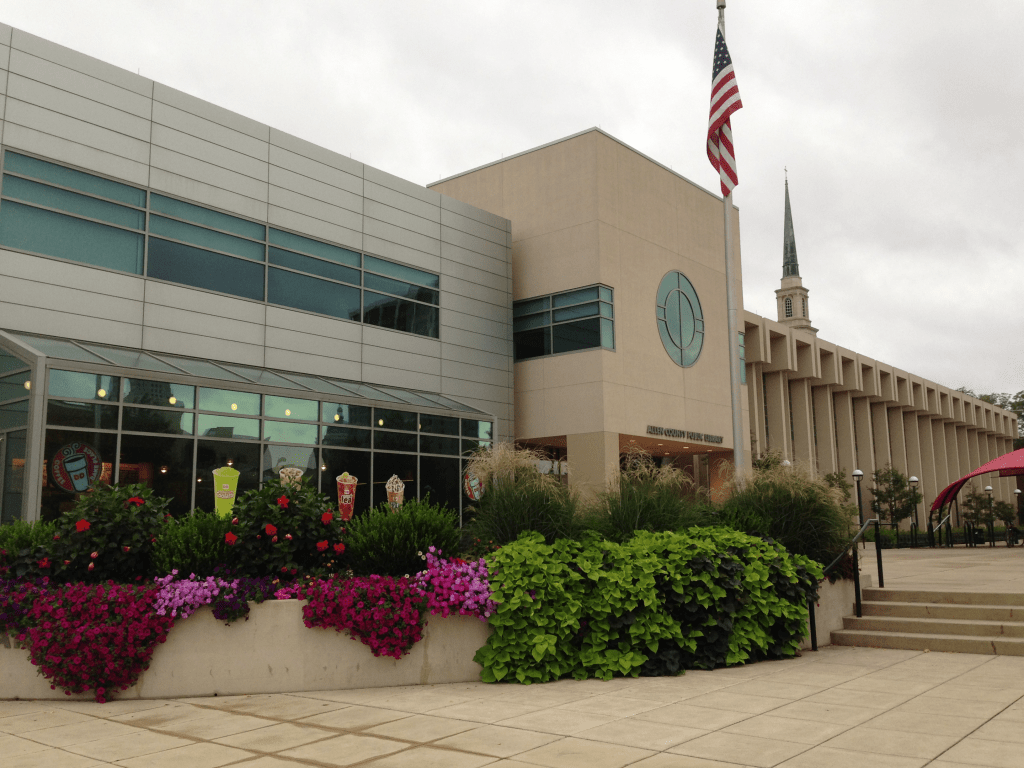
  • If none of the above work (which I highly doubt, but anything is possible), then visit ACPL and find them yourself. (Highly Recommended!) The library is lovely (see below).
Allen County Public Library, photo by author, 2013

Those are my best tips on PERSI, on of genealogy’s most under utilized resources in my opinion. I hope you will use it more and learn how to use it more effectively with the tips in this series.

PERSI: Search Tips Part 2

One of the ways I love to use PERSI is for looking for articles in a particular journal. I often would find myself in a smaller public library with a genealogy and local history section, and find that they would have a run of a a particular journal, or several. Many genealogical society journals provide an index, annually. They very rarely combine them into one larger index. So, you have to pull out each annual index and look for your item, subject, name, or keyword of interest…for EVERY year, for as long as that journal has been in publication.

If you read last week’s blog, you know how to get a set of results for a geographic area, with a keyword or subject. Once you’ve done that, you can then search those results by the journal title. Let’s look at this example. I was sitting in the Clayton Library in Houston (a fantastic genealogical library with one of my favorite librarians, hi Sue!), and I noticed that they had a run of the journal Saga of Southern Illinois which covers Hardin County, where I had some collateral ancestors move off to. I wanted to check that journal for a variety of topics, but didn’t want to sit there and pull out each volume to check its index. Instead, PERSI can help with this.

First, use the “United States” button and narrow down to which state you are looking for, in this case Illinois.

PERSI’s category buttons

I personally like to leave it at the state level for this kind of search, but you could narrow your search down to a particular county if you wish. From the topics list, I choose the one that most closely covers what I am looking for. In this example let’s choose “Cemeteries.”

PERSI categories for Illinois

You can see that there are 5,861 articles relating to cemeteries in Illinois in PERSI. Let’s narrow that down now by the journal title. The results are in a table with the following headers: Article Title, Periodical, Year Published, and Publisher. If you know the title, you’ll want to use that to narrow this down, if you know the genealogical society, you could use that as well. I’m going to use the title “Saga of Southern Illinois” or just “saga” to narrow these results.

PERSI results for “cemeteries” in Illinois

Type the word “saga” in that search box (red arrow pointing at it above).

PERSI Results filtered by the word “Saga”

Putting a word in the search box filters the results you already have by that search word. This is a text search only and there’s no way to say “I only want to look at periodicals with this word.” So, if a title of an article has the word “saga” in it, that will come up too. However, you can see that most of the results are from the journal Saga of Southern Illinois. You can also see that the results are now at 216 entries instead of 5,861. Much easier. There is no way to do a second filtering. Say I wanted to see all articles in Saga about Browning Hill Cemetery. It won’t let you do a second filtering. However, you could get creative with your searching and perhaps do your initial filter by Hardin County only and then search for “Browning Hill” in the search box.

I use this technique when I have the journals at hand and want a more efficient index to use or I know I want an article from a particular publication. Since PERSI is not an every name index, you may still decide to look at those annual journal indexes for your ancestors, but using PERSI this way can cut down on some of your research time and make your library visits more efficient.

Next week we will look at some ways to get copies of the articles once you’ve found them in PERSI.

PERSI: Search Tips Part 1

Now that PERSI (the Periodical Source Index) is now hosted at Allen County Public Library (ACPL), let’s take a look at some search tips for more effective searching.

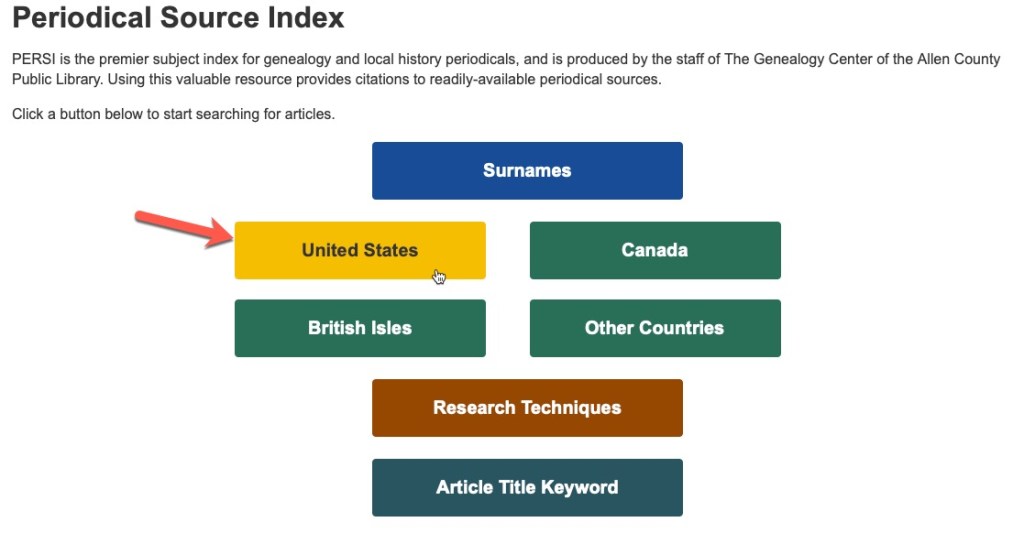
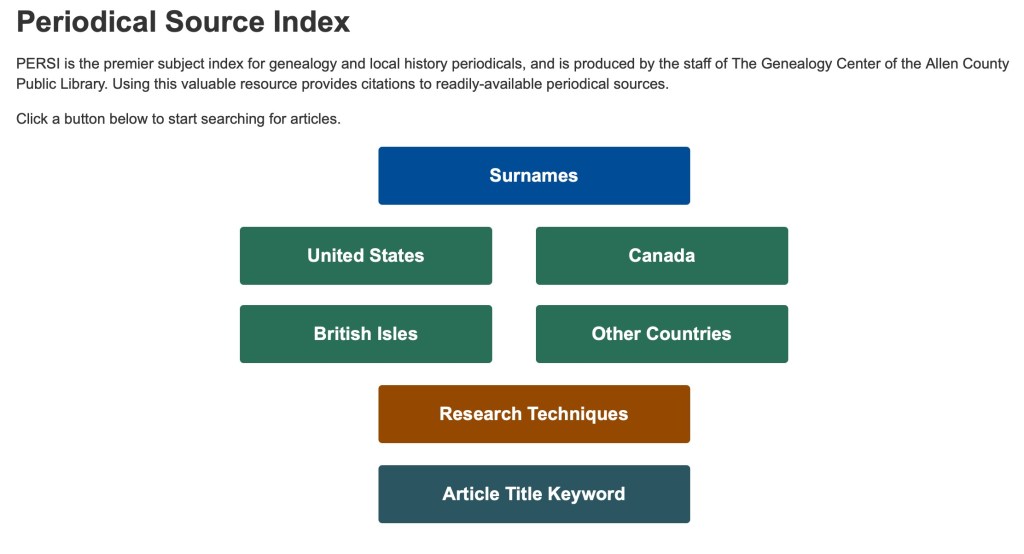
The starting screen for PERSI.

When you begin your search at PERSI, you will first want to begin with one of the options shown in the above buttons. There are basically four categories: surnames, place, technique, and keyword. Remember, PERSI is not an every name index, so if you search by surname, that name will be the major subject of the article. For our example, we will choose “United States” to get started.

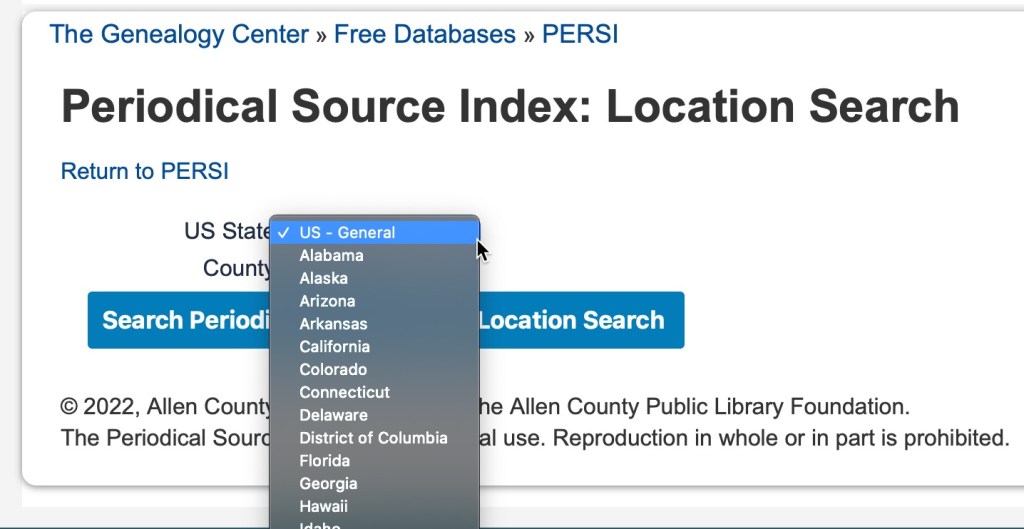
When you click on “United States” you can then further filter your results by choosing a state in the dropdown menu.

State drop-down menu on PERSI.

Then choose a county, if desired. It is not a requirement.

County drown-down menu on PERSI.

Once you have chosen your state and county, you will then be presented with a table of subjects and the number of articles available for that topic.

Subject list for Wood County, Ohio on PERSI.

For our example, we will choose “Court Records,” and see what kind of results we get.

PERSI results for “Court Records” in Wood County, Ohio

Along the top, you can see your waypoints so you can recall what category you are in. We are in USA>OH>Wood County>Court Records. You can also see that you can change the number of results you can see on one screen. It defaults to 10, but it can go up to 100. You can also see the column headings of for the article title, periodical (which includes the volume and issue number), the year published, and the publisher (the genealogical society usually).

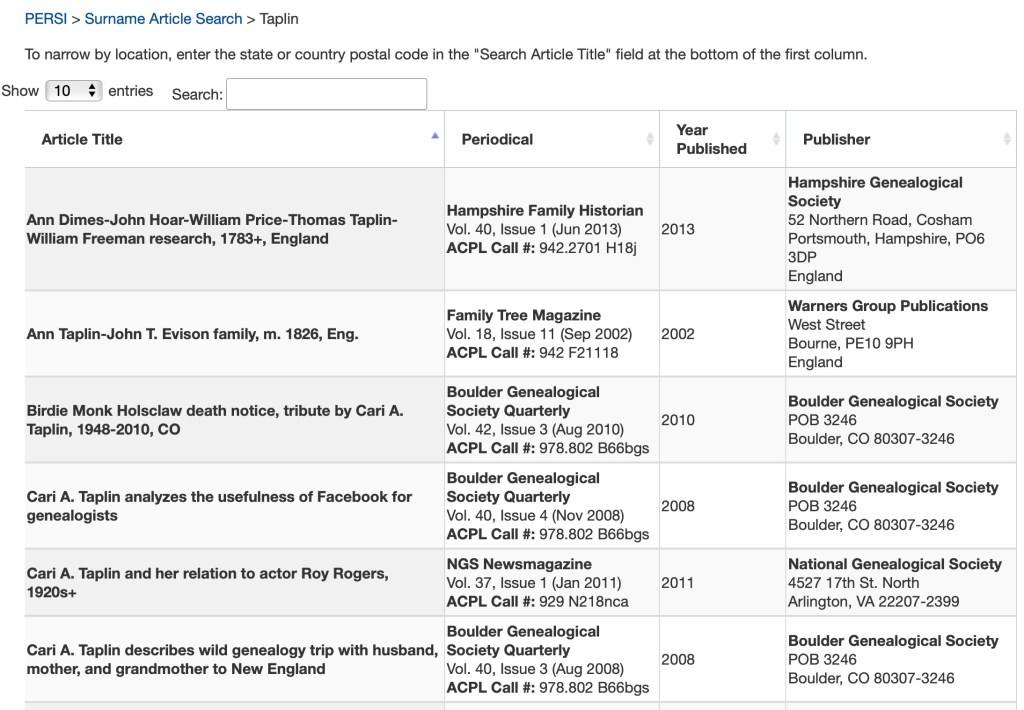
If you search by surname, you will only have one level of results. In the example below, I searched for “Taplin” and was reminded of some articles I wrote some time ago.

PERSI search results for Surname>Taplin.

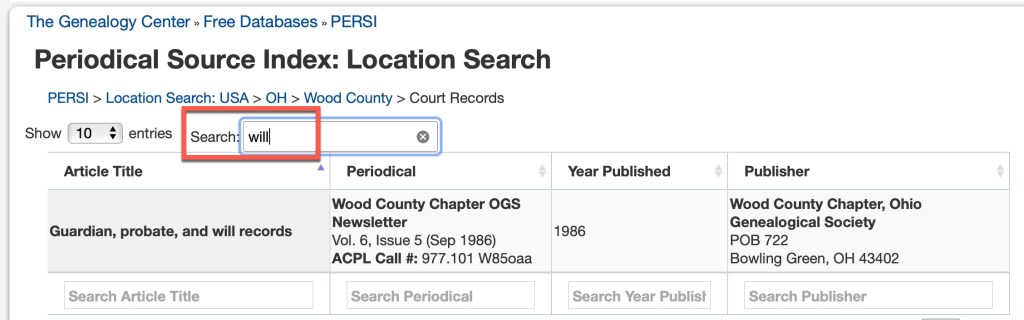
In both of the above examples, you’ll notice that there’s a “search” box above the results table. This will allow you to further search within the current results. Let’s go back to the Wood County, Ohio court records and search for wills.

Wood County, Ohio Court Records, search for wills

There is only one result in Wood County, Ohio with the keyword “will.” This is not any kind of “fuzzy” searching in that it will look for synonyms or similar spellings. If I put the full word “wills” in I will not get any results, because the one article that exists, uses the word “will” not “wills.”

We will take a look at some more search tips again next time.

PERSI Tips: What Kind of Index is it?

The Periodical Source Index (PERSI) began as a print publication in 1986 by the staff at Allen County Public Library (ACPL). ACPL’s collection holds over 8,000 titles of genealogical society journals. PERSI was first published as a 16-volume set covering the years 1847-1985, and then annually. It was also available on microfiche at FHL and CD-ROM through Ancestry.

Print volumes of PERSI, located at the Texas State Library and Archives Commission, Austin, Texas, photographed by author.

In 1997, Ancestry made PERSI available as a free online database. This was also the last year it was available in print. PERSI has been available for free through HeritageQuest and most recently through Findmypast (FMP). However, the contract with FMP is ending and for reasons not disclosed, ACPL is going to host the index on their own site: https://www.genealogycenter.info/persi/

What kind of index is it? Let me sum up the biggest misunderstanding in one sentence:

PERSI IS NOT AN EVERY NAME INDEX!

The biggest misunderstanding and misuse of PERSI is that users expect to be able to put in their person’s name or even a surname, and find information about that person. That is not how PERSI was indexed. PERSI is a keyword and subject index. The indexers did not index every name in a cemetery transcription published in a local society quarterly. They did not index every name in a transcribed local tax list. They did not index every name published in a military draft list for a county.

To best use PERSI, you need to think in terms of subjects and keywords. If someone is the subject of an article, you will find their name in the index. But if they were among those listed as petition signers, for example, you will not find them.

Over the next several posts, I will share some of my best tips, case studies, examples, and how to obtain copies of the articles, so that you can get the most out of PERSI.