Category Archives: Research – General

Many Paths to Sources: It’s Not All Online

In the genealogy field, you might see the statement “it’s not all online” frequently. Unfortunately, with so much being online, we tend to think it ALL is. Ancestry, FamilySearch, and others, with their hint systems and click to add to family trees has trained us that if it isn’t online, delivered by a hint, then it probably doesn’t exist. This is simple neurology as well. The brain does not like to work hard.1 So, if there is not an easy way to find or get something, the brain gets on board with “if it isn’t online then it doesn’t exist” mentality. But it’s not all online.

As an admin on the Facebook group The Genealogy Squad, we see this happen all the time. People ask for where they can find vital records, yearbooks, city directories, newspaper articles, and so on. When the answer comes back that the particular thing they are looking for is not online and they will need to call or email a specific repository, they balk. Surely it is online somewhere. Oh, I have to make a call, and possibly PAY for said document?!?

TV shows and movies do not help this either. I watch NCIS and Criminal Minds, all of which would have you believe that the smallest bit of information can be found online, regardless of whether you have a warrant to obtain that information, but that’s another topic altogether.

The companies that are digitizing, are choosing to do so based on whether they can sell a subscription, with the exception of FamilySearch. They digitize to preserve according to their religious beliefs. It takes a lot of time and resources to do the digitizing, store the digital images, create databases linked to those digital images, etc. so you can sit at home and do this from your computer with minimal effort. I’m all for it. But if you truly want to obtain those harder-to-find documents, solve those mysteries, and break down the proverbial brick wall, you have to go further sometimes.

In this blog series, we will look at some common sources and explore some of the other ways you might consider to obtain that source. Fair warning, it may take a little more thinking, exploration, and effort to obtain. But I want us all to get a little less comfortable so we can get a little further ahead with our research projects.


1. Elliot T. Berkman, “The Neuroscience of Goals and Behavior Change” (Consult Psychol J. 2018 Mar; 70(1): 28–44; digital copy, US National Library of Medicine (https://www.ncbi.nlm.nih.gov/pmc/articles/PMC5854216/).

PERSI: Tips for Getting Copies of Articles

You might notice, when you use PERSI, that once you find an article you want to read, there’s no link to view it. Can you imagine the task and resources needed to digitize, store, link, and do all of the other techno-shizzle-wizzle needed to house digital images of the over 8,000 titles in the collection that starts from publications in 1847 to today? That’s millions and millions of pages. So, remember, PERSI is an index. In our day of instant gratification, we want to be able to click and see the article. But that is not possible, here and now. You have to do some extra work to get the benefit of PERSI.

When you find an article you want here are some ways to try to obtain a copy. These are not in any particular order. It depends on the journal, the society, the library, etc. There’s no way to know ahead of time which one of these will work best for that journal.

  • Look up the journal title on WorldCat to locate a library that holds that journal. Then see if they have a copy/scan service to provide the article. Most do. Or you can try interlibrary loan to obtain a copy.
  • Look up the publishing society’s website. I have found several genealogical societies that have already digitized their own quarterlies and make them available on their website, often for free.
  • Hire a professional to make copies. You could hire someone that frequents Allen County Public Library, or someone that frequents a library you located using the WorldCat step above. I recommend the Association of Professional Genealogists’ Directory. This link will show you those that list Allen County Public Library under their repositories.
  • Contact ACPL directly. There is a form for ordering articles under the “Our Services” link found under “Explore Genealogy” on the ACPL homepage. No offense to anyone that works at ACPL, but that form indicates that it will take “6-8 weeks” and I’m an impatient genealogist, so I try any of the other steps before I will try this one. And I have never had to use this form. Something else invariably works, and works faster than 6-8 weeks.
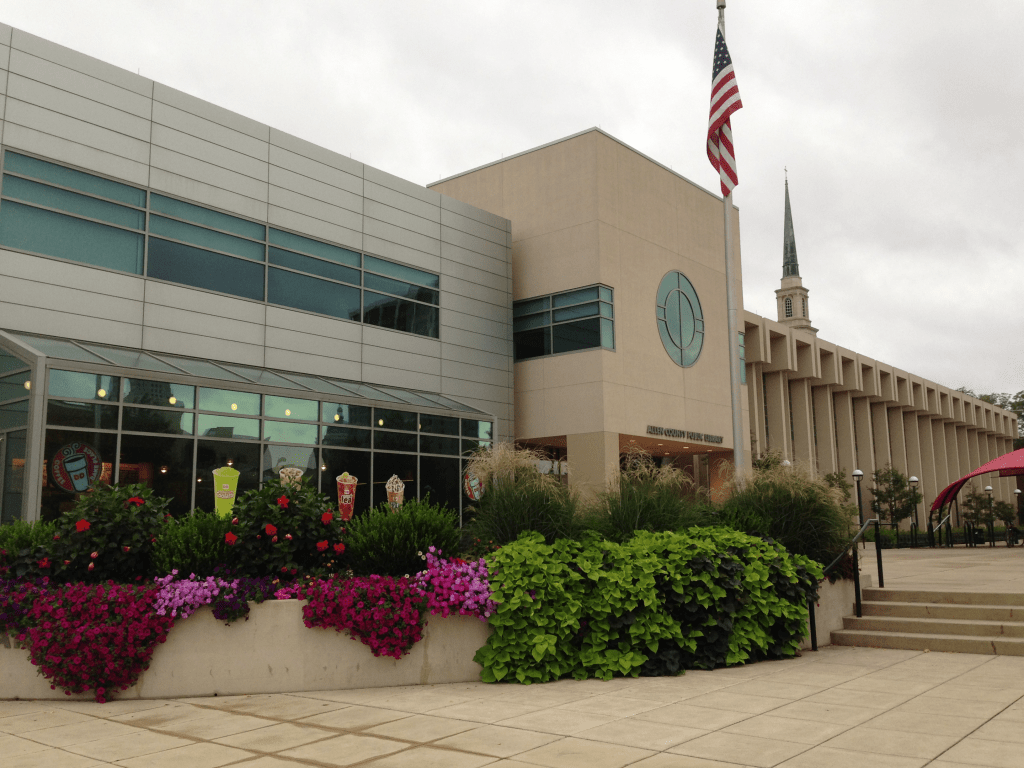
  • If none of the above work (which I highly doubt, but anything is possible), then visit ACPL and find them yourself. (Highly Recommended!) The library is lovely (see below).
Allen County Public Library, photo by author, 2013

Those are my best tips on PERSI, on of genealogy’s most under utilized resources in my opinion. I hope you will use it more and learn how to use it more effectively with the tips in this series.

PERSI: Search Tips Part 2

One of the ways I love to use PERSI is for looking for articles in a particular journal. I often would find myself in a smaller public library with a genealogy and local history section, and find that they would have a run of a a particular journal, or several. Many genealogical society journals provide an index, annually. They very rarely combine them into one larger index. So, you have to pull out each annual index and look for your item, subject, name, or keyword of interest…for EVERY year, for as long as that journal has been in publication.

If you read last week’s blog, you know how to get a set of results for a geographic area, with a keyword or subject. Once you’ve done that, you can then search those results by the journal title. Let’s look at this example. I was sitting in the Clayton Library in Houston (a fantastic genealogical library with one of my favorite librarians, hi Sue!), and I noticed that they had a run of the journal Saga of Southern Illinois which covers Hardin County, where I had some collateral ancestors move off to. I wanted to check that journal for a variety of topics, but didn’t want to sit there and pull out each volume to check its index. Instead, PERSI can help with this.

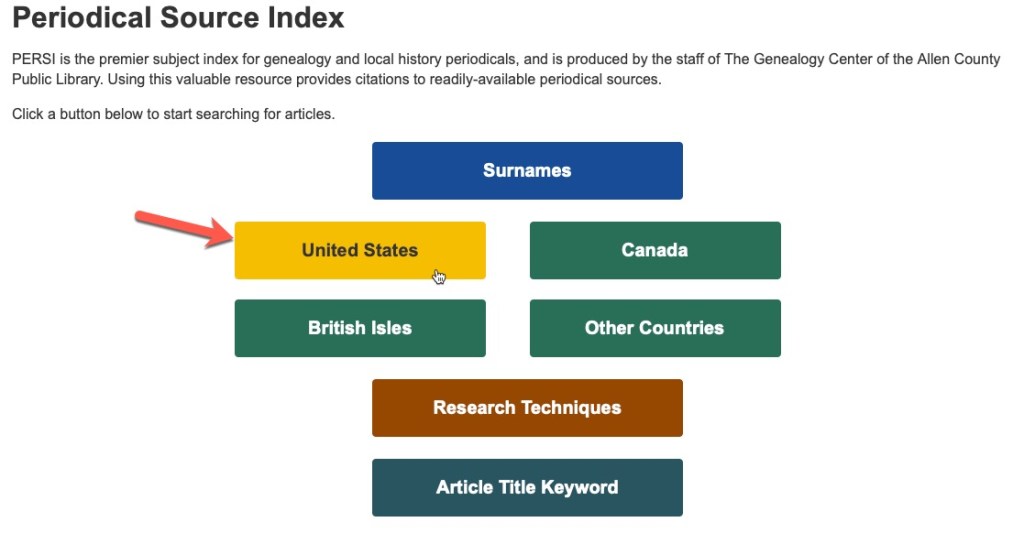
First, use the “United States” button and narrow down to which state you are looking for, in this case Illinois.

PERSI’s category buttons

I personally like to leave it at the state level for this kind of search, but you could narrow your search down to a particular county if you wish. From the topics list, I choose the one that most closely covers what I am looking for. In this example let’s choose “Cemeteries.”

PERSI categories for Illinois

You can see that there are 5,861 articles relating to cemeteries in Illinois in PERSI. Let’s narrow that down now by the journal title. The results are in a table with the following headers: Article Title, Periodical, Year Published, and Publisher. If you know the title, you’ll want to use that to narrow this down, if you know the genealogical society, you could use that as well. I’m going to use the title “Saga of Southern Illinois” or just “saga” to narrow these results.

PERSI results for “cemeteries” in Illinois

Type the word “saga” in that search box (red arrow pointing at it above).

PERSI Results filtered by the word “Saga”

Putting a word in the search box filters the results you already have by that search word. This is a text search only and there’s no way to say “I only want to look at periodicals with this word.” So, if a title of an article has the word “saga” in it, that will come up too. However, you can see that most of the results are from the journal Saga of Southern Illinois. You can also see that the results are now at 216 entries instead of 5,861. Much easier. There is no way to do a second filtering. Say I wanted to see all articles in Saga about Browning Hill Cemetery. It won’t let you do a second filtering. However, you could get creative with your searching and perhaps do your initial filter by Hardin County only and then search for “Browning Hill” in the search box.

I use this technique when I have the journals at hand and want a more efficient index to use or I know I want an article from a particular publication. Since PERSI is not an every name index, you may still decide to look at those annual journal indexes for your ancestors, but using PERSI this way can cut down on some of your research time and make your library visits more efficient.

Next week we will look at some ways to get copies of the articles once you’ve found them in PERSI.

PERSI: Search Tips Part 1

Now that PERSI (the Periodical Source Index) is now hosted at Allen County Public Library (ACPL), let’s take a look at some search tips for more effective searching.

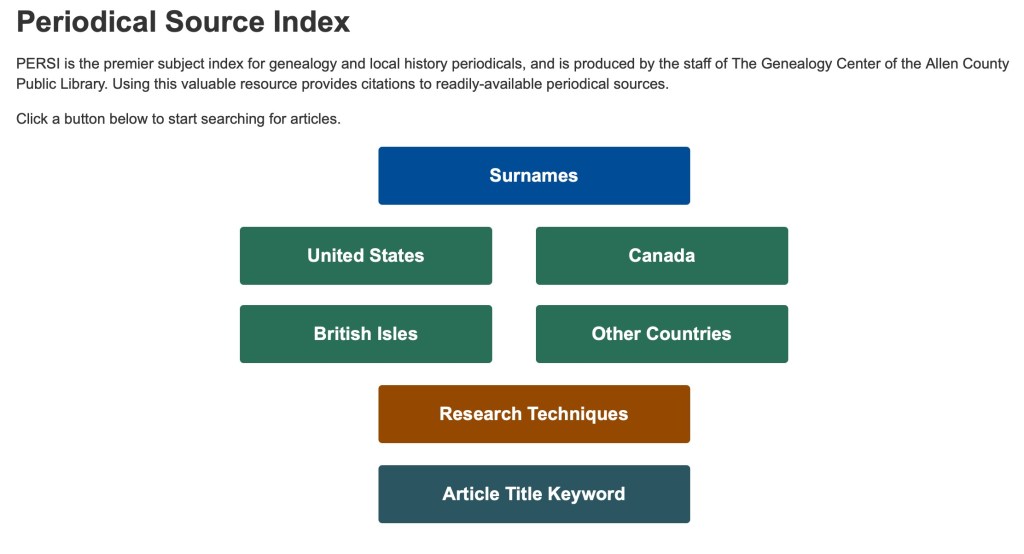
The starting screen for PERSI.

When you begin your search at PERSI, you will first want to begin with one of the options shown in the above buttons. There are basically four categories: surnames, place, technique, and keyword. Remember, PERSI is not an every name index, so if you search by surname, that name will be the major subject of the article. For our example, we will choose “United States” to get started.

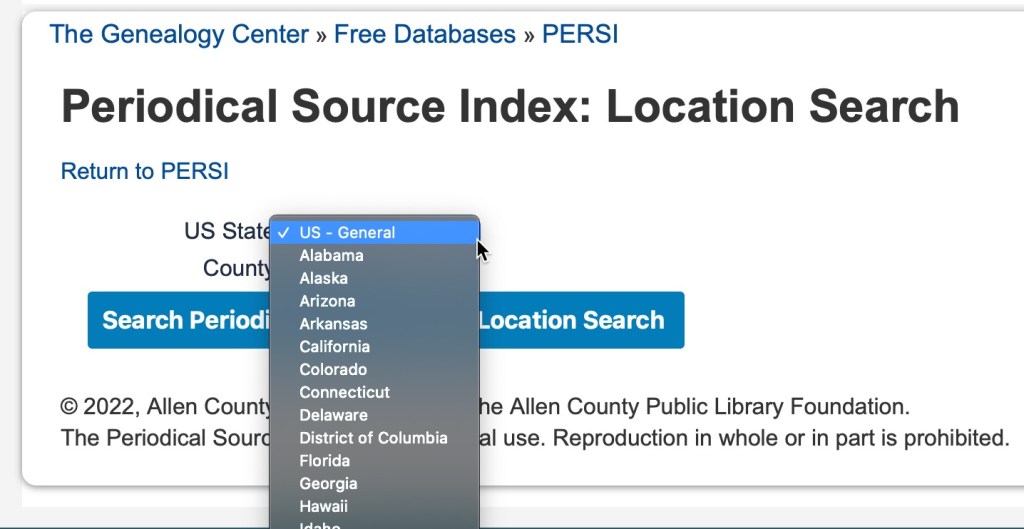
When you click on “United States” you can then further filter your results by choosing a state in the dropdown menu.

State drop-down menu on PERSI.

Then choose a county, if desired. It is not a requirement.

County drown-down menu on PERSI.

Once you have chosen your state and county, you will then be presented with a table of subjects and the number of articles available for that topic.

Subject list for Wood County, Ohio on PERSI.

For our example, we will choose “Court Records,” and see what kind of results we get.

PERSI results for “Court Records” in Wood County, Ohio

Along the top, you can see your waypoints so you can recall what category you are in. We are in USA>OH>Wood County>Court Records. You can also see that you can change the number of results you can see on one screen. It defaults to 10, but it can go up to 100. You can also see the column headings of for the article title, periodical (which includes the volume and issue number), the year published, and the publisher (the genealogical society usually).

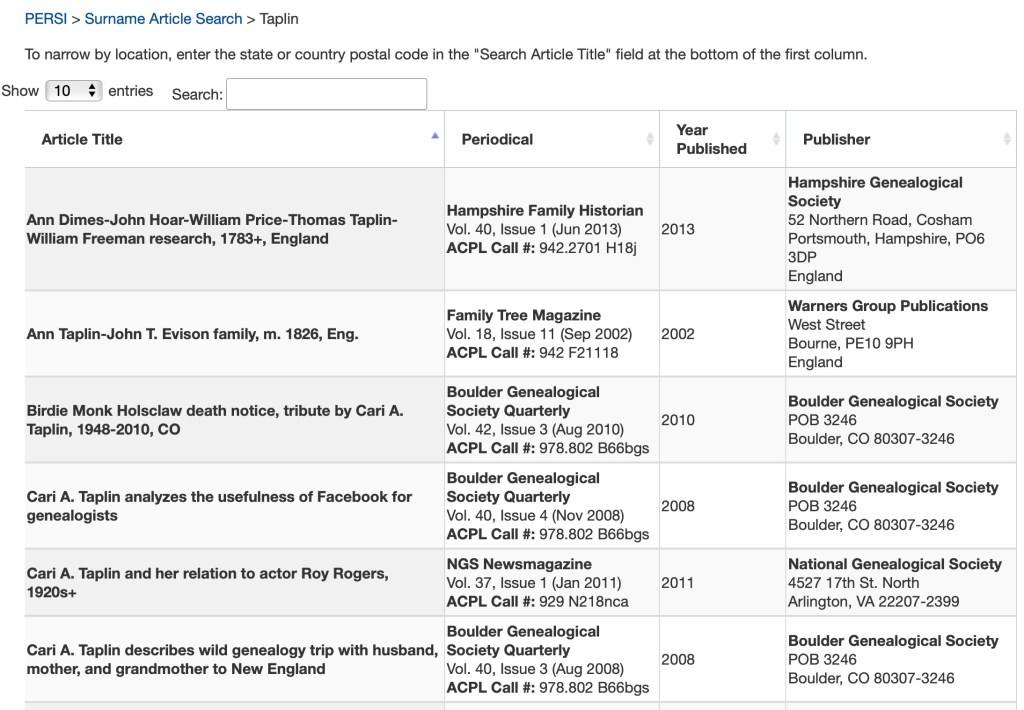
If you search by surname, you will only have one level of results. In the example below, I searched for “Taplin” and was reminded of some articles I wrote some time ago.

PERSI search results for Surname>Taplin.

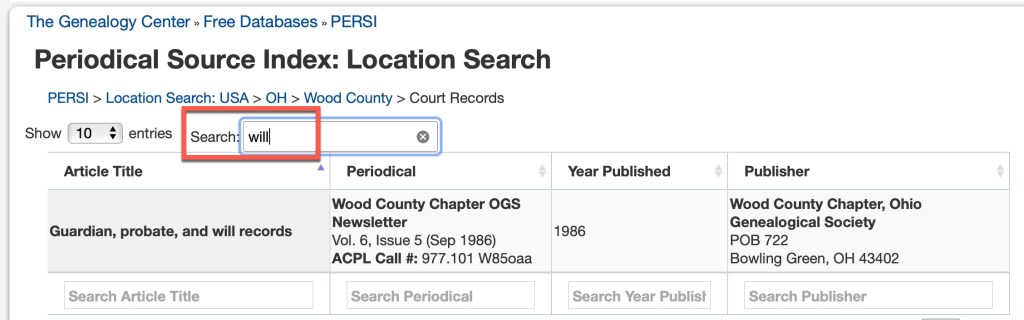
In both of the above examples, you’ll notice that there’s a “search” box above the results table. This will allow you to further search within the current results. Let’s go back to the Wood County, Ohio court records and search for wills.

Wood County, Ohio Court Records, search for wills

There is only one result in Wood County, Ohio with the keyword “will.” This is not any kind of “fuzzy” searching in that it will look for synonyms or similar spellings. If I put the full word “wills” in I will not get any results, because the one article that exists, uses the word “will” not “wills.”

We will take a look at some more search tips again next time.

PERSI Tips: What Kind of Index is it?

The Periodical Source Index (PERSI) began as a print publication in 1986 by the staff at Allen County Public Library (ACPL). ACPL’s collection holds over 8,000 titles of genealogical society journals. PERSI was first published as a 16-volume set covering the years 1847-1985, and then annually. It was also available on microfiche at FHL and CD-ROM through Ancestry.

Print volumes of PERSI, located at the Texas State Library and Archives Commission, Austin, Texas, photographed by author.

In 1997, Ancestry made PERSI available as a free online database. This was also the last year it was available in print. PERSI has been available for free through HeritageQuest and most recently through Findmypast (FMP). However, the contract with FMP is ending and for reasons not disclosed, ACPL is going to host the index on their own site: https://www.genealogycenter.info/persi/

What kind of index is it? Let me sum up the biggest misunderstanding in one sentence:

PERSI IS NOT AN EVERY NAME INDEX!

The biggest misunderstanding and misuse of PERSI is that users expect to be able to put in their person’s name or even a surname, and find information about that person. That is not how PERSI was indexed. PERSI is a keyword and subject index. The indexers did not index every name in a cemetery transcription published in a local society quarterly. They did not index every name in a transcribed local tax list. They did not index every name published in a military draft list for a county.

To best use PERSI, you need to think in terms of subjects and keywords. If someone is the subject of an article, you will find their name in the index. But if they were among those listed as petition signers, for example, you will not find them.

Over the next several posts, I will share some of my best tips, case studies, examples, and how to obtain copies of the articles, so that you can get the most out of PERSI.

Check out the New PERSI!

If you’ve heard me speak, you may know that I am a huge fan of the Periodical Source Index, or PERSI. This index has been around for a long time, started by the Allen County Public Library, whose indexers indexed nearly all genealogical society quarterlies and journals since the beginning of time. Well, that might be a slight exaggeration, but it truly is nearly accurate. They have been doing small genealogical society publications a great service over the years, making the work of the local researchers and writers more accessible to researchers far and wide. PERSI has taken may forms over the years from a printed publication to a set of CD-ROMs to microfiche to an online index. Most recently it has been housed at Findmypast.

ACPL – Creator of PERSI

I attended a webinar yesterday put on by the Allen County Public Library sharing the new version of PERSI which will be housed on their website. The presenter made the point several times that one of the benefits of this is so that PERSI would be free. However, I want to make a point of correction here. PERSI has always been free. At Findmypast, you did need a login (set up a username and password), but no credit card was required to do that. You could access PERSI for free at Findmypast. There were a few features you could not access such as the full ACPL call number, volume number, or digital image if it were available. You were able to find titles of articles, authors, journal titles, and years of publication. Everything you needed to access the article, all for free. Not that it matters now, but I want to give credit where credit is due.

Over the years, as I’ve presented my lecture about PERSI, I have often had to dispel the myth that it was not free at Findmypast. I guess because it was housed at a company everyone thought you had to pay for it. I have a secret I want to share: nearly every website has some number of free databases you can access without paying for a subscription. PERSI was one of those at Findmypast.

The link to the new PERSI is: https://www.genealogycenter.info/persi/

The presenter stated that they are still working out some of the kinks and soon there will be a button for PERSI on the main database page. For now, you will find the link to PERSI at the bottom footer of the page for any of their other free database pages. Or you can just bookmark the link above.

The NEW PERSI homepage at ACPL.

I wanted to first share the link and a screenshot of the new PERSI website. Over the next several weeks I will share some of the details and reiterate some of my favorite tips for working with PERSI to get the most out of it for your research.

Building a Locality Guide: Miscellaneous Stuff

We are going to wrap this series up with a few odds and ends that didn’t fit in elsewhere.

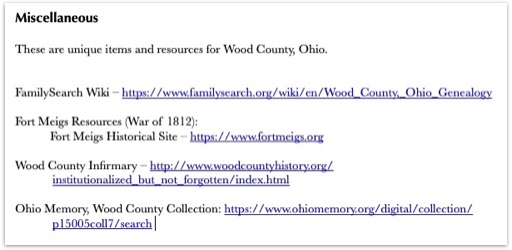
First, I have a “Miscellaneous” section for items that are unique to the locality I’m creating a guide for. In this section you might also put links for that locations FamilySearch Wiki page as well as miscellaneous resources that just didn’t fit elsewhere.

Miscellaneous section from my Wood County, Ohio Locality Guide

Second, utilize things that make your life easier in terms of creating your locality guide. I use a screen capture tool called “Snag-It” from TechSmith that not only takes screenshots but allows you to draw arrows, underline things, highlight, and put boxes or circles around important items. I use this to add visual aids to my locality guides as needed. Also, be sure to use active hyperlinks when adding links to your guide. This allows you to simply click and go to websites rather than having to cut and paste the links. Most programs can recognize a link and will make it active automatically. However, if that is not happening, usually if you highlight the link and then right click on it, you will get an option to add the hyperlink.

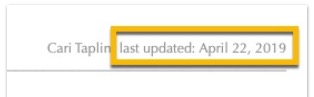
Third, make sure you are noting when the last time you updated the document. Sometimes, I work on my guides, then do the research project, and then the guide sits there for a year or two (or more) while I work on other things, and before I come back to it. It helps me to know how out of date that guide is. If it has been a long time, I might spend a half an hour making sure the links work, and updating what has been digitized at FamilySearch, and so on. I add the “last updated” date in my document’s header so that it shows up on every page.

Last updated example.

Here is a summary of the resources I use to build my guides:

  • Cyndi’s List
  • FamilySearch Wiki & Catalog
  • Map collections
  • University websites
  • Subscription sites
  • Google Books, Internet Archive
  • Specialized museums
  • Repositories and libraries
  • Local genealogical societies
  • Government Websites (county courthouses, etc.)
  • Library of Congress
  • State historical or genealogical society
  • State archives
  • And so on…

Consider helping others with the information you gather for your guide. There are places you can share the information, especially if they don’t already have it! Consider submitting any new links to Cyndi’s List, updating the FamilySearch Wiki, or sending your completed guide as a PDF to the locality’s genealogical or historical society or local public library.

To wrap up, there is no right way to do this. You can create this any way that works for you in any format that works for you. You might use a word processor, a note-taking software such as Evernote, a spreadsheet, or paper and pencil! Your categories may be different than mine, the data you collect may be different, etc. It does not matter. The main point of a locality guide is to help you with the “pre-research” so that your research time is more efficient.

You never know where your genealogical research will take you. Creating a locality guide for each new area before you begin your research will save time in the long run by making your research more focused and making you more educated about the new location.

Update: This locality guide is for sale. Click here to order.

Building a Locality Guide: Repositories

Let’s discuss repositories in our Locality Guides. There are usually more than one that applies to a given geographical location, and often several. Adding this to your locality guide can help you plan research trips whether you go in person or work with an archivist or agent over the phone or email.

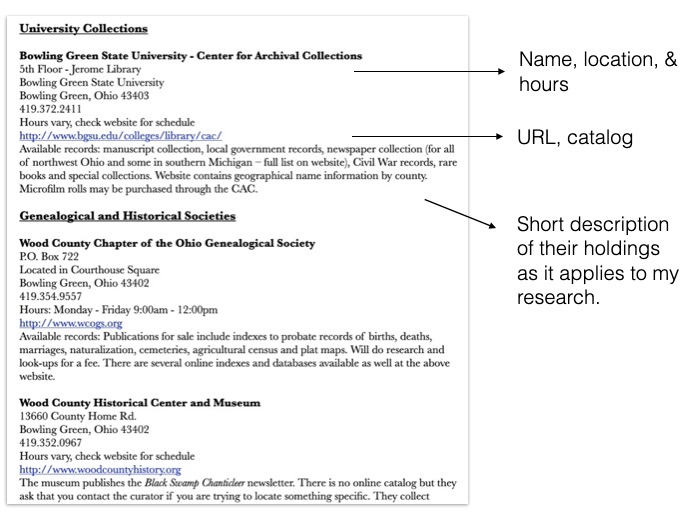
One section of my guide looks like this:

Example from my Wood County, Ohio locality guide.

I have sub-sections for courthouses, universities, local public libraries, genealogical and historical societies, local and regional museums, archival collections, and anything else that has a research facility that applies. In each, I include the name of the facility, their location, hours, contact information (including an email address if available), their website, a link directly to their catalog if applicable, and a short description of their holdings as it applies to my research and interests.

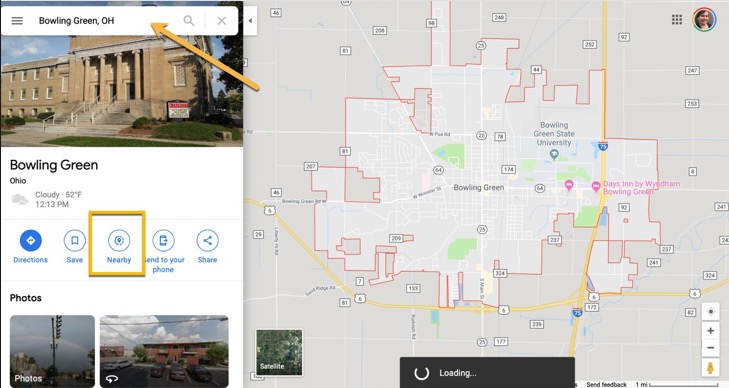
I’d like to share a tip for finding those repositories that you may have missed. I use Google Maps’s “nearby” function to find libraries, archives, universities, and museums in and nearby a town I am interested in. If you go to Google Maps, you typically put in a town or an address and click search. Then your location is shown on the map. If you look down on the right, there is a button labeled “nearby.”

Google Maps “Nearby” Button

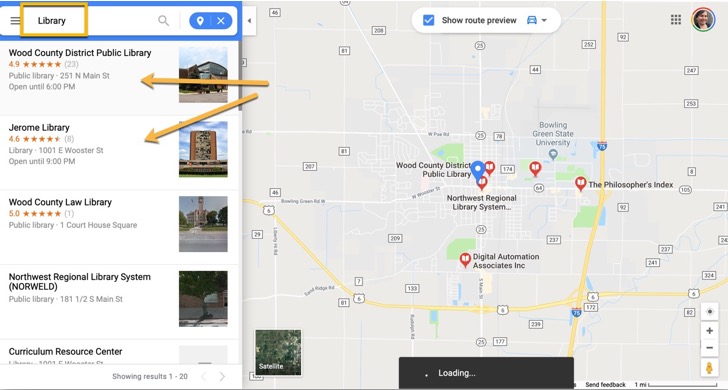
Then you can type in “library” or “university” or any other search term (think hotel or restaurant if you are traveling).

Searching nearby for “library”

Next time, we are going to wrap up the series with a miscellany of items and tips that I use in my locality guides.

Building a Locality Guide: Published Sources

This section in my locality guide is basically a bibliography. However, I try to locate as many digital resources as possible so that I have a virtual “library” at my fingertips.

I like to put my bibliography in alphabetical order by author in traditional style, but you could also organize by topic. Again, do what makes the most sense to you.

Be sure to utilize a variety of sources to locate books for your guide. My favorites are (but are not limited to):

  • my own bookshelf
  • a public library in the local area of research
  • the FamilySearch Wiki
  • WorldCat
  • GoogleBooks, Hathi Trust, Internet Archive, FamilySearch Books, and other digital book repositories

I like to start by finding a county history, a modern history, genealogical guides for the area, and state or local genealogical publications and guides. The sky’s the limit here. I absolutely love a good bibliography!

Next week we will discuss repositories. In the meantime, have fun building a bibliography!

Building a Locality Guide: More on Records, Vital Records & Probate/Court Records

How and when vital records were recorded for a particular area varies by county and state. This is an important section to capture some of these nuances. Some questions I ask myself to help develop this section are:

  • What are my options for vital records for this town/county/state?
  • When did vital registration begin?
  • What county offices hold the records, if any?
  • What state offices are there that hold the records?
  • What is available at FamilySearch? At Ancestry? (etc.)
  • What is available at the state archives and state historical society?

Then I start Googling the state and county offices, looking at Cyndi’s List, checking the FamilySearch catalog and wiki, and so on. As I find the information I need, I build the guide. Here are some example sections for my Vital Records sections:

Example from my Wood County, Ohio Locality Guide.
Example from my Wyoming Locality Guide. I created a table for each county’s entry in the FamilySearch Catalog.

I follow a very similar system for finding the probate and court records for the area of focus.

Example from my Wood County, Ohio Locality Guide.

I also include a section providing more information on the county (or state) offices themselves:

Example from my Wood County, Ohio Locality Guide.

And you just keep building to your heart’s content. Next up, the section on published sources…