Tag Archives: search tips

Using Websites’ Catalogs: Ancestry Tips

Tip #2 – Use the filters

Ancestry (other websites do this too) has provided users with some filters to help narrow search results. Ancestry also provides this nice “Jump back in” section on the main search screen. This provides you with easy access to recently used databases. If you’ve been following along, I’ve been showing examples from the Audrain County, Missouri, obituaries collections.

From the main search screen, I’m going to start a new search for Thomas Mitchell in Missouri. Thomas Mitchell is a very common name, so we will then use the filters to help narrow our results.

Main search page starting our search for Thomas Mitchell.

At the time of writing this post, a simple search for Thomas Mitchell in Missouri returned over 380k results! That’s too many. We need to narrow down the results to something more manageable.

Too many results to be useful!

To work with the filters, click on the pencil icon above the list of filters on the left. You can slide the little button on the slider bars under his name and location to get results that are “exact” so “Thomas” only, no Toms, for example. You can also add any other information you know about the person, date of birth or death, parents’ or spouse’s names, etc. You can also narrow down the results to a certain geographic collection under “collection focus.”
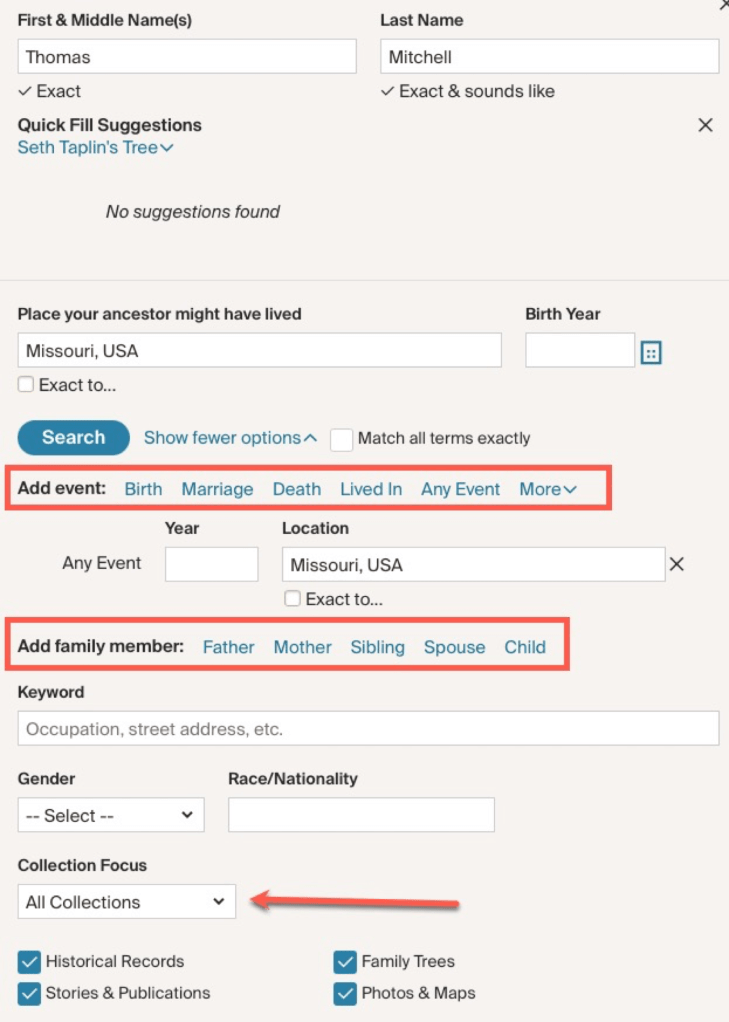
For our example here, I am going to add one parameter to start with, Thomas’s wife’s name: Angeline.

I’ve added ‘Angeline’ to the spouse’s name.

Adding Angeline reduced our results to 43k instead of 388k. That’s a big reduction, but still too many results to manage. Continue adding details that you know or utilize the filters on the left to narrow your focus to a type of record. Setting everything to “exact” gets us down to 22 results.
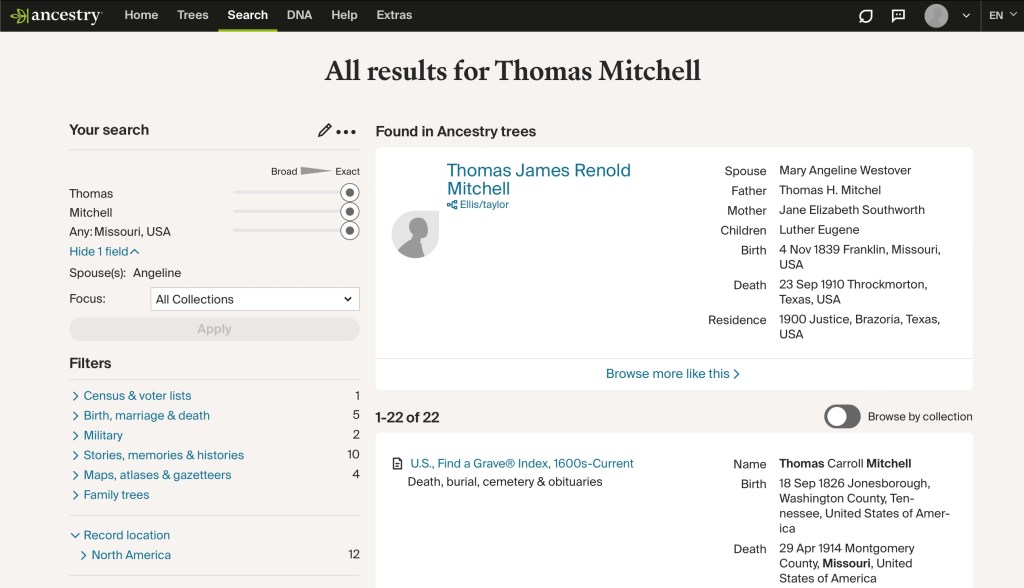
My system is to narrow down the results one filter at a time. Then I might back up and change a different filter leaving a previous one set on “broad” just to see what kind of different results I can get. You never know when an index might have a typo or have run into difficult handwriting. You also never know when an original record might have an error in it. Conducting searches using a variety of filter changes can help you find some of those records that may have been overlooked.

Next time, we will look at some websites other than Ancestry.

Using Websites’ Card Catalogs: Ancestry Tips

Tip #1: Read Stuff!

We all skip and skim and scan and think we are “reading.” It is just part of how the human brain works. The brain wants to do as little work as possible to conserve energy. It is part of how our species has evolved over time. So we have to work really hard to act against that instinctual desire to be efficient. You have to stop and make yourself read and understand what has been written about various databases. This can often answer questions you’ve formed such as “Why am I not finding a record I think I should be finding?” Reading the “about this database” section might inform you that the county your working in was not included in the database, for example.

The “stuff” you should read about the Audrain County, Missouri, obituaries database.

Not only the “about” section, but other sections on the page can be useful for extending your research and conducting better searches. There are links under “More help” that will point you to other aspects of using Ancestry.

The “More help” boxes provide more tips.

There is a page that explains ways to improve your search results (we will look at this in more detail in another post).

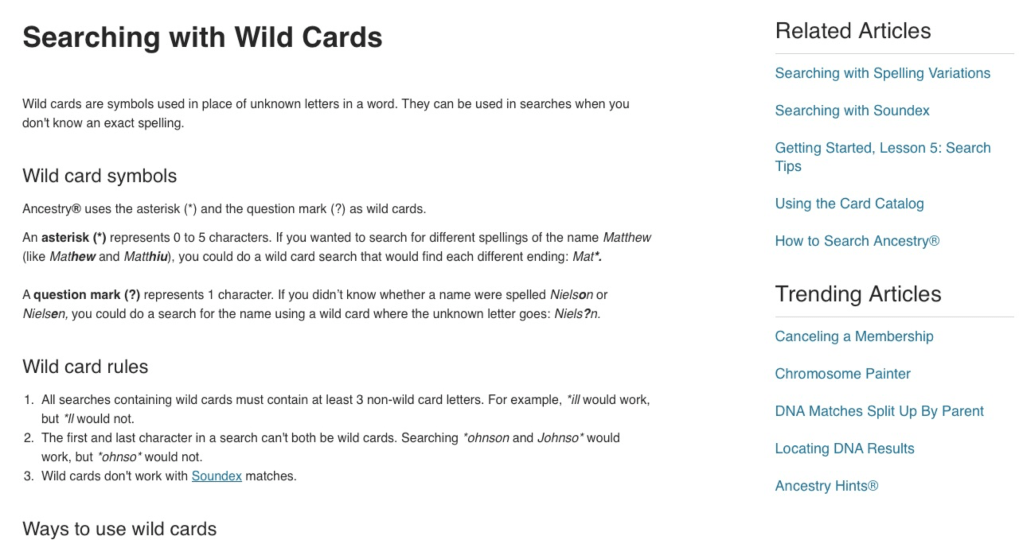
There is a page that explains how to use wildcards for searching.

Page explaining wildcards.

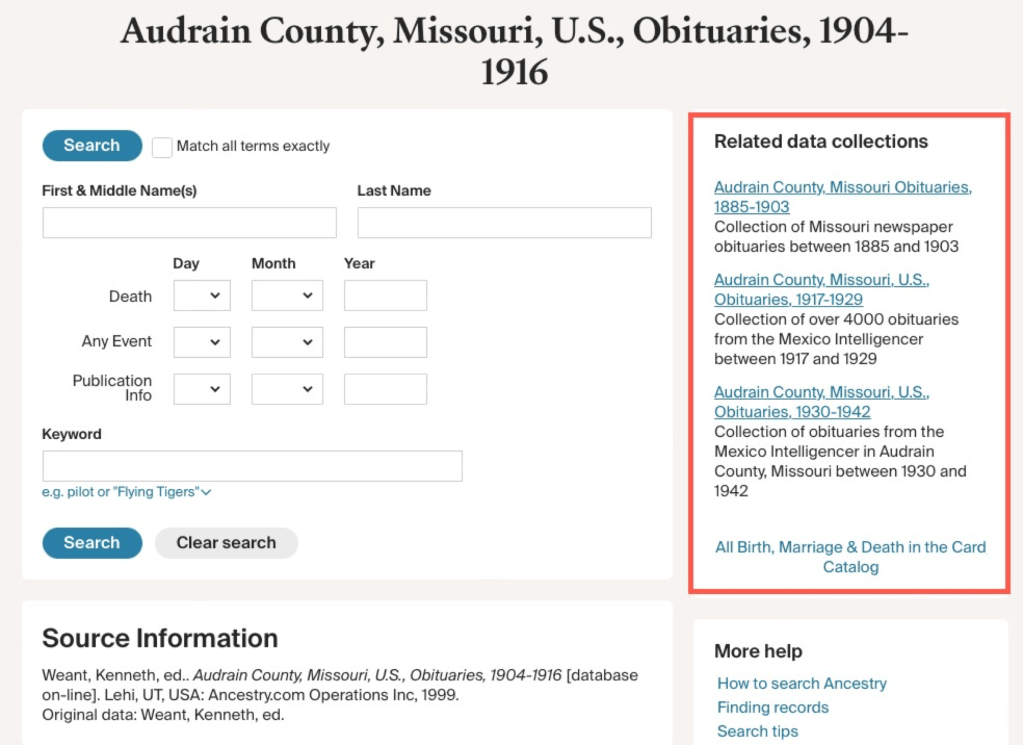
Also, on the search page for a given database, there is a section of “Related data collections.”

Be sure to READ STUFF! That’s tip number one. Reading this “stuff” can often provide you with answers, more clues, and new avenues to pursue.

More tips on the way!

PERSI: Search Tips Part 1

Now that PERSI (the Periodical Source Index) is now hosted at Allen County Public Library (ACPL), let’s take a look at some search tips for more effective searching.

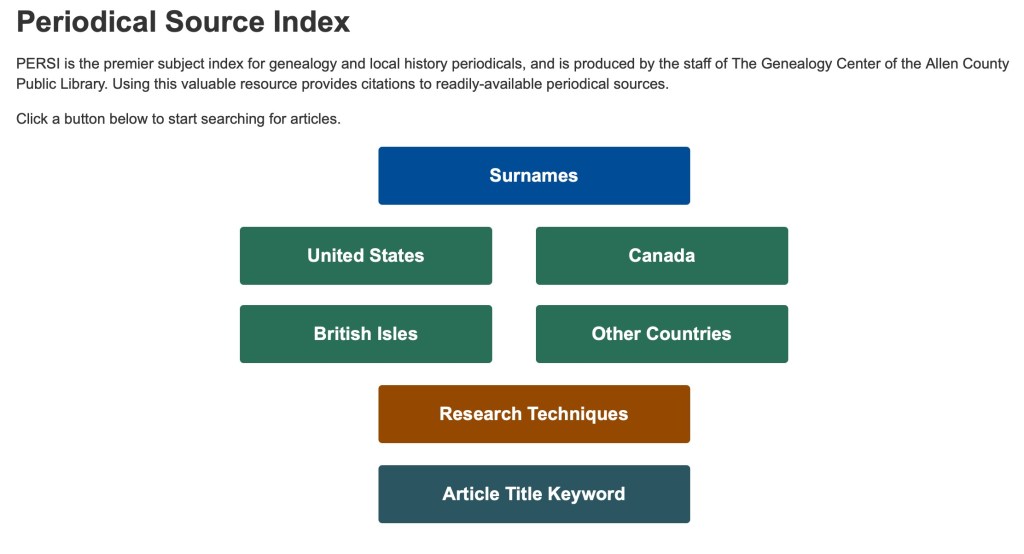
The starting screen for PERSI.

When you begin your search at PERSI, you will first want to begin with one of the options shown in the above buttons. There are basically four categories: surnames, place, technique, and keyword. Remember, PERSI is not an every name index, so if you search by surname, that name will be the major subject of the article. For our example, we will choose “United States” to get started.

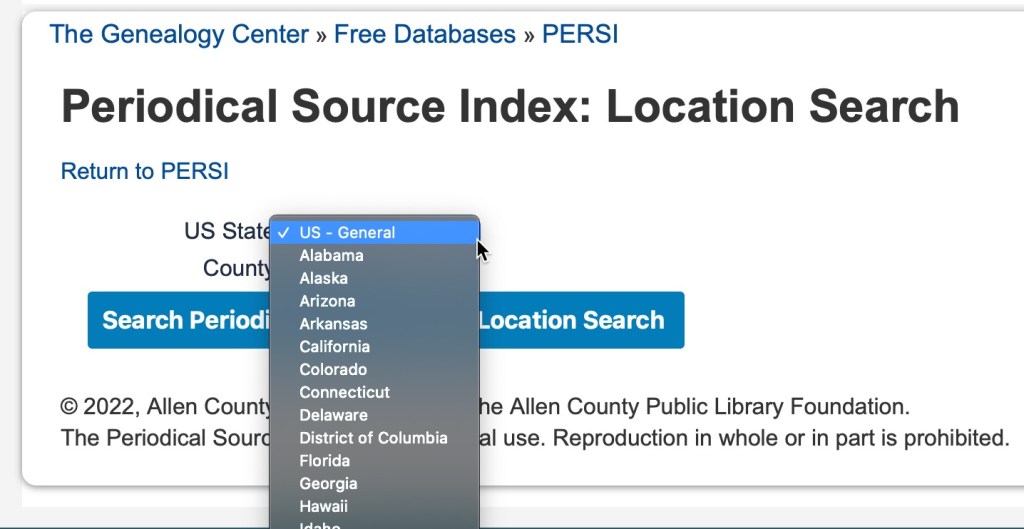
When you click on “United States” you can then further filter your results by choosing a state in the dropdown menu.

State drop-down menu on PERSI.

Then choose a county, if desired. It is not a requirement.

County drown-down menu on PERSI.

Once you have chosen your state and county, you will then be presented with a table of subjects and the number of articles available for that topic.

Subject list for Wood County, Ohio on PERSI.

For our example, we will choose “Court Records,” and see what kind of results we get.

PERSI results for “Court Records” in Wood County, Ohio

Along the top, you can see your waypoints so you can recall what category you are in. We are in USA>OH>Wood County>Court Records. You can also see that you can change the number of results you can see on one screen. It defaults to 10, but it can go up to 100. You can also see the column headings of for the article title, periodical (which includes the volume and issue number), the year published, and the publisher (the genealogical society usually).

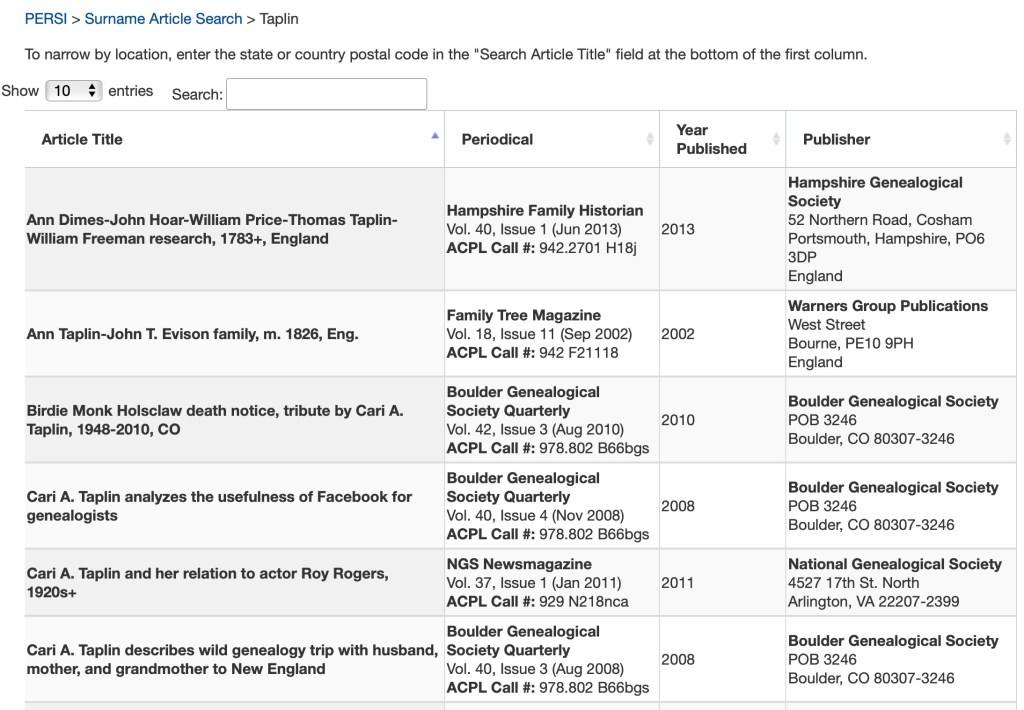
If you search by surname, you will only have one level of results. In the example below, I searched for “Taplin” and was reminded of some articles I wrote some time ago.

PERSI search results for Surname>Taplin.

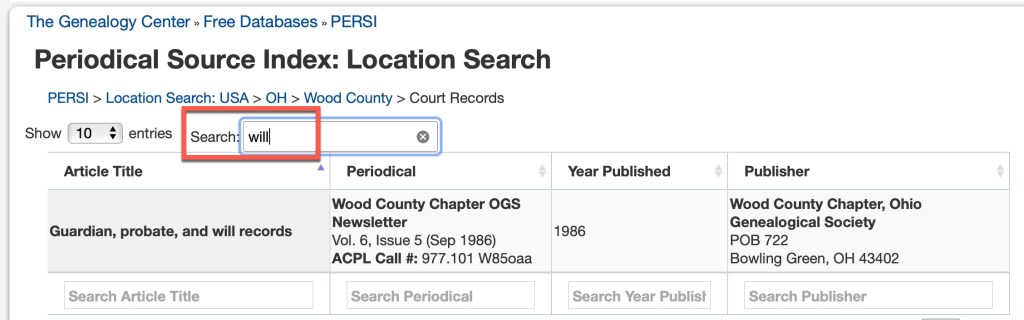
In both of the above examples, you’ll notice that there’s a “search” box above the results table. This will allow you to further search within the current results. Let’s go back to the Wood County, Ohio court records and search for wills.

Wood County, Ohio Court Records, search for wills

There is only one result in Wood County, Ohio with the keyword “will.” This is not any kind of “fuzzy” searching in that it will look for synonyms or similar spellings. If I put the full word “wills” in I will not get any results, because the one article that exists, uses the word “will” not “wills.”

We will take a look at some more search tips again next time.