The last study group of 2021 is forming now. The group begins on October 6, 2021. There are two time slots, one with Cyndi Ingle (of Cyndi’s List) and one with me (Cari Taplin).
This will be a beginner/low-intermediate level class to study the book Mastering Genealogical Proof by Tom Jones. We will cover the principles outlined in the book as well as discuss the workbook questions.
In Wyoming, statewide vital registration was required starting in July 1909. Depending on the age of the records your are looking for, there are a couple of locations you might look for records.
For birth records under 100 years old and death records under 50 years old, they can be obtained at the Wyoming Department of Health. Their website indicates that birth records may be obtained by the “registrant if 18 years of age, either parent named on the certificate, lawyer representing the registrant or parent(s), or legal guardian with Court Ordered Guardianship papers.” As for death records, you must be an immediate family member, named on the certificate, a bank, a lawyer, or otherwise need to show proof of your relationship to the decedent. Marriage and Divorce records are also on file since May 1941. Prior to that, you will need to check at the county level.
For births older than 100 years and deaths older than 50 years you will find the records at the Wyoming State Archives. Of course, this is only back to July 1909. Prior to that, if a record was kept you might find it at the county level.
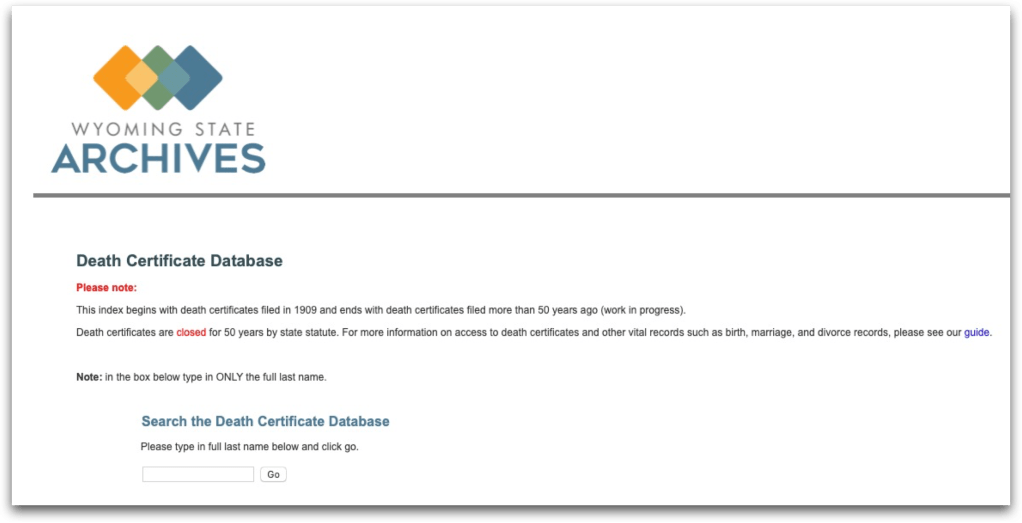
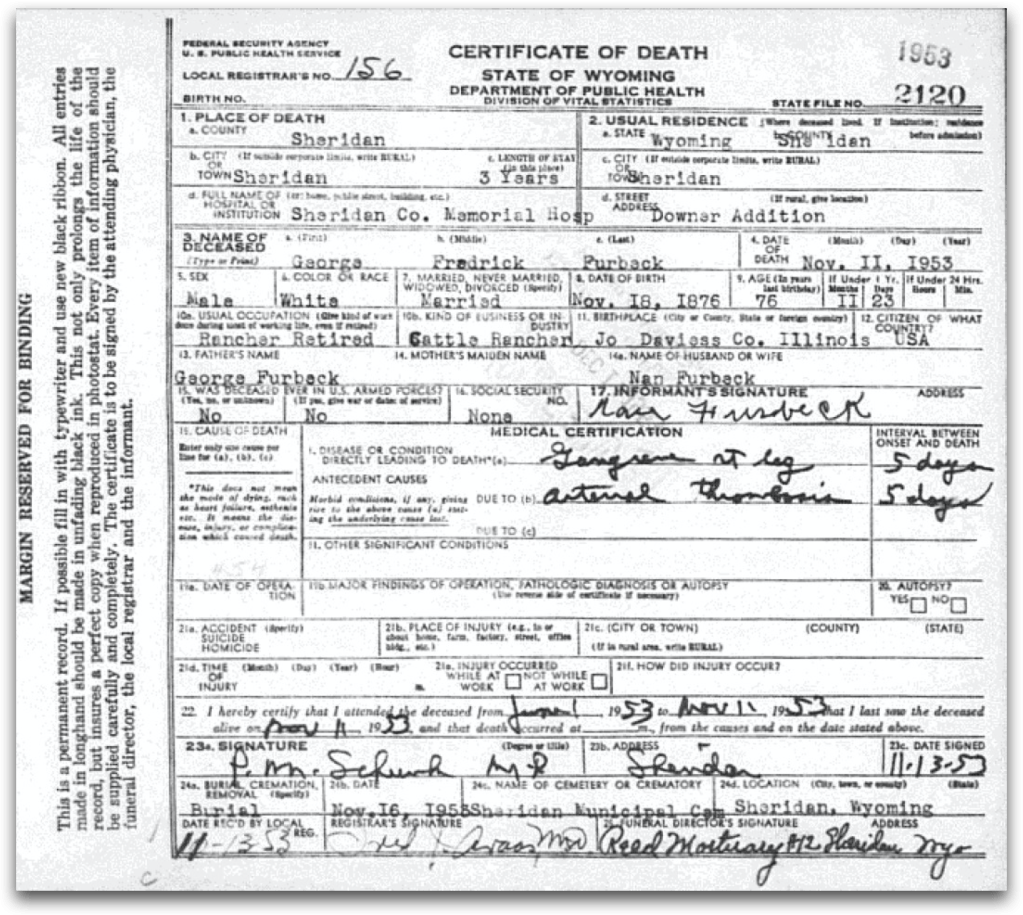
Wyoming State Archives Death Certificate DatabaseYou request a copy from the State Archives by using the Contact Form.My husband’s great-uncle’s death certificate from Wyoming.
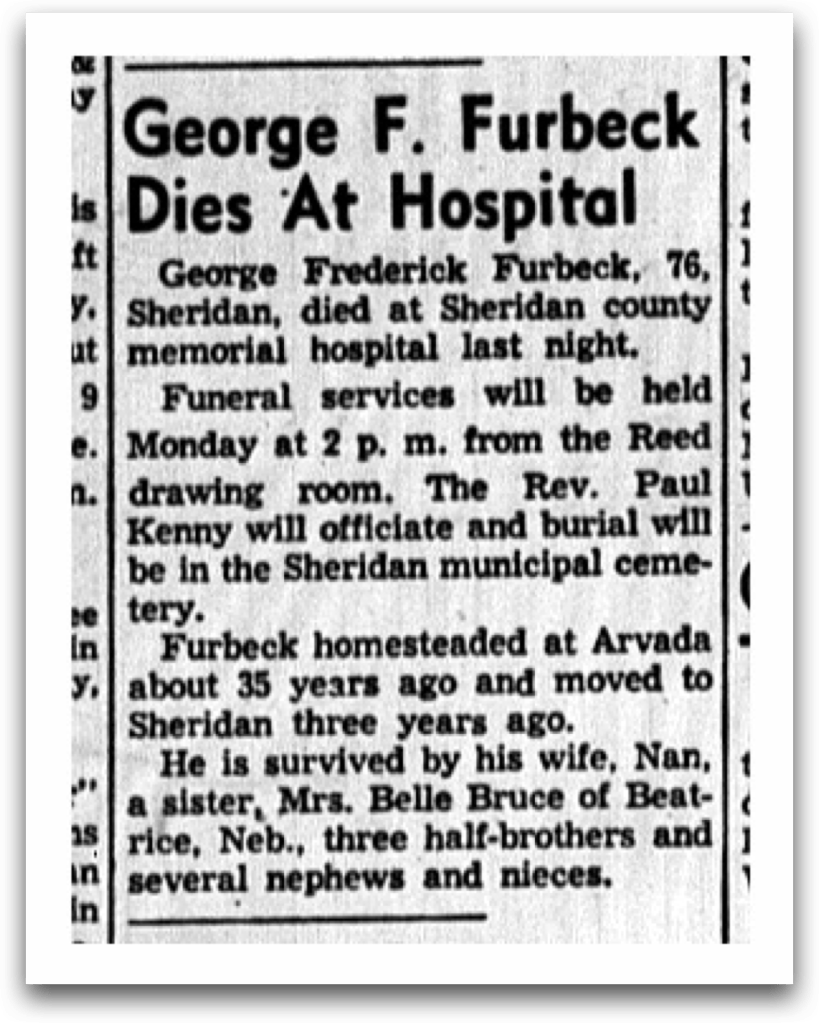
And even though we didn’t request it, the Wyoming State Archives also sent his obituary! And all of it was completely free!
Obituary for George F. Furbeck from Sheridan Press, 12 November 1953, p. 2.
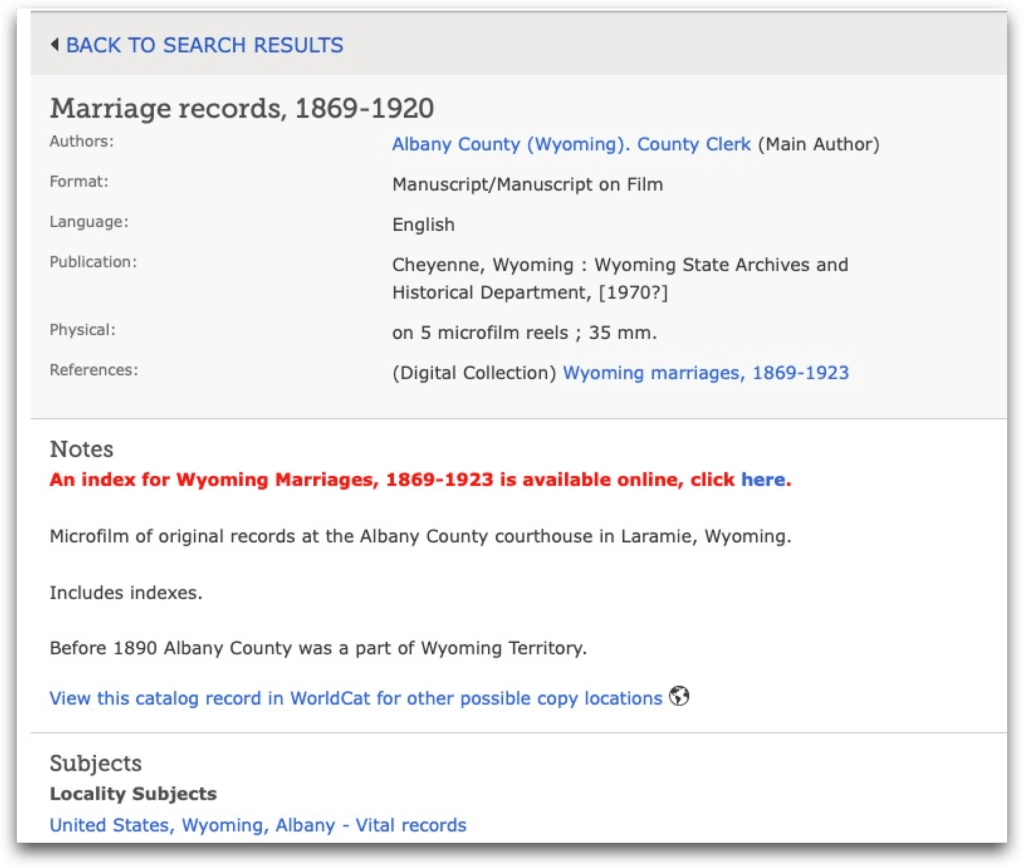
Of course, you will want to examine the FamilySearch catalog for the county in Wyoming that is of interest to you. Here is the catalog for Albany County marriage records:
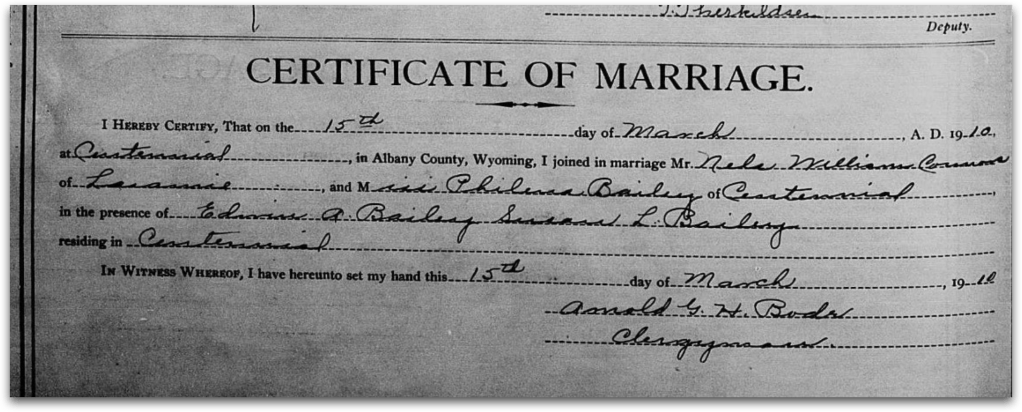
And here is the marriage certificate for Philena Bailey, one of the sisters of Susan Bailey, our homesteader from Centennial, Wyoming from the previous blog post:
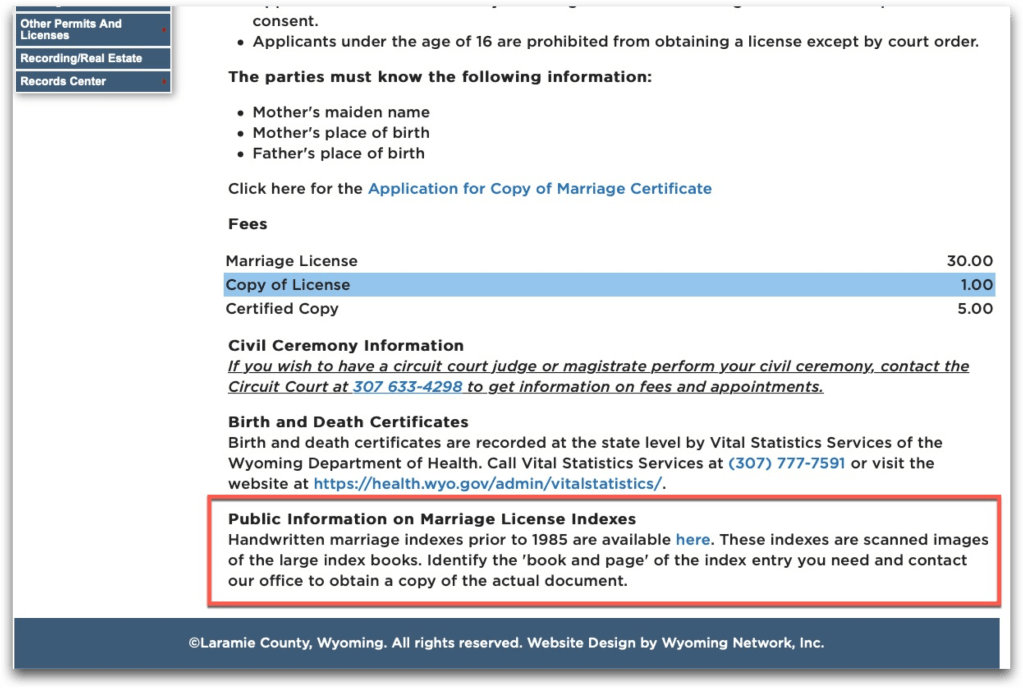
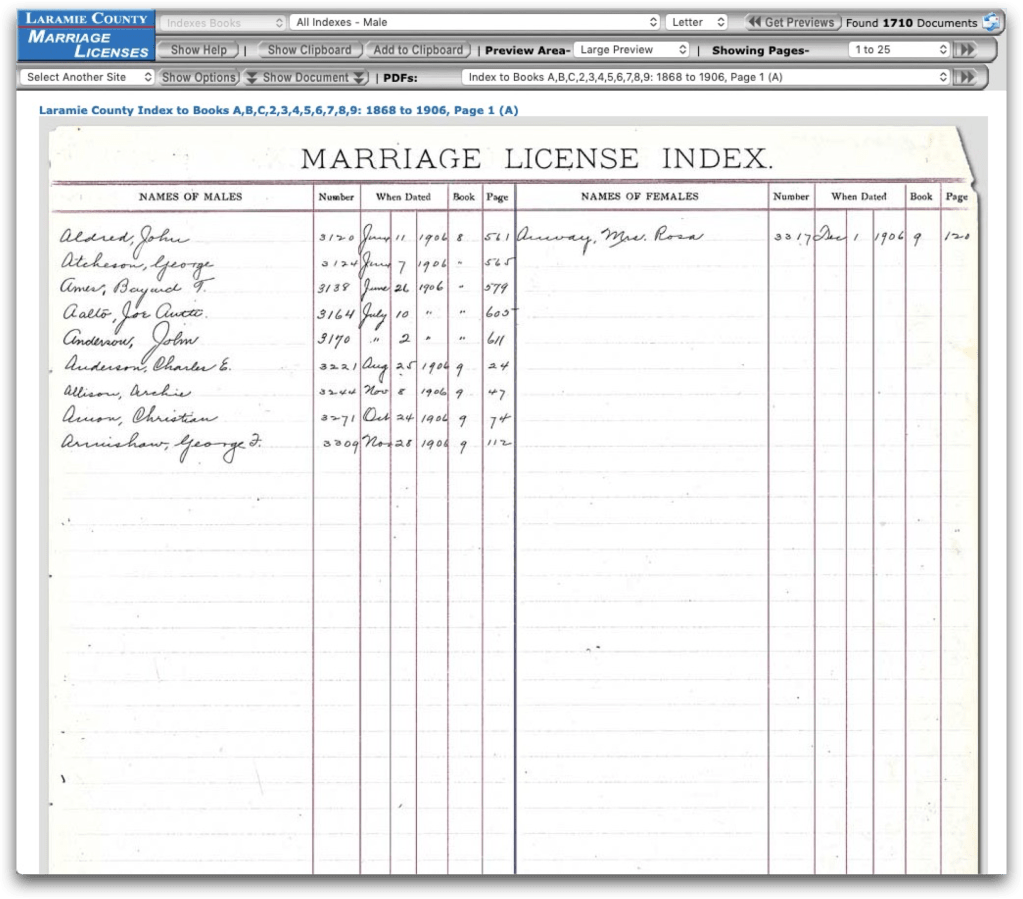
Be sure to check the county websites as well. You never know what you might find. This is the website for Laramie County (the county where Cheyenne is located, not Laramie, which is in Albany County). They have digitized their handwritten marriage index for the years prior to 1985.
A sample index page from Laramie County’s marriage index.
There are some other useful sites when looking for vital records in Wyoming beyond those listed above:
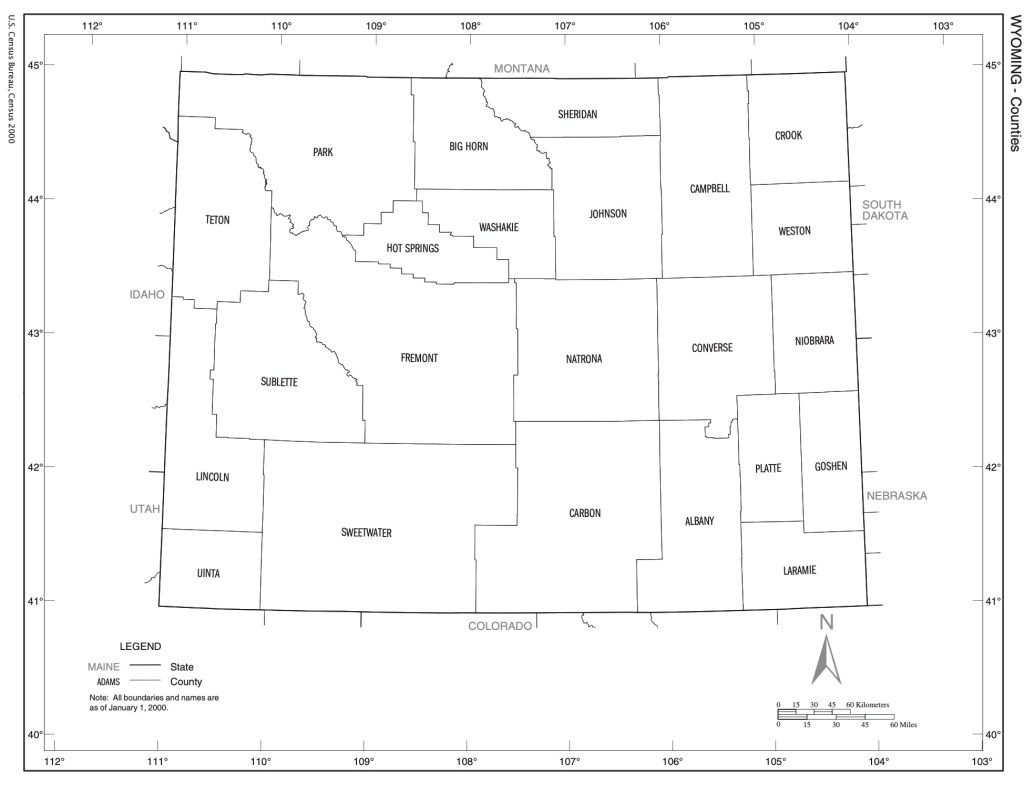
Wyoming is a big state, with big counties. The state only has 23 counties, and they are all fairly large in size.
Map from U.S. Census Bureau, 2000.
When we moved to Wyoming in 1988, we lived in Big Horn County, right up near the Montana border, in a little town called Cowley. When I went off to attend the University of Wyoming, we lived in Laramie, which is in Albany county, not Laramie County. My husband was born in Cheyenne, which IS in Laramie County… confusing, I know.
The land in Wyoming was part of the Public Land system. This was land, once obtained by the federal government was then sold by cash sale or given to settlers through various programs such as the Homestead Act. Once the land was distributed by the federal government it became the property of the individual. You can find the first disposition of the land at the Bureau of Land Management’s General Land Office website.
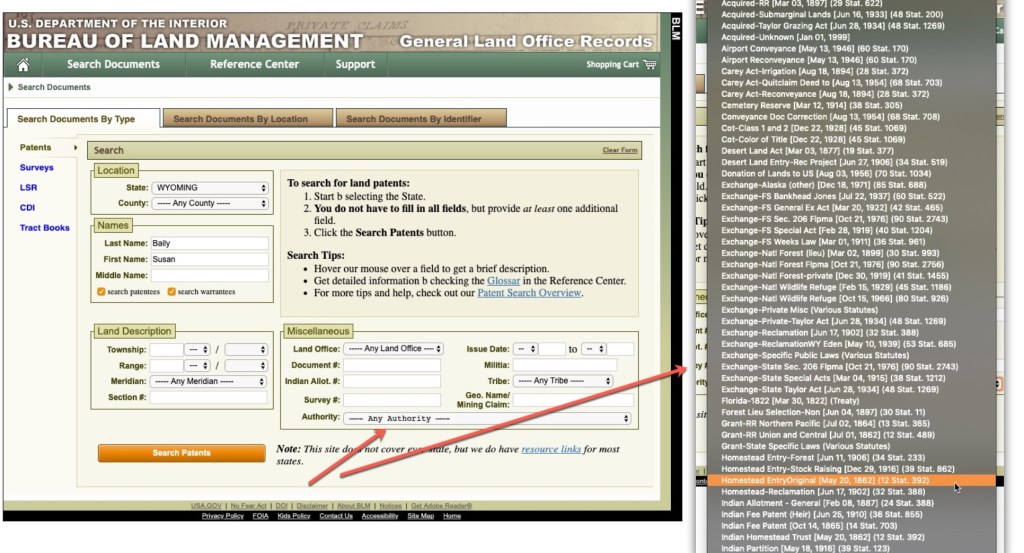
When you search for documents at the BLM website, you can search by the “authority” or the act by which the land was distributed.
BLM Website with a zoom in on the Authorities by which land was distributed with Homestead highlighted.
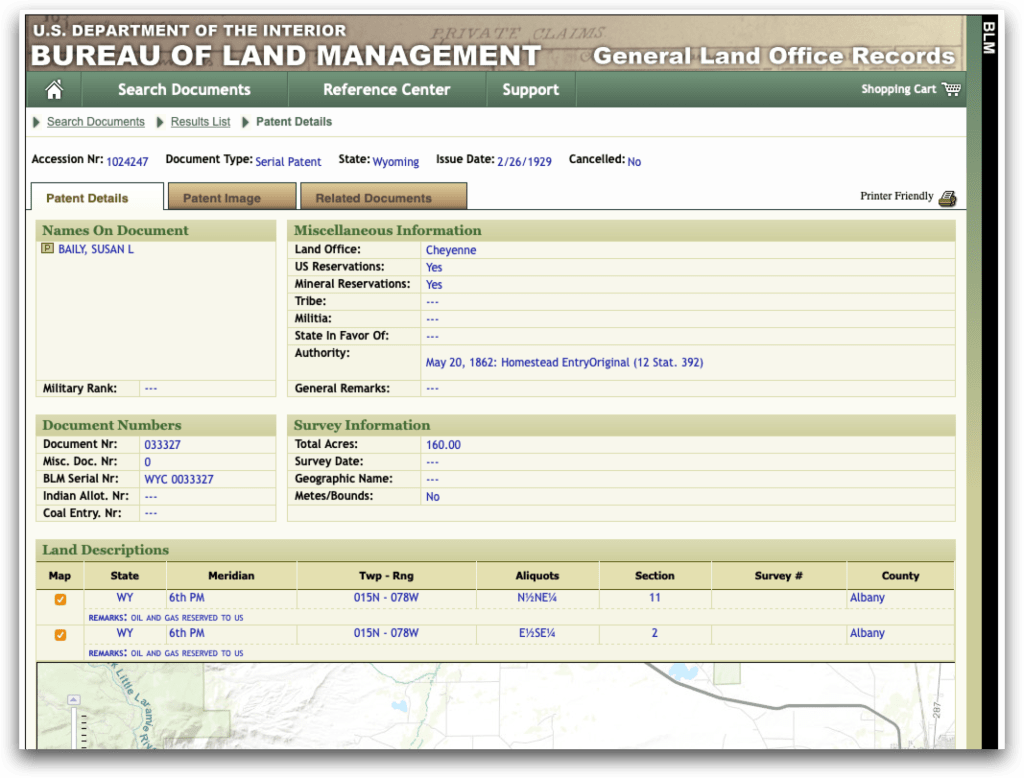
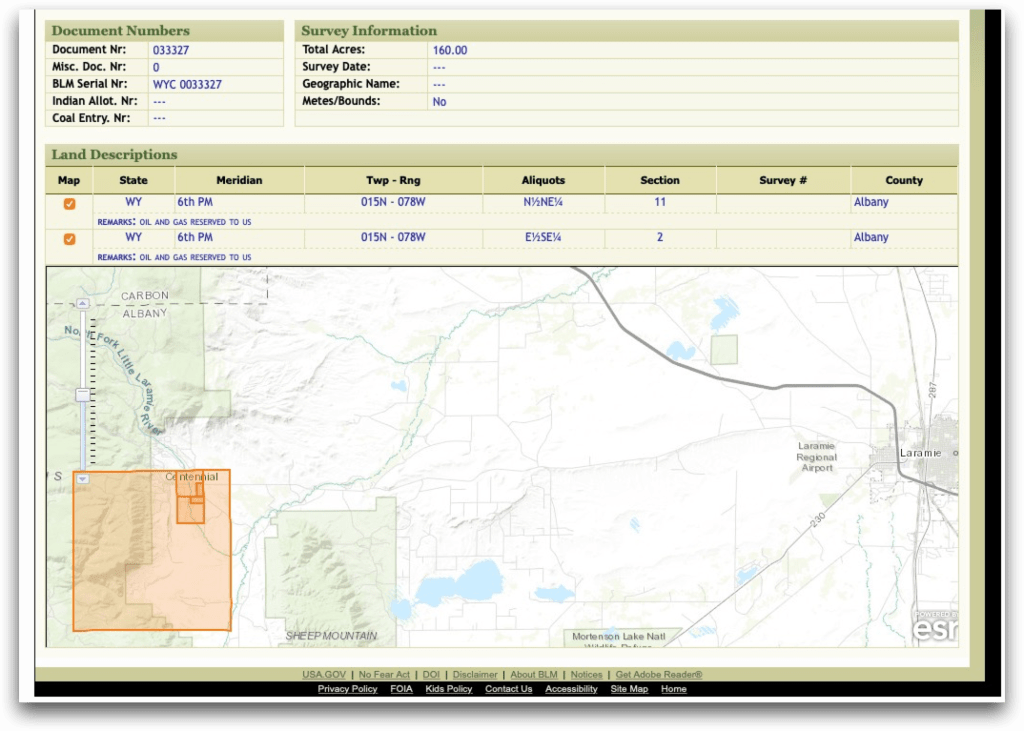
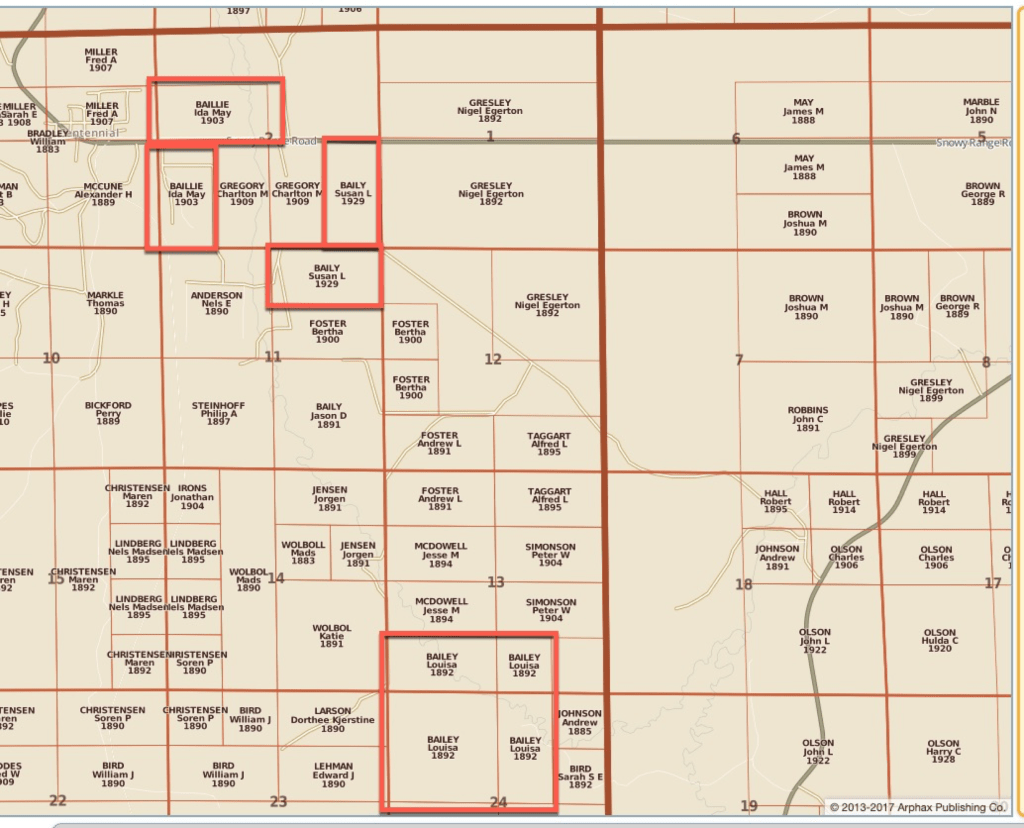
There was a female homesteader in Albany County named Susan Baily. She obtained 160 acres in two sections.
BLM website entry for Susan L. Baily in Albany County.BLM website entry for Susan L. Baily in Albany County showing the map.
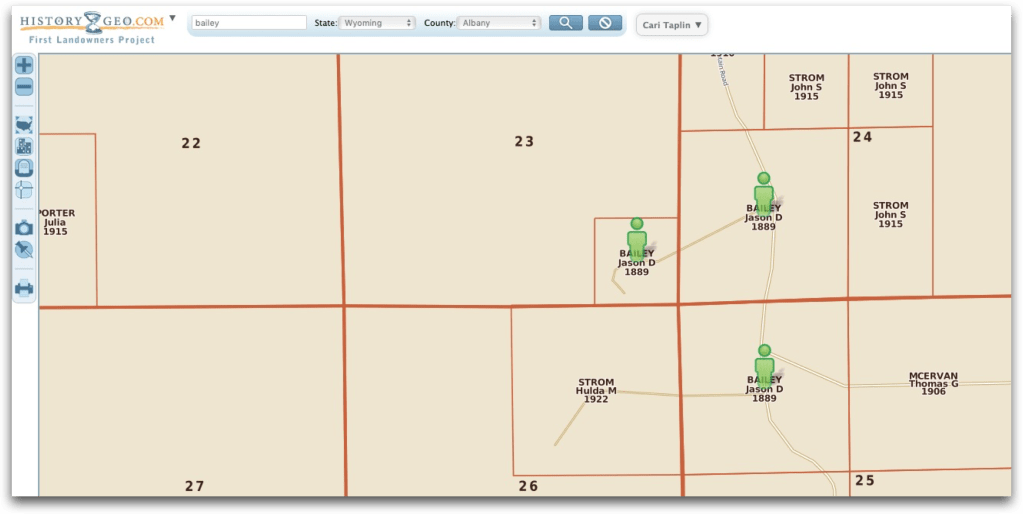
There is a great site called HistoryGeo (requires subscription) that has a “First Landowners Project” where they have pulled all of the individuals listed in the BLM database and placed them on maps beside each other. This allows you to see the neighbors, at least at the time of obtaining the land from the federal government. Looking for Susan Baily in this project showed me that several members of the Baily family obtained land near each other in Albany County.
HistoryGeo, Baily Family EntriesHistoryGeo, Baily Family Entries, Jason D. Baily is Susan’s father.
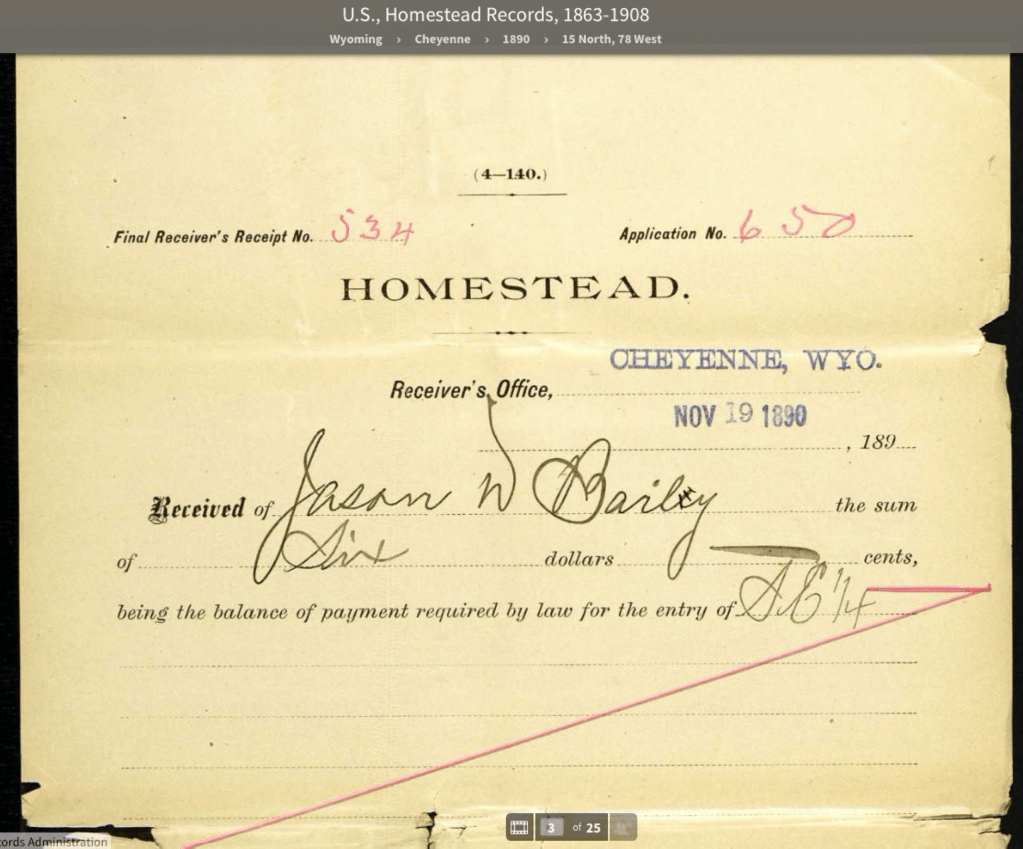
Homestead records for ten states have been digitized and are available on Ancestry: Alaska, Arizona, Illinois, Indiana, Iowa, Nebraska, Nevada, Ohio, Utah, and Wyoming. At that database, I was able to locate Jason Bailey’s homestead packet.
Homestead Packet at Ancestry for Jason D. Baily
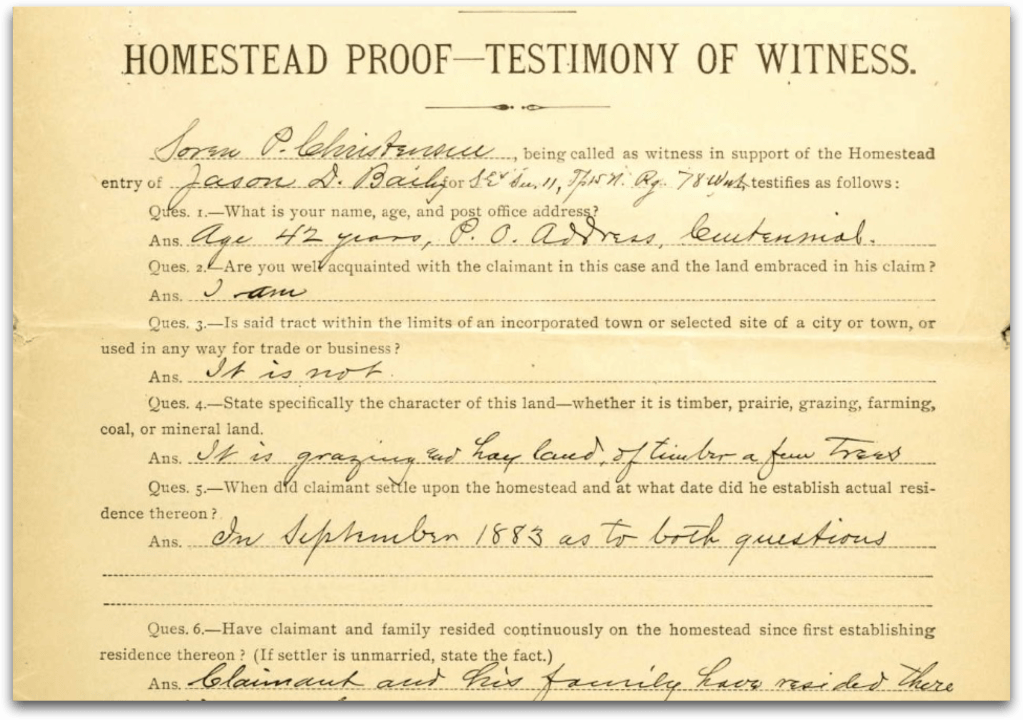
In those homestead packets you often find genealogically useful information such as “I am a Native born citizen of the United States over the age of twenty one year and the head of a family consisting of wife and three children.” And that the land “is grazing and hay land, of timber, a few trees.”
Homestead Packet at Ancestry for Jason D. Baily
Once the land is obtained by the individual, and then later sold, those transactions are handled by the counties. Many of their records have been microfilmed by FamilySearch. Or contact the county to obtain records.
I’ve created an Ancestry Family Tree for Susan Baily as I work on her project. You can view it here.
Wyoming may be largely made up of wide-open spaces, but there are several important migration routes and transportation events. I’m going to cover five migration routes:
Bozeman Trail – connected the gold rush areas of Montana to the Oregon Trail
Oregon Trail – from western Missouri into the Rockies and on to Oregon City
California Trail – from western Missouri across the Rockies into the California Gold Fields
Mormon Trail – from Nauvoo, Illinois to Nebraska and on to Salt Lake City and beyond to California
Chisholm Trail – branch that ended in Cheyenne and joined the Oregon, Mormon, or California Trails
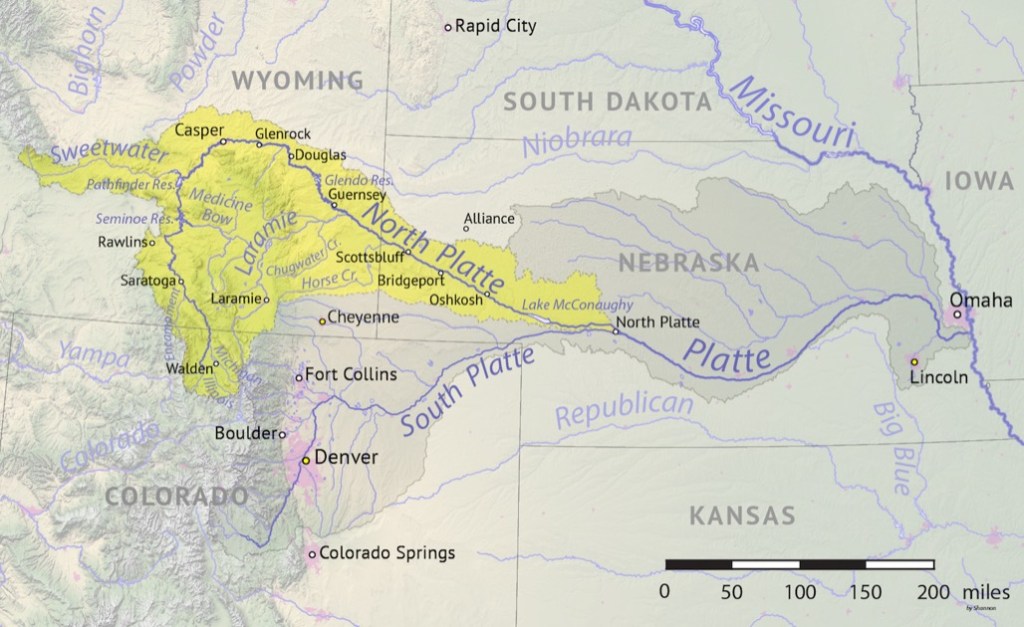
Rivers served as migration and settlement points. The North Platte River and the Sweetwater, a long tributary of the North Platte, are part of the Mississippi river system and the water eventually reaches the Gulf of Mexico. These two rivers are along the Oregon, California, and Mormon trails. They offered important water for explorers and settlers. Wyoming is a very dry state (I could never seem to drink enough water!) It was imperative for explorers and settlers to stay near water sources.
The railroad played an important role in the expansion and settlement of the state of Wyoming. The Union Pacific Railroad was vital in that it financed town-building across the state. The railroad fostered economic growth not only for itself but also for the state of Wyoming. It helped move livestock out, and other goods in to the state. When coal was discovered in southwest corner of the state, it powered the railroad while the railroad also moved coal out of the state to sell to other regions and consumers.
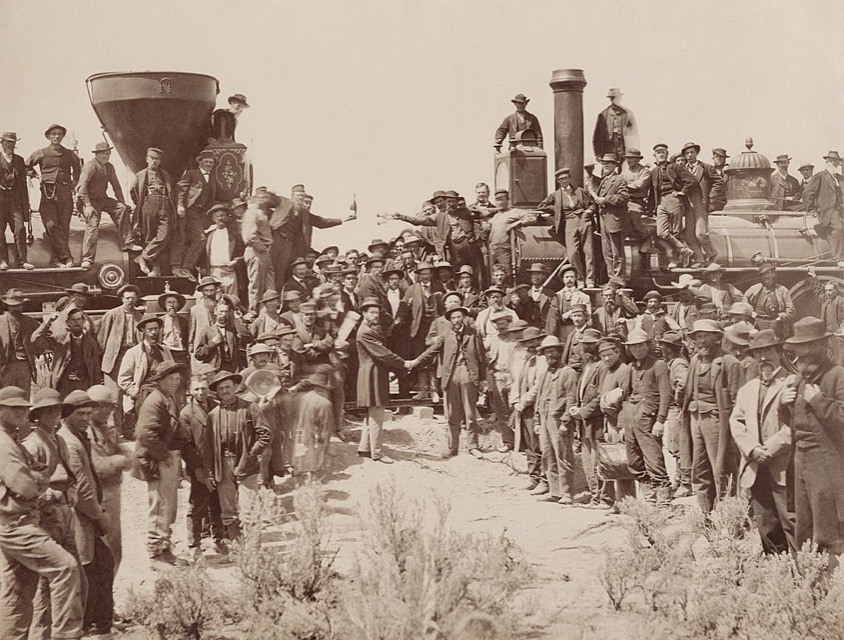
Lincoln signed the Pacific Railway Act, 1 July 1862. This act created the Union Pacific (UP), and subsidized the UP and the Central Pacific by granting 10-square mile sections of land for each mile of track laid. In 1864, the second Pacific Railway Act doubled the land grant to 20 square miles and also gave mineral rights to the railroad. The sales of this land then paid for the building of the railroad. The pounding of the Golden Spike on 10 May 1869 at Promontory Summit, Utah, connected the railroad from the Atlantic to the Pacific. This opened trade and transportation to and from farther locations. This made Wyoming much more accessible for settlement. Transportation by train was more preferable to wagon trains.
The ceremony for the driving of the golden spike at Promontory Summit, Utah on May 10, 1869; completion of the First Transcontinental Railroad. At center left, Samuel S. Montague, Central Pacific Railroad, shakes hands with Grenville M. Dodge, Union Pacific Railroad (center right). By Andrew J. Russell – Yale University Libraries, Public Domain.
Next we will look at land in Wyoming. There’s plenty of it… mostly filled with sheep and sagebrush.
I’m going to start a new series with this post, about researching in one of my favorite states: Wyoming. We moved to Wyoming from Ohio when I was 14. I went to high school and college there. I met my husband there. He was born there. And now, my daughter is about to start attending the University of Wyoming this semester. So, Wyoming is a special place for me and my family. I also created a locality guide for the state (I don’t recommend doing a guide for an entire state, but that’s another story.)
Wyoming is a state with a lot of firsts for women, giving it the title “The Equality State”:
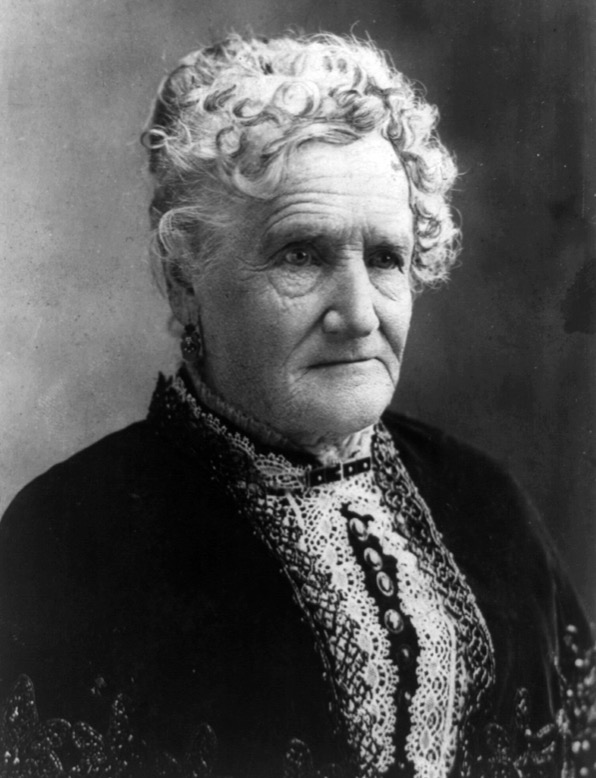
Esther Hobart Morris – first female Justice of the Peace, served in South Pass City, Feb. 1870
Mrs. Louisa Swain, first woman to vote in the nation in Laramie, 1870
Estelle Reel became the first woman elected to a state office, 1894
Mrs. Nellie Tayloe Ross, first elected female governor in the United States, 1924
Esther Hobart Morris, first female Justice of the Peace, Library of Congress image in the Public Domain.
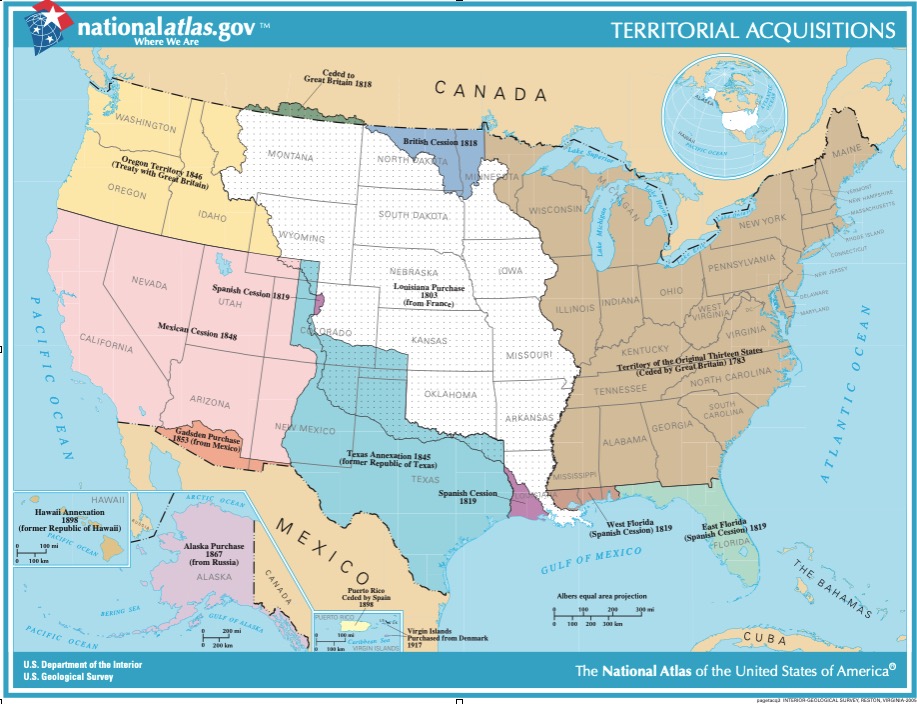
Most of the Wyoming’s land was acquired by the US through the Louisiana Purchase in 1803. Most of the southern portion of modern-day Wyoming was claimed by Spain and Mexico until the 1830s but there was no real presence by them in the area at that time. The Oregon Territory claimed a western portion. There was also a little bit that was part of Texas.
The first known explorer to Wyoming was John Colter in 1807. Later, he was a member of the Lewis and Clark Expedition. He first wrote about the geological features in what is now Yellowstone National Park. In 1812, South Pass was discovered by a party of men returning from Astoria, Oregon. This important route would later be used by the Oregon Trail, the Union Pacific Railroad, and eventually become Interstate 80 that runs along the south part of Wyoming from east to west.
When traveling from my home in Colorado to Salt Lake City to visit the Family History Library, I drive across I-80. There is a lot of flat nothing much out there. I often find myself wondering about those first explorers and what they must have thought about that landscape as they traveled across it. By car it takes me about 7 hours to get to Salt Lake City. It would have taken many days by horse, wagon, or walking. Plenty of time to think about life while crossing the state!
We will explore important migration and transportation routes next week.
We are going to wrap this series up with a few odds and ends that didn’t fit in elsewhere.
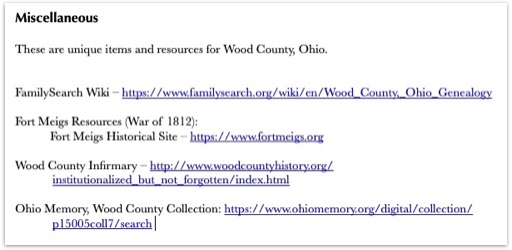
First, I have a “Miscellaneous” section for items that are unique to the locality I’m creating a guide for. In this section you might also put links for that locations FamilySearch Wiki page as well as miscellaneous resources that just didn’t fit elsewhere.
Miscellaneous section from my Wood County, Ohio Locality Guide
Second, utilize things that make your life easier in terms of creating your locality guide. I use a screen capture tool called “Snag-It” from TechSmith that not only takes screenshots but allows you to draw arrows, underline things, highlight, and put boxes or circles around important items. I use this to add visual aids to my locality guides as needed. Also, be sure to use active hyperlinks when adding links to your guide. This allows you to simply click and go to websites rather than having to cut and paste the links. Most programs can recognize a link and will make it active automatically. However, if that is not happening, usually if you highlight the link and then right click on it, you will get an option to add the hyperlink.
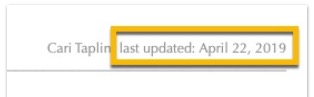
Third, make sure you are noting when the last time you updated the document. Sometimes, I work on my guides, then do the research project, and then the guide sits there for a year or two (or more) while I work on other things, and before I come back to it. It helps me to know how out of date that guide is. If it has been a long time, I might spend a half an hour making sure the links work, and updating what has been digitized at FamilySearch, and so on. I add the “last updated” date in my document’s header so that it shows up on every page.
Last updated example.
Here is a summary of the resources I use to build my guides:
Cyndi’s List
FamilySearch Wiki & Catalog
Map collections
University websites
Subscription sites
Google Books, Internet Archive
Specialized museums
Repositories and libraries
Local genealogical societies
Government Websites (county courthouses, etc.)
Library of Congress
State historical or genealogical society
State archives
And so on…
Consider helping others with the information you gather for your guide. There are places you can share the information, especially if they don’t already have it! Consider submitting any new links to Cyndi’s List, updating the FamilySearch Wiki, or sending your completed guide as a PDF to the locality’s genealogical or historical society or local public library.
To wrap up, there is no right way to do this. You can create this any way that works for you in any format that works for you. You might use a word processor, a note-taking software such as Evernote, a spreadsheet, or paper and pencil! Your categories may be different than mine, the data you collect may be different, etc. It does not matter. The main point of a locality guide is to help you with the “pre-research” so that your research time is more efficient.
You never know where your genealogical research will take you. Creating a locality guide for each new area before you begin your research will save time in the long run by making your research more focused and making you more educated about the new location.
The Genealogy World lost one of the friendliest and most inspirational students and researchers in June 2021, Donna Peterson. She was one of my students, participating in several study groups I’ve organized over the years. She was always just “going for it” in whatever she was doing. She was on the clock working toward her certification with the Board for Certification of Genealogists. During the pandemic, she took as many online courses and institutes as she could. She was just so active, energetic, and enthusiastic about genealogy and was an inspiration to many.
Donna Hansen Peterson from her Facebook Profile
I coordinate several study groups with Cyndi Ingle and we wanted to honor Donna by offering a scholarship in her name. For each of our study groups, we will offer one registration fee per instructor per group. The first group this will apply to is the Mastering Genealogical Proof study group that will be forming soon and will begin meeting in October. Information about our study groups can be seen here.
Let’s discuss repositories in our Locality Guides. There are usually more than one that applies to a given geographical location, and often several. Adding this to your locality guide can help you plan research trips whether you go in person or work with an archivist or agent over the phone or email.
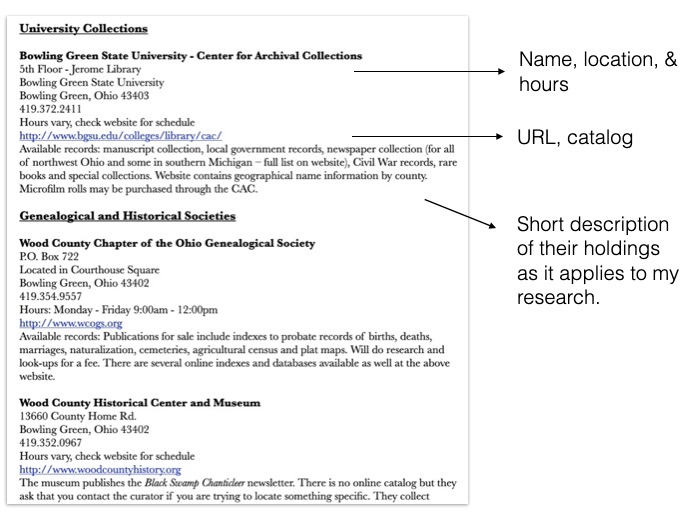
One section of my guide looks like this:
Example from my Wood County, Ohio locality guide.
I have sub-sections for courthouses, universities, local public libraries, genealogical and historical societies, local and regional museums, archival collections, and anything else that has a research facility that applies. In each, I include the name of the facility, their location, hours, contact information (including an email address if available), their website, a link directly to their catalog if applicable, and a short description of their holdings as it applies to my research and interests.
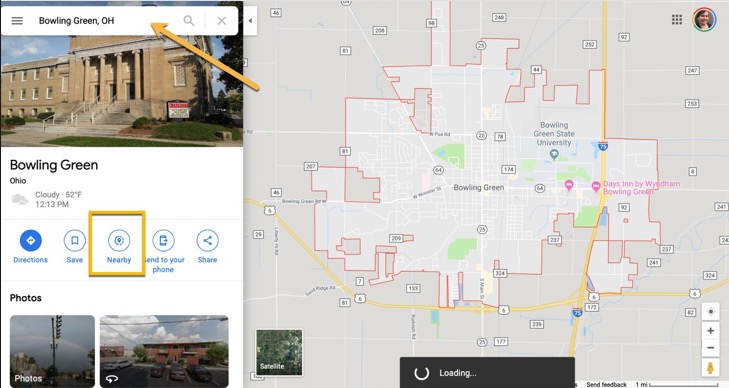
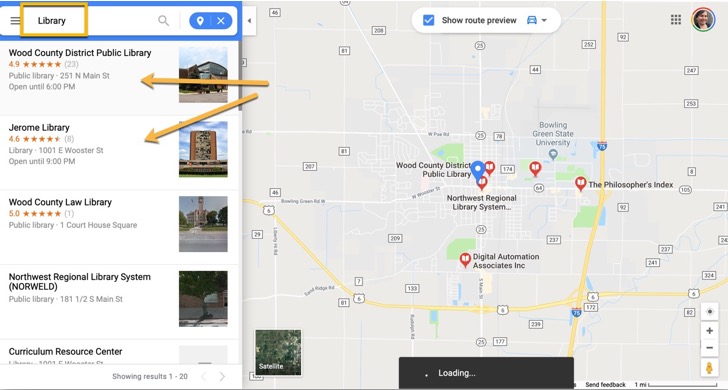
I’d like to share a tip for finding those repositories that you may have missed. I use Google Maps’s “nearby” function to find libraries, archives, universities, and museums in and nearby a town I am interested in. If you go to Google Maps, you typically put in a town or an address and click search. Then your location is shown on the map. If you look down on the right, there is a button labeled “nearby.”
Google Maps “Nearby” Button
Then you can type in “library” or “university” or any other search term (think hotel or restaurant if you are traveling).
Searching nearby for “library”
Next time, we are going to wrap up the series with a miscellany of items and tips that I use in my locality guides.
Hi readers… this week I get the unusual opportunity to be a student! So often I’m teaching during institute and conference weeks. This week I am taking David Rencher’s Irish course through IGHR. And working on my own genealogy for once!
We will resume with the Locality Guide series next week.
This section in my locality guide is basically a bibliography. However, I try to locate as many digital resources as possible so that I have a virtual “library” at my fingertips.
I like to put my bibliography in alphabetical order by author in traditional style, but you could also organize by topic. Again, do what makes the most sense to you.
Be sure to utilize a variety of sources to locate books for your guide. My favorites are (but are not limited to):
my own bookshelf
a public library in the local area of research
the FamilySearch Wiki
WorldCat
GoogleBooks, Hathi Trust, Internet Archive, FamilySearch Books, and other digital book repositories
I like to start by finding a county history, a modern history, genealogical guides for the area, and state or local genealogical publications and guides. The sky’s the limit here. I absolutely love a good bibliography!
Next week we will discuss repositories. In the meantime, have fun building a bibliography!