Tag Archives: locality guide

Building a Locality Guide: Resources

Now that we’ve talked basics and you’ve made some decisions in terms of how to put your locality guide together, let’s go over some resources you can use to build your guide. These are places you can turn to for general to specific information that can build your guide’s usefulness.

First, let’s examine some resources for general information.

  • FamilySearch Wiki – Use this fantastic wiki for general information about a genealogical topic (such as probate records, vital records, census records, etc.) or about a location (county, state, or country).
  • Cyndi’s List – Use this valuable resource to find general websites of interest that can help you build the historical and geographical portions of your guide.
  • Wikipedia – Use this for general historical information about a particular location or topic, I find Wikipedia most helpful for a quick overview of a subject and then determine what I want to know more about, then will look for more specific sources of information. Often, Wikipedia articles have very helpful citations that can lead to other sources of information on a topic.

Next, let’s examine some resources for specific information.

  • FamilySearch Catalog – Use this part of the FamilySearch site to find books, microfilms, digital collections, and databases for specific localities. This is where I go to identify many of the collections that are available for a particular county.
  • Cyndi’s List – Also useful for links to websites about specific subjects or locations. I often find websites here that I didn’t even know I needed!
  • Local public libraries – Look for the public libraries that serve the county (or town or region) you are building your guide for, especially one that has a local history collection. Examine their catalog and websites for useful resources.
  • Local college or university collections – Many colleges and universities have archives and manuscript collections that can have useful collections or online resources useful to note in your guide.
  • Local genealogical and historical societies – Look for the nearest genealogical society that may cover your guides’ area. Check their websites for any databases, publications, collections, or services they may provide.
  • Local museums – Many locations have historical or specialized museums that may also have a research room. Check for those in your area of focus.
  • Books and journals – Look for histories, reference books, journals, articles, and other published materials that cover your guide’s area of focus. You may find them on WorldCat, Amazon, at the local public libraries, in bibliographies, and so on. These may be quite useful to note in your guide and provide you with content for certain portions of your guide.

Now that I’ve shared some of the resources I use to build my locality guides, I will share next time more about the specifics of what to include in your guide. We will go over each of the sections, how I put them together, what I like to include, and other tips.
Building a Locality Guide: Decisions

Before you start building your locality guide, you may want to make a few decisions. Primarily you will want to decide what format you want your guide to be in. Do you want to use a spreadsheet, word processor, or note-taking software such as Evernote? Do you want to use paper and pencil/pen? Where do you want to store it? On the cloud, in your desk, on your laptop? These are decisions you will have to make and they will depend on how you work and think and organize your resources.

I have traditionally organized my locality guides in a word processing document creating my own “quick sheet” for that location. However, I have begun moving them into Evernote (a note-taking software system that can sync between your devices) so that I can access them anywhere if need be. I prefer an electronic system over a paper system because:

  • You can add clickable links directly to databases, e-books, websites, etc.
  • You can use the “find” and “search” features for locating keywords in your guide.
  • You can add information, copy/paste, and insert graphics quite easily.
  • You can save it to the cloud and access it anywhere with your phone, laptop, or tablet.

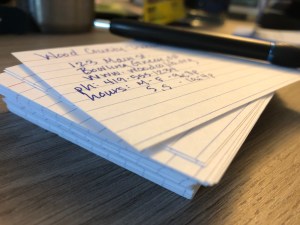
If you prefer paper and pencil, I’m not one to judge. I still love reading things on paper. If I were to make a locality guide entirely on paper, I would use index cards whereby each card is its own entry. This will allow you to sort and organize your index cards in any order you like, and add new information to the set as it is found.

If you decide to use a word processor for your guide, you may consider saving it to the cloud either through a service such as DropBox or by compiling it directly in a service such as GoogleDocs. Both of these will allow you to access your guide anywhere.

Next we will discuss what to start putting IN your guide…

Building a Locality Guide: The Basics

When we are working on our genealogical research and we discover an ancestor came from a different place, an unfamiliar place, a new county, state, or country, do we stop researching because we don’t know anything about that place? No, of course not. We dive right in! Looking for databases for that place where we can plug in our names and find the answers. However, that is not necessarily the most efficient way to start research in a new area, especially if it is an area where you may be conducting a lot of research over time. I like to create a locality guide for these new locations.

You could call a locality guide by other names: a toolbox, a resource guide, a quick sheet. Whatever you decide to call it, a locality guide is what I like to call the “pre-research.” You encounter a new location on a document. Perhaps a death certificate indicates that an ancestor was born in a county and state where you have little or no previous experience. Most genealogists will just jump into the records and online sources, excited for what they might find. And that’s ok for a quick look, but if your research is going to be focused in that location for any amount of time, you want to be most efficient with that time. 

There are many ways you could organize this “pre-research.” I’m going to share the way I do it, but it is not the only or “right” way, by any means. Take any tips from this series that you like and adapt this to something that works for you.

My locality guides have four parts: Historical Background, Geography, Records, and Repositories. You can collect this information in a number of formats. I recommend collecting it in an electronic document (i.e. word processor, spreadsheet, or a tool like Evernote) which will lend itself to creating clickable links for online resources. Having this guide will allow you to quickly look up valuable information, databases, and references. As you conduct your research you will invariably learn more that can be added to your guide.

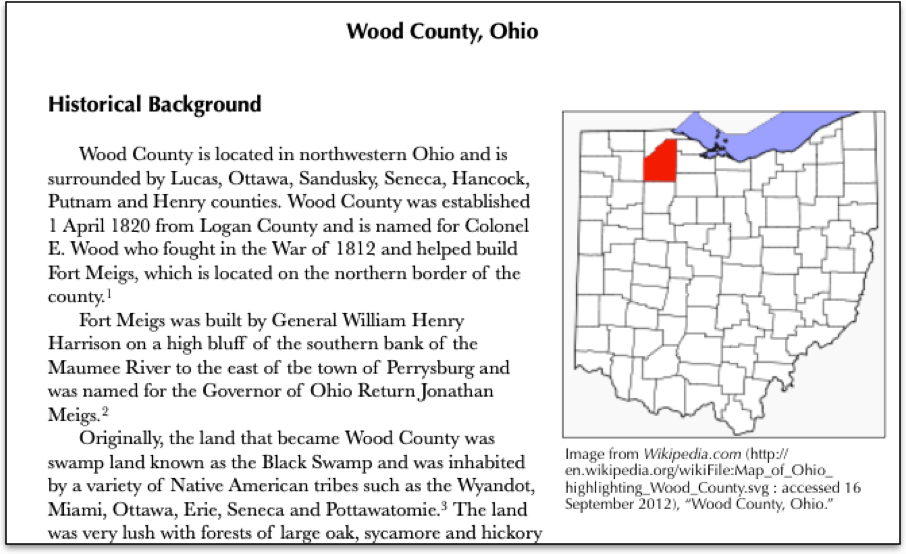
The first page of my Wood County, Ohio locality guide, first started in 2012.

Over the next several blog posts, I will share some of the more in-depth inner workings of my guides and some tips for making them easier, more efficient, and useful for your research.

This locality guide is for sale. Click here to order.

What I Don’t Know, Part 4: Understanding Geography

2014-03-30 10.20.28 pmWhen you begin any new project, you need to understand the geography of the area you are researching. It is possible that it’s an entirely new location, an unfamiliar county or state, and understanding where you are researching can have a profound effect on who you are researching.

My first step is usually to Google the county. I look at it on a map, I look at its entry in Wikipedia and I’ll look at the FamilySearch Wiki to see what’s been written about it. I will do a quick scan of the Ancestry.com card catalog and the Family History Library catalog to see in general what holdings and databases they have available. I will also see if there are any local genealogical societies, historical societies, libraries, archives, courthouses, and so forth. In essence, I create my own locality guide.

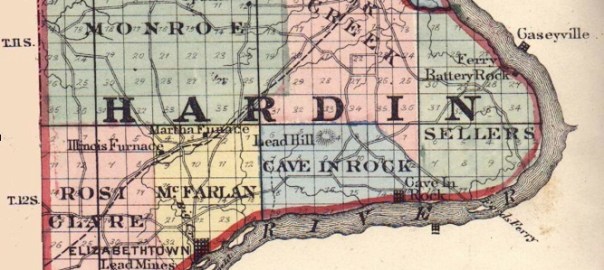
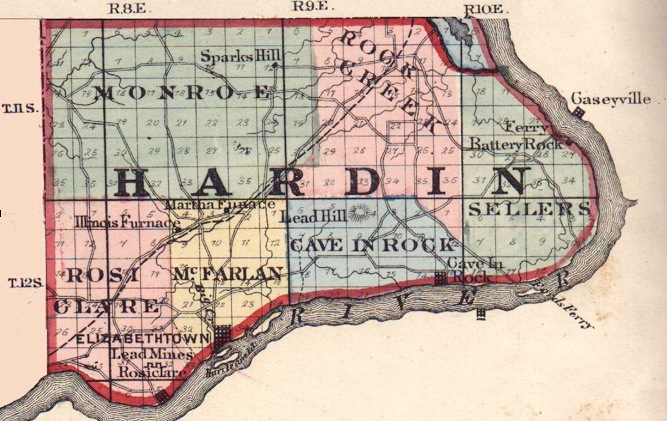
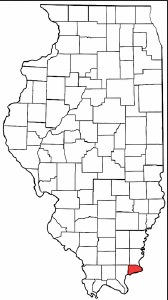
2014-03-30 10.29.08 pmSanders Scroggins and Sarah Dimick lived in Hardin and Gallatin Counties which are in the southern tip of Illinois along the Ohio river. Hardin County was created out of Gallatin County, so some of the records I might need may be in one or the other of those counties. When you are researching a new area, be sure to learn about county formation and boundary changes. Locate a county history to learn more. These are readily available through Google Books, FamilySearch Books, Internet Archive, Hathi Trust or sometimes through local library, university or historical society websites.

The History of Hardin County, Illinois was very helpful in understanding the migration to and from this county on the Ohio River. The area was largely settled by people moving from Tennessee and Kentucky, mostly Irish. Some English and French settlers arrived early on before moving farther west. The book also contains some information on the first pioneers, agriculture, Ohio River transportation, and much more.

Familiarizing yourself with the geography of a new area can help you understand where records might be located and how the people may have traveled. This is an essential first step when undertaking any research in an unfamiliar area.