One of my first places to look for topographical maps is the United States Geological Survey (USGS) website. Beyond just being a cool site to check out, it offers all kinds of digital maps. We will focus on the topographic (topo) maps for today, but I encourage you to check the site out for general interest if nothing else.
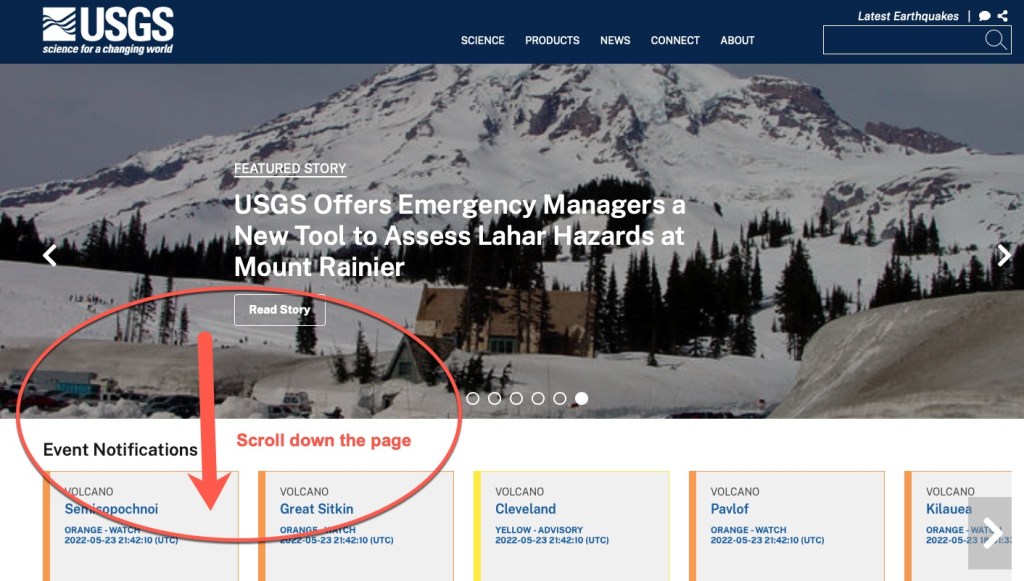
USGS Website – Scroll down the pageFind the topographic maps section.
When you click on that Topographic (topo) Maps section, you will be taken to an interactive map. Simply type in a location in the upper right search box, or click anywhere on the map and zoom in to find your location. A list will appear below the search box showing you all of the maps they have published for that area. When I searched for Lyme, NH, I found maps for the area going back to 1933.
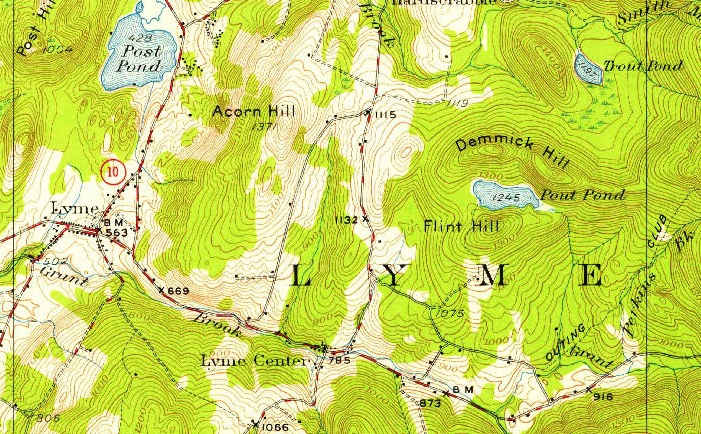
Lyme, New Hampshire Topo map from 1933, showing “Demmick Hill”
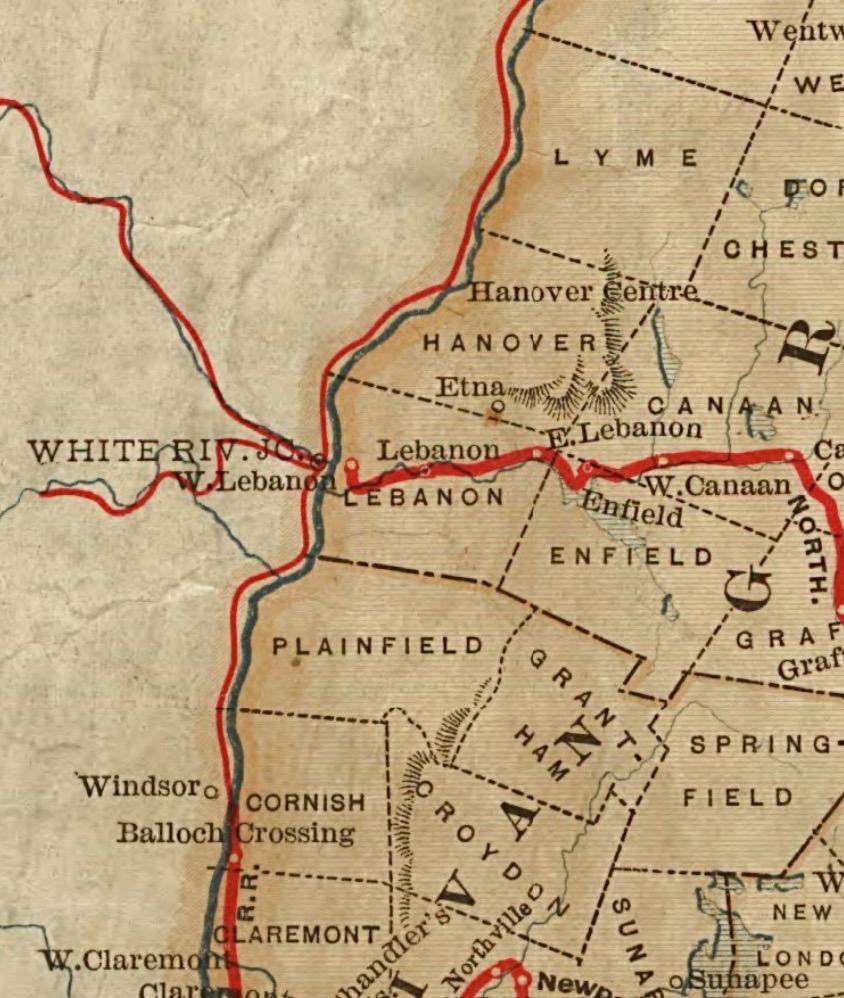
Above is the section of the map showing Lyme where my Dimick ancestors lived. There is even “Demmick Hill” on the map where they used to cut ice blocks out of “Pout Pond” and slide them down the hill to town for people to use in their ice boxes before refrigeration. Because of this topo map, I can see where this event occurred with a better visualization of the landscape.
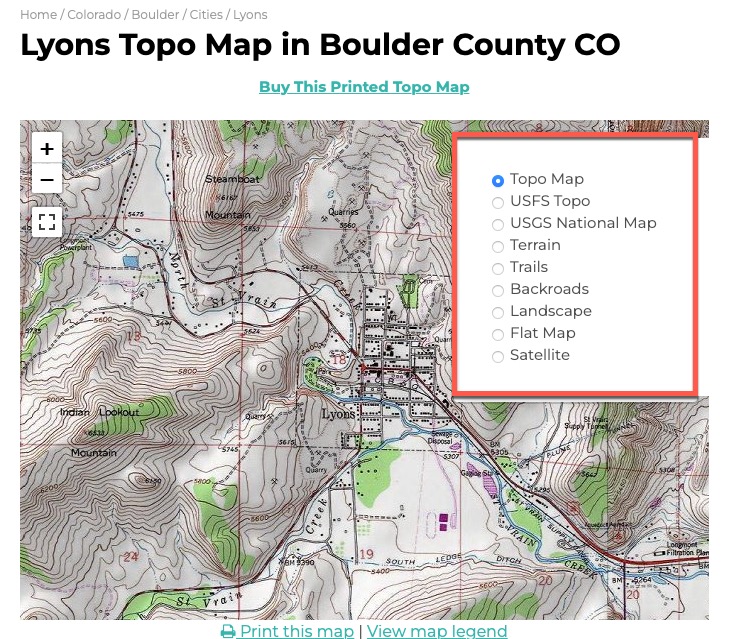
Another site to try is TopoZone.com. They also use the USGS maps, but you might find their search or website tools easier to use. For example, they have layers that you can turn on and off that might help you enhance what you are looking for.
Topozone Map of Lyons, Colorado, showing the layer options.
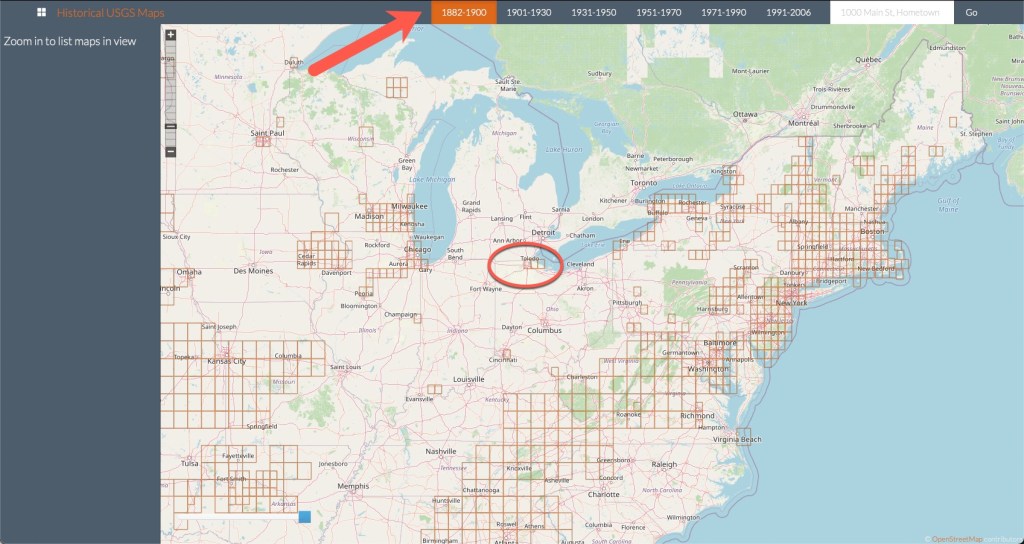
Another site that uses the USGS as well as other historical maps is called “Historical USGS Maps” and this site puts all of the maps on a large interactive map. You simply zoom in and move around to see what is available. Along the top they have a timeline so you can see the time periods for the maps available.
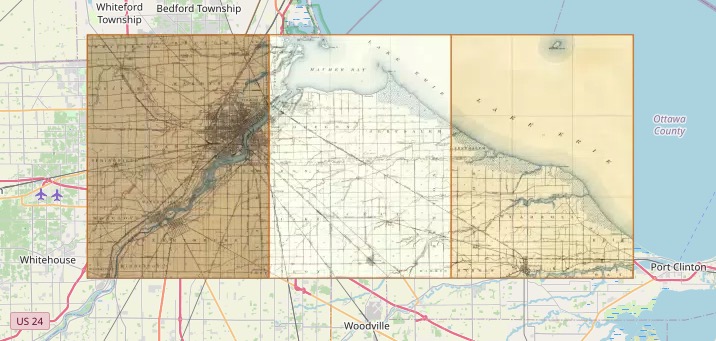
Historical USGS Maps example, showing timeline at the top and circling maps in the Toledo, Ohio area.As you zoom in, the maps available appear, overlaid on the main map.
You can find websites for other countries as well (not at all meant to be an all-inclusive list, just some I’ve run across in my research):
Last time we talked about topographical maps and using them to understand why ancestors might have migrated one way over another. Primarily looking at large land formations, like mountains. Let’s look at a topographical map on a smaller scale.
When you are looking at a topographical map, you will see lines that indicate changes in elevation, and if you “squint” at the map you can kind of imagine how flat or hilly an area might be. A topographical map shows you the contours of the land indicating mountains, valleys, rivers, vegetation (or the lack thereof), and other features. On a topographical map, you will see large swathes of green for vegetation, blue areas for water, grey areas for buildings and built-up areas. However, the contour lines tell the story of the three dimensional nature of the landscape.
Depending on the map, there will be a key that tells you at what elevation another contour line will be placed on the map. For example, if the map you are looking at uses a 10-foot contour spacing, then you will see a contour line for every 10 feet of elevation change. (i.e. a line will be in place at 0-, 10-, 20-, 30- foot change. A map might use a larger scale if the land is very elevated, showing the Rocky Mountains, for example. The lines on the map are only drawn for every interval of change, so every 10 feet, for example. If you have a relatively flat area of land, the map might be quite blank of the contour lines.
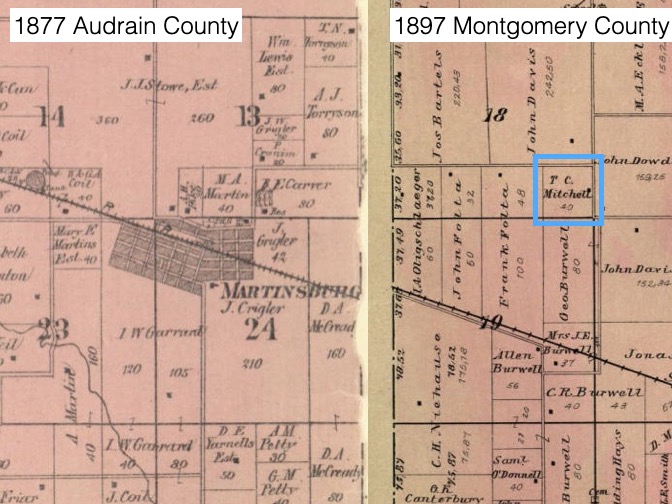
Let’s look at two examples. The map on the left is in Audrain County, Missouri, the map on the right is in Wood County, Ohio.
Topographical maps of Audrain County, Missouri on the left and Wood County, Ohio on the right.
You can see the difference in the land shapes even though I’ve zoomed in a different levels. Wood County, Ohio is very flat, whereas Audrain County, Missouri is much more hilly. I have ancestors that farmed on land from both of these maps. And each map gives me a bit of a different picture of how that farming might have happened. Audrain County land probably couldn’t farm right up to the river banks due to the steepness and vegetation. Those green areas indicate a lot of trees and vegetation where the white areas were clear and flatter, better for farming. And while there are some swaths of trees in Wood County, most of the thickest parts have been cleared out and the land is largely flat farm land for miles.
We will learn about where to find topographical maps next time.
When it comes to understanding ancestral migration patterns, it really helps to look at a map. The reason an ancestor ended up in a certain location might be explained by geography, and more specifically, topography. Using a topological map can be quite helpful in understanding some of the potential “whys” for things our ancestors did.
Topography is “the arrangement of the natural and artificial physical features of an area.”1 Examining the physical features can explain a possible migration route or why they stayed in a particular location.
One excellent example of topography affecting migration is that of large mountain ranges. Let’s look at Virginia as an example. Let’s say you had ancestors in early Virginia and they wanted to move west to the “frontier.” They set off past Richmond only to discover a large mountain range in front of them. The Blue Ridge Mountains caused a lot of adventurous folks to head north or south to go around them.
Map of Virginia from FreeWorldMaps.net
This barrier caused more settlements to the north and south. As I imagine it, you make a long journey to get around these mountains…why not just stop here a spell? And then just never leave. I imagine that happened quite a bit.
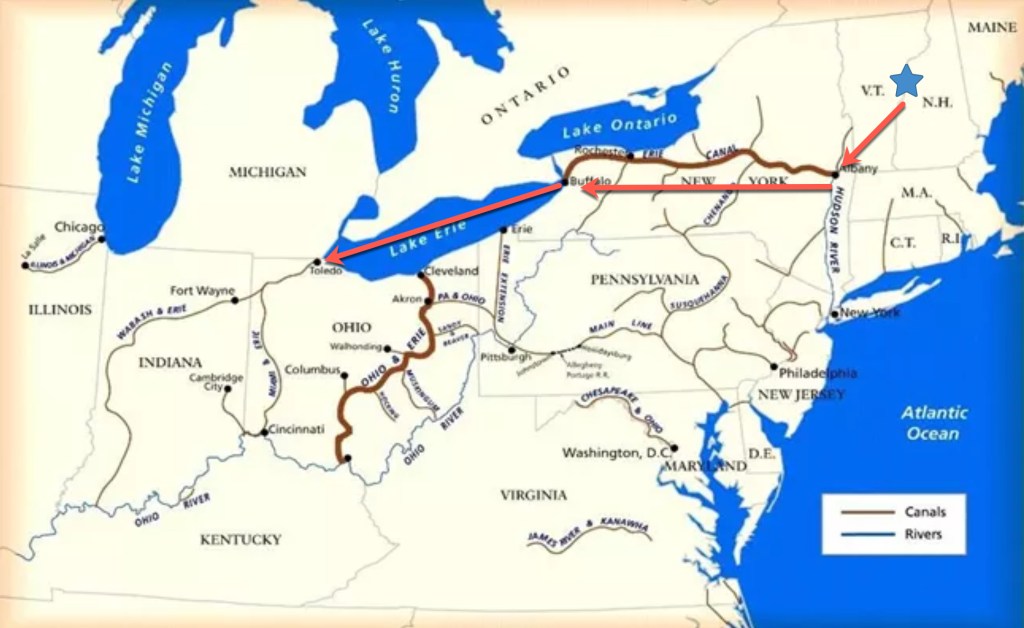
My ancestor, Samuel Cook Dimick, moved from Lyme, New Hampshire to Toledo, Ohio. One account says that after the business he was working for began shutting down (or he decided to quit working there, it isn’t clear) he was to move on further west (perhaps to Minnesota where his father owned some land). But someone told him of land for sale just one county to the south and he decided to stay in Wood County, Ohio. And that’s the reason I was born in Wood County, Ohio and not Lyme, New Hampshire.
We will continue our look at types of maps that can help us understand our ancestors’ decisions and circumstances next time.
To understand our ancestors’ movements and decisions, sometimes consulting a map can clear up confusion. I have a simple example from my own research.
One of my favorite lines to research are the Dimicks. They moved from Massachussetts to Connecticut to New Hampshire and then later to Ohio. I find that I try to do too much in my head sometimes. My brain likes to try to convince me that I can remember things…corrrectly. Well, this demonstration just goes to show two things. One, I can’t remember much very well, and two, using a map is invaluable.
Here’s how I “thought” their migration went:
Gif demonstrating my imagination of how the Dimicks migrated.
It is an unusual migration pattern to cross back over a state you’ve already left. It’s not unheard of or impossible, of course, but usually, people migrated in more of a straight line. This realization got me to look at the exact locations of the Dimicks in each location.
When the Dimicks arrived in America in the 1600s, they lived in Barnstable, Massachussetts, which is located out on the hook of Massachussetts. Now this migration makes more sense:
The actual migration path of the Dimicks.
By looking at a map, instead of depending on my memory, the Dimick migration makes a whole lot more sense. This is now one of the first things I do when working on a project. I look at maps and get a good visual perspective on where all of the people involved were located.
There are several types of maps that can be useful for this. We will look at them in more detail next week.
Several things have come together recently that have prompted me to focus on maps and genealogy. First, you may or may not know that I run some study groups along with my friend and colleague, Cyndi Ingle (of Cyndi’s List). One of the groups studies National Genealogical Society Quarterly (NGSQ) articles. The article we read for the May study group was “Southern Strategies: Merging Identities by Mapping Activities and Linking Participants—Solomon Harper of South Carolina’s Lowcountry” by Rachal Mills Lennon. This was an excellent example of using maps and locations to not only track ancestors but, in this case, to prove that was believed to be several men, was actually one man through the use of locations and connected associates.
Second, I just recently gave a workshop on using Google’s MyMaps for analyzing and planning to the Colorado Genealogical Society. This is a workshop I give frequently and throughly enjoy because I demonstrate to participants how easy, exciting, and beneficial it can be to use Google’s MyMaps to analyze ancestors, plan research trips, or work on a personal narrative.
Third, I recently worked on a client project that depended on the proximity of two families to each other, and I used some maps to share that information with the client.
Throughout my workday I am consulting maps, especially for areas that I am not familiar with. In many cases, I am looking to see how close one county is to another and asking, is it possible that this family intersected with that family? Are those two counties reasonably close or are they on opposite sides of the state? Are these two counties close together even though they are in different states?
This confluence of activities will inspire the next series of posts on this blog and we will focus on using maps. Primarily, using maps to visualize your ancestors’ lives, locations, and migrations. We will take a look at some map collections, I will provide some examples from my own research, and we will look at using Google’s MyMaps to make your own maps as well.
I just wanted to share a quick update about the course I am coordinating this summer at the Genealogical Research Institute of Pittsburgh. The course is called “Following Ancestors in Time and Place” and is being taught by myself and four top instructors in the field. The theme is to sort of take a journey with your ancestors, from the time they move into the country, through their earliest connections with religion, through examination of their migration and transportation through the U.S, important methodologies researchers need to follow those ancestors, finalized by getting yourself and your research organized.
Besides myself you will learn from:
Cyndi Ingle
Rev. David McDonald, DMin
Paula Stuart-Warren, CG, FMGS, FUGA
Rich Venezia
The course is being held virtually June 19 -24, 2022. For the full course description and schedule, and to register for one of the few remaining seats, click here.
I will also be teaching two sessions in Paula Stuart-Warren’s course “Digging Deeper” which will be held 10-15 July 2022, also virtually. Course instructors include myself and:
Cyndi Ingle
Debbie Mieszala, CG
Paula Stuart-Warren, CG
For the full course description and schedule, and to register for this course, click here.
I hope to see you this summer! These two course are fun and I’m looking forward to another fantastic time at GRIP!
Just because a vital record (birth, marriage, or death certificate) may not exist for an ancestor, that doesn’t mean you can’t find alternatives to finding that information. Here is a list of alternatives to vital records for finding that basic BMD information:
Bible records – Not every family kept bibles with vital information, but when you get lucky these can be really awesome finds.
Church records – If your ancestors were religious and attended a church, there may be church records that can help with finding vital records. Each denomination was a little different in terms of what rites and records they performed, and their levels of preservation of those records varies widely.
Military records – If your ancestor served in the military, you may be able to find vital information of many kinds in things like enrollment papers, pension applications, burial request records, and more.
Cemetery records – Most cemeteries kept some kind of log or ledger recording the burials in their cemetery. Depending on the level of care, who managed the cemetery, and other factors, those records may or may not exist today.
Funeral Home records – Similar to cemetery records, depending on who handled the burial, if that company is still in business today, if they have a preservation plan in place for their records, and so on, finding funeral home records can be very useful in filling in some vital information.
Newspapers – Often, you can find news tidbits regarding the birth of a child, the death of a community member, or a marriage. This is especially true in smaller town newspapers where they shared every little detail with the community.
This list could go on, honestly, but that is my top list for finding vital record information when the state or county weren’t keeping those records yet.
How do you find the above mentioned records? Well, in the past several posts I’ve shared many ways to find records. Those same techniques will work for this as well. Use WorldCat, Archive Grid, Google, Cindy’s List, newspaper websites, Ancestry, Fold3, etc…
I think you get the idea of where this series was going by this point. Don’t give up. Keep searching. Try new websites. Don’t just Google for the specific record or person, think in terms of where those records might be and Google for that. Think in terms of “Pre-Research.” That’s a concept I’ve talked about in lectures and probably in this blog. You have to research where and how to do the research. Basically, you have to get past the mentality of going to a database website like Ancestry or FamilySearch and putting in a name in the general search box and then quitting if you don’t find what you are looking for. You have to keep looking, digging, and searching.
Generally speaking, in the United States, the requirement to record vital records (I’m primarily referring to birth and death certificates here, marriages are a bit different and we will discuss them in a later post) did not begin until the early part of the 1900s. This requirement was done on a state-by-state basis, so each state’s law started at a different time. Each state will have different privacy protections in place based on the state law at the time. This means some states are very difficult to get a vital record from and others are easier. For example, a birth certificate may not be available to the public for 100 years, but a close family member (you will most likely have to prove your relationship) may be able to get a copy of the record. These requirements differ from state-to-state, and the laws change over time. So, it is best to examine the state’s vital records office for the most recent information.
Ohio Death Certificate for Marshall C. Dimick
When I am looking for vital records, I usually have a few things I do to locate them. The order in which I do these may depend on how old the birth or death certificate is. If it is more recent, I might start at the state vital records office. If it is an older record, I might start at the FamilySearch catalog. My steps:
Read up at the state vital records office website.
Look at some of the larger genealogy websites for vital records databases, such as Ancestry.
Examine the state-level archives, historical society, genealogical society, or whatever repository the state sends its historical materials to (if they do).
Examine the state and county of interest at the FamilySearch catalog to see if they’ve been microfilmed. Some counties may have done a local registration for births and deaths years before the state requirement was in place. This is true for Wood County, Ohio and Audrain County, Missouri, two locations I have successfully found county level vital records.
Look at online, user-contributed sources such as Find a Grave or public online trees in case anyone has posted a birth or death certificate for the person in question. (This can be surprisingly successful.)
The most important thing when trying to get a vital record is understanding when each state began requiring them. And understanding that it took a while for the counties to comply with new state laws. If a death certificate was required in 1909 and you cannot find a death certificate for 1909 or even for several years after, realize that things did not happen instantly in the early 1900s. I have looked for vital records in some states and sometimes cannot find them for 10 or more years after registration was required. That doesn’t mean it wasn’t recorded at the county level (though it may). More likely, the systems weren’t in place yet to comply with the laws.
Next time, we will look at some vital records substitutes and places to look for alternatives to the traditional birth or death certificate.
Last time we looked at major online locations where you might be able to find city directories. But what happens when that does not turn up a city directory for the location you are hoping to find one? There are a couple of extra steps I take before I declare “There was no city directory!”
The first stop for me is WorldCat. WorldCat stands for the “world’s catalog.” It is a conglomeration/consolidation/consortium (I’m not sure what the exact right word is here) of libraries who participate in sharing their collection’s catalog in this larger catalog, called WorldCat. It allows users to find books, journals, articles, and other media across many, many collections, making it much easier to locate a source you are looking for.
When you go to WorldCat, you treat it just like any other library catalog. You can type in a title or keywords in the search box and get results. The fun comes in what you can do with those results. Let’s look at some results for “bowling green ohio city directory.”
WorldCat Results for “bowling green ohio city directory”
You can see at the top of the results list that there are 94 items that come back for these key words. You can see along the left some filters you can use to narrow your results if you have more specific needs. Let’s take a look at a specific directory entry and click on the 1930 Bowling Green, Ohio, directory at the bottom.
Catalog Entry for an item from the list
This page is similar to a library catalog page you’ve likely seen before. You can see the title, publisher information, subjects, and so on. WorldCat then shows you all of the libraries you can find this item in. In this particular case, only one library (well, one that participates in WorldCat, remember) has this item in their collection. It is at the Ohio History Connection in Columbus. From where I live, it is 1100 miles away. When you find an item that is located in more than one collection, you’ll be treated with a list of several libraries where the item can be located.
WorldCat also has a nice feature in that you can designate your favorite libraries, and they will pop to the top of your list. Another item from our search list is Bowling Green (Ohio) city directories on microfilm. That catalog entry looks like this:
Another entry from WorldCat showing a favorited library
This item is located at the Family History Library in Salt Lake City. You can see the little heart on the left which indicates that it is one of my favorite libraries. If there are libraries you frequent, having them indicated as “favorites” brings those libraries to the top of your list and makes them easy to find. When I find items at my favorite libraries, I often add them to the research list for the next time I visit that facility.
Let’s refer back to number 1 in the first results screen above. It is for Bowling Green, Ohio city directory by Johnson Publishing Company. Here is the catalog entry:
WorldCat entry
You can see there are only two locations that have this particular series of directories in WorldCat, Bowling Green State University and SEO Automation Consortium. However, having been to the Wood County District Public Library myself, I know they have a whole bunch of city directories for Bowling Green. Let’s look at their catalog:
Wood County District Public Library Catalog
They have the Johnson city directories starting in 1975. Examining their other catalog entries reveals that they have a large number of directories, covering a wide range of years. They are not a participating library with WorldCat. In fact, their website has a Local History and Genealogy section detailing some of the resources they have that could be of use to genealogists.
WCDPL Website showing the Local History & Genealogy page
My point with this is, use WorldCat, but don’t stop there. Your next step, if you don’t find what you are looking for in WorldCat is to look at a local public library. Most often, I find these directories in those small, local libraries. Very often they have a local history and/or genealogy room. If you don’t find it in a catalog, give the library a call or send an email. I have found most of these repositories and their employees to be quite helpful. They are likely to be able to make copies or have a system for requesting copies. Or you might need to find a volunteer to help you or pay a local genealogists to look for you if you can’t make it yourself. Some items might be available via interlibrary loan.
Commonly called “city directories” but for my purposes, that is a bit of a misnomer. When I talk about “city” directories, I also include rural route, agricultural, and other directories that put people in a time and place, often on an annual basis. City directories don’t often give a ton of information, but they put your ancestor in a location in years between the census.
Cities across the U.S. had directories published. Whether or not they were well preserved is another matter. And, keep in mind, there were directories for many topics, avocations, clubs, religious organizations, and so on, that can be utilized in the absence of a traditional city directory.
1871 Toledo, Ohio City Directory
I have a few “first stops” when I’m looking for a city directory in a particular location before I widen my search:
Ancestry’s database “U.S., City Directories, 1822-1995” that currently contains directories for all states except Alaska, though not all years.